python pygame 实现五子棋 人人对战 和 人机对战。
·
1.准备工作
安装python 和 pygame ,略
2. 界面与全局变量
# 初始化 Pygame
pygame.init()

# =======================游戏常量======================================
BOARD_SIZE = 13  # 棋盘是13格x13格
GRID_SIZE = 40   #每个格子的像素大小(40x40像素)
MARGIN = 50     #棋盘边缘留白

# 界面尺寸计算
WIDTH = HEIGHT = BOARD_SIZE * GRID_SIZE + 2 * MARGIN#整个棋盘的尺寸是格数x格大小+2倍留白
BUTTON_AREA = 100   # 底部按钮区域高度
SCREEN_SIZE = (WIDTH+150, HEIGHT + BUTTON_AREA+80) # 窗口总尺寸

WHITE = (255, 255, 255)#白色
BLACK = (0, 0, 0)#黑色
BACKGROUND = (238, 154, 73)#背景色
LINE_COLOR = (0, 0, 0)#线条色

screen = pygame.display.set_mode(SCREEN_SIZE) # 创建指定尺寸的窗口
pygame.display.set_caption("五子棋")  # 设置窗口标题
clock = pygame.time.Clock()     # 创建时钟对象(控制帧率)
font = pygame.font.Font(None, 36)# 创建字体对象(默认字体,36号)

board = [[0] * (BOARD_SIZE + 2) for _ in range(BOARD_SIZE + 2)]  # 棋盘数据

history = []       # 落子历史记录(用于悔棋)
current_player = 1 # 当前玩家(1: 白棋,-1: 黑棋)
game_mode = "human" # 游戏模式("human"=人人对战,"ai"=人机对战)
ai_first = False    # AI是否先手
game_active = False # 游戏是否进行中
winner = None       # 胜利者(1/-1)

# 按钮位置和尺寸(pygame.Rect参数:x, y, width, height)
buttons = {
            "start": pygame.Rect(WIDTH//2-150, HEIGHT+20, 120, 60),   # 开始按钮
            "revoke": pygame.Rect(WIDTH//2+80, HEIGHT+20, 120, 60),    # 悔棋按钮
            "mode": pygame.Rect(WIDTH//2-150, HEIGHT+100, 180, 40),   # 模式切换按钮
            "first": pygame.Rect(WIDTH//2+80, HEIGHT+100, 180, 40)    # 先手选择按钮
            }
定义 一些围棋游戏需要的参数。
其中,棋盘数据board:
结构说明:
- 使用 (BOARD_SIZE+2) x (BOARD_SIZE+2) 的二维数组
- 索引从1到BOARD_SIZE有效(0和BOARD_SIZE+1是边界)
- 值说明:0=空,1=白棋,-1=黑棋
3.绘制棋盘格
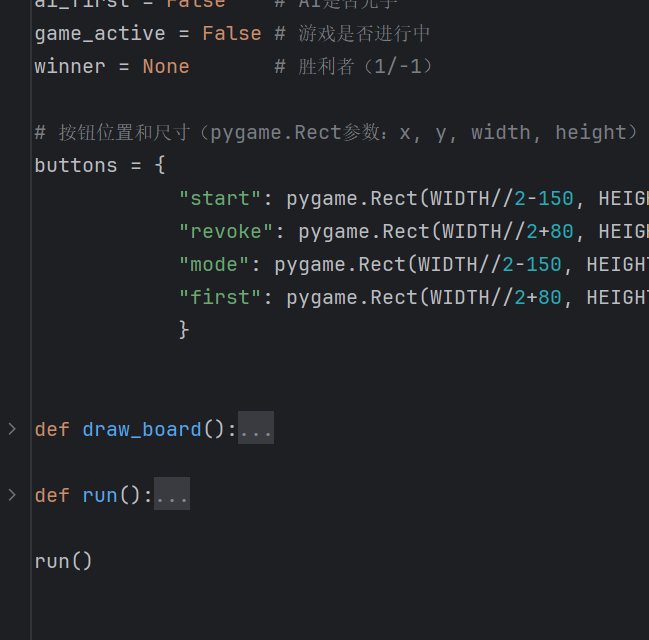
定义绘制棋盘格函数draw_board
定义run函数,运行调试
def draw_board():
    screen.fill(BACKGROUND)
    for i in range(BOARD_SIZE + 1):
        start = MARGIN
        end = WIDTH - MARGIN
        # 横线
        pygame.draw.line(screen, LINE_COLOR,
                         (MARGIN, MARGIN + i * GRID_SIZE),
                         (WIDTH - MARGIN, MARGIN + i * GRID_SIZE), 2)
        # 竖线
        pygame.draw.line(screen, LINE_COLOR,
                         (MARGIN + i * GRID_SIZE, MARGIN),
                         (MARGIN + i * GRID_SIZE, HEIGHT - MARGIN), 2)

        # 绘制棋子
    for i in range(1, BOARD_SIZE + 1):
        for j in range(1, BOARD_SIZE + 1):
            if board[i][j] == 1:
                pygame.draw.circle(screen, WHITE,
                                   (MARGIN + (i - 1) * GRID_SIZE, MARGIN + (j - 1) * GRID_SIZE),
                                   GRID_SIZE // 2 - 2)
            elif board[i][j] == -1:
                pygame.draw.circle(screen, BLACK,
                                   (MARGIN + (i - 1) * GRID_SIZE, MARGIN + (j - 1) * GRID_SIZE),
                                   GRID_SIZE // 2 - 2)

def run():
    while True:
        for event in pygame.event.get():
            if event.type == pygame.QUIT:
                pygame.quit()
                sys.exit()


        draw_board()

        pygame.display.flip()
        clock.tick(30)
使用pygame.draw.line在screen上绘制棋盘网格线,需要的参数有:线条颜色、起点坐标、终点坐标、线宽。
基于棋盘数据board,使用pygame.draw.circle,绘制棋子。 半径是格子大小的一半减2像素。(棋盘数据board初始全为0).
运行后:
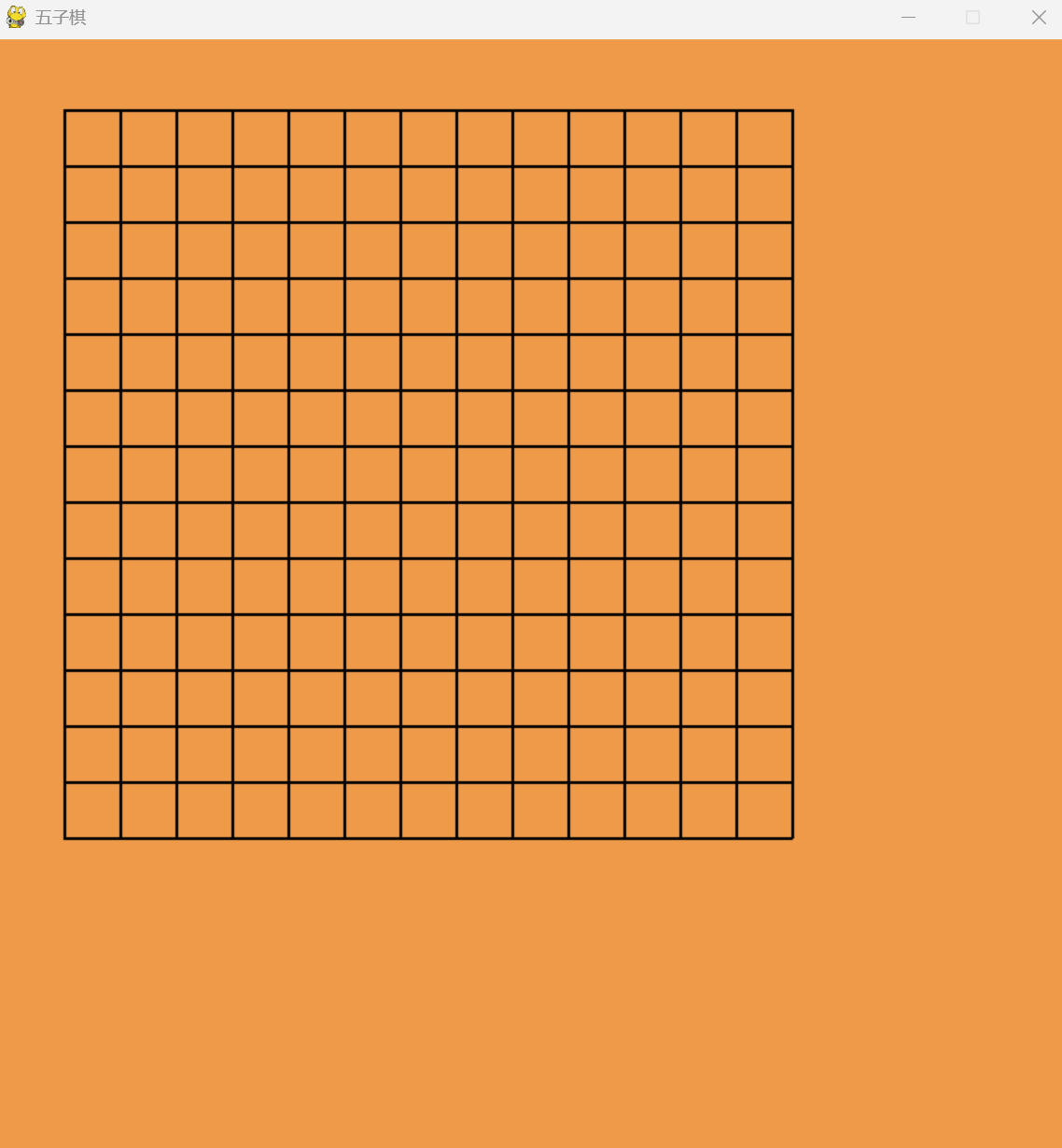
绘制按钮
def draw_buttons():
    for name, rect in buttons.items():
        pygame.draw.rect(screen, (200, 200, 200), rect)
        pygame.draw.rect(screen, BLACK, rect, 2)

    # 绘制按钮文字
    mode_text = "PVP"  # 模式显示文本
    first_text = "people_first"  # 先手显示文本
    start_text = font.render("start", True, BLACK)
    revoke_text = font.render("revoke", True, BLACK)
    mode_text = font.render(mode_text, True, BLACK)
    first_text = font.render(first_text, True, BLACK)

    screen.blit(start_text, (buttons["start"].x + 10, buttons["start"].y + 5))
    screen.blit(revoke_text, (buttons["revoke"].x + 20, buttons["revoke"].y + 5))
    screen.blit(mode_text, (buttons["mode"].x + 10, buttons["mode"].y + 5))
    screen.blit(first_text, (buttons["first"].x + 10, buttons["first"].y + 5))
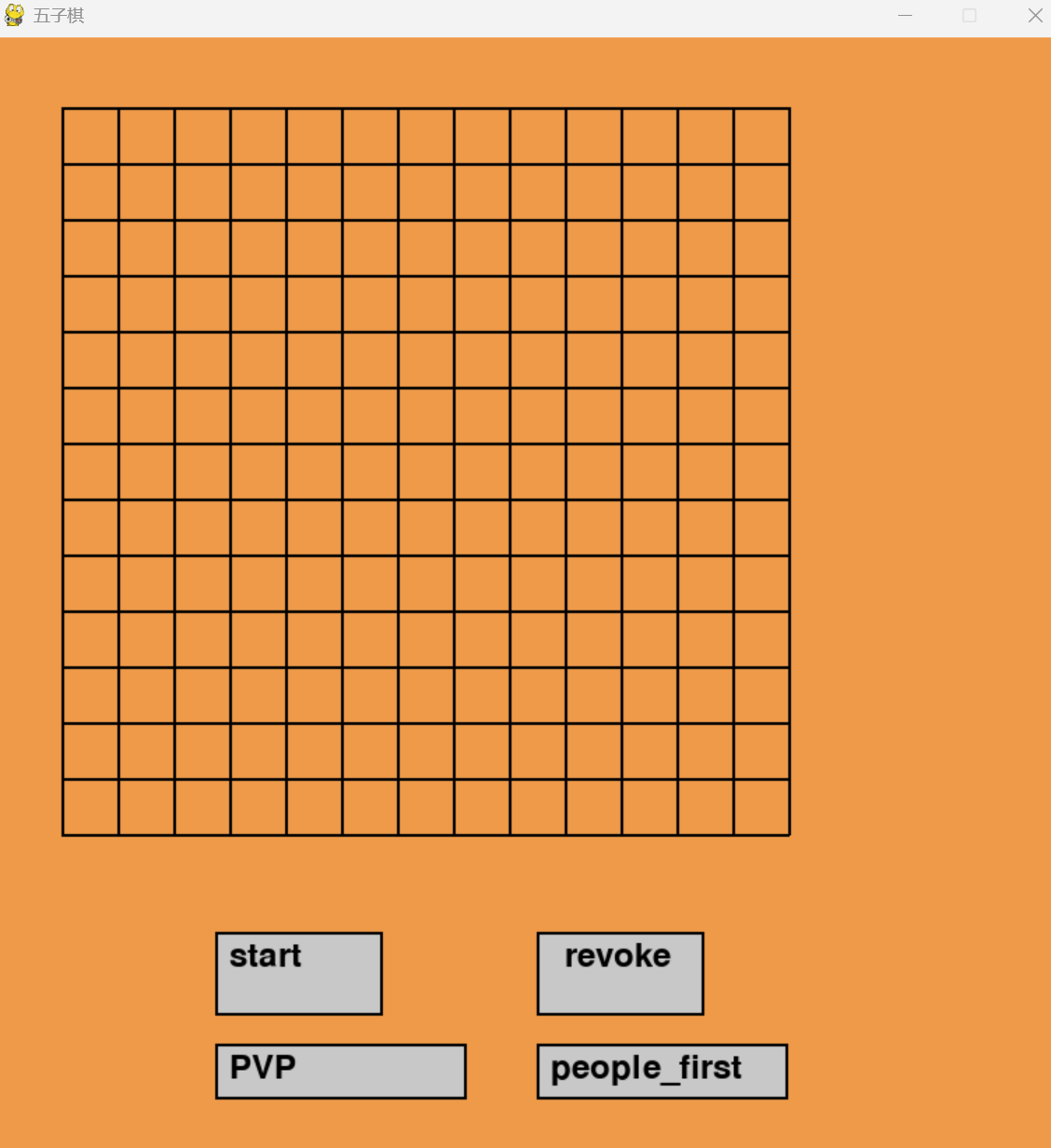
在run中,draw_board()后添加draw_buttons()
运行,
4.主要功能实现
代码如下:
import pygame
import sys
import random
import time

# 初始化 Pygame
pygame.init()

# =======================游戏常量======================================
BOARD_SIZE = 13  # 棋盘是13格x13格
GRID_SIZE = 40   #每个格子的像素大小(40x40像素)
MARGIN = 50     #棋盘边缘留白

# 界面尺寸计算
WIDTH = HEIGHT = BOARD_SIZE * GRID_SIZE + 2 * MARGIN#整个棋盘的尺寸是格数x格大小+2倍留白
BUTTON_AREA = 100   # 底部按钮区域高度
SCREEN_SIZE = (WIDTH+150, HEIGHT + BUTTON_AREA+80) # 窗口总尺寸

WHITE = (255, 255, 255)#白色
BLACK = (0, 0, 0)#黑色
BACKGROUND = (238, 154, 73)#背景色
LINE_COLOR = (0, 0, 0)#线条色

screen = pygame.display.set_mode(SCREEN_SIZE) # 创建指定尺寸的窗口
pygame.display.set_caption("五子棋")  # 设置窗口标题
clock = pygame.time.Clock()     # 创建时钟对象(控制帧率)
font = pygame.font.Font(None, 36)# 创建字体对象(默认字体,36号)

board = [[0] * (BOARD_SIZE + 2) for _ in range(BOARD_SIZE + 2)]  # 棋盘数据
history = []       # 落子历史记录(用于悔棋)
current_player = 1 # 当前玩家(1: 白棋,-1: 黑棋)
game_mode = "human" # 游戏模式("human"=人人对战,"ai"=人机对战)
ai_first = False    # AI是否先手
game_active = False # 游戏是否进行中
winner = None       # 胜利者(1/-1)

# 按钮位置和尺寸(pygame.Rect参数:x, y, width, height)
buttons = {
            "start": pygame.Rect(WIDTH//2-150, HEIGHT+20, 120, 60),   # 开始按钮
            "revoke": pygame.Rect(WIDTH//2+80, HEIGHT+20, 120, 60),    # 悔棋按钮
            "mode": pygame.Rect(WIDTH//2-150, HEIGHT+100, 180, 40),   # 模式切换按钮
            "first": pygame.Rect(WIDTH//2+80, HEIGHT+100, 180, 40)    # 先手选择按钮
            }


ai_turn = False       # AI是否该落子
ai_move_time = 0      # AI落子的时间戳
AI_DELAY = 1000      # AI思考时间(毫秒)


# ----------绘制棋盘 ------------
def draw_board():
    screen.fill(BACKGROUND)# 填充背景色
    for i in range(BOARD_SIZE + 1):
        start = MARGIN
        end = WIDTH - MARGIN
        # 横线
        pygame.draw.line(screen, LINE_COLOR,
                         (MARGIN, MARGIN + i * GRID_SIZE),
                         (WIDTH - MARGIN, MARGIN + i * GRID_SIZE), 2)
        # 竖线
        pygame.draw.line(screen, LINE_COLOR,
                         (MARGIN + i * GRID_SIZE, MARGIN),
                         (MARGIN + i * GRID_SIZE, HEIGHT - MARGIN), 2)

        # 绘制棋子
    for i in range(1, BOARD_SIZE + 1):
        for j in range(1, BOARD_SIZE + 1):
            if board[i][j] == 1:
                pygame.draw.circle(screen, WHITE,
                                   (MARGIN + (i - 1) * GRID_SIZE, MARGIN + (j - 1) * GRID_SIZE),
                                   GRID_SIZE // 2 - 2)
            elif board[i][j] == -1:
                pygame.draw.circle(screen, BLACK,
                                   (MARGIN + (i - 1) * GRID_SIZE, MARGIN + (j - 1) * GRID_SIZE),
                                   GRID_SIZE // 2 - 2)


# 绘制所有按钮
def draw_buttons():
    # 绘制所有按钮
    for name, rect in buttons.items():
        pygame.draw.rect(screen, (200, 200, 200), rect)# 填充浅灰色
        pygame.draw.rect(screen, BLACK, rect, 2)# 绘制黑色边框


    # 绘制按钮文字
    mode_text = "AI Mode" if game_mode == "ai" else "PVP Mode"
    first_text = "AI First" if ai_first else "Human First"
    start_text = font.render("start", True, BLACK)
    revoke_text = font.render("revoke", True, BLACK)
    mode_text = font.render(mode_text, True, BLACK)
    first_text = font.render(first_text, True, BLACK)

    # 定位文字(参数:文字对象,坐标)
    screen.blit(start_text, (buttons["start"].x + 10, buttons["start"].y + 5))
    screen.blit(revoke_text, (buttons["revoke"].x + 20, buttons["revoke"].y + 5))
    screen.blit(mode_text, (buttons["mode"].x + 10, buttons["mode"].y + 5))
    screen.blit(first_text, (buttons["first"].x + 10, buttons["first"].y + 5))


#将鼠标点击位置转换为棋盘坐标
def get_click_pos(pos):
    x, y = pos
    # 检查是否在棋盘区域内
    if MARGIN <= x < WIDTH - MARGIN and MARGIN <= y < HEIGHT - MARGIN:
        i = round((x - MARGIN) / GRID_SIZE) + 1# 列坐标
        j = round((y - MARGIN) / GRID_SIZE) + 1# 行坐标
        return (i, j)
    return None

    # --------------------- 胜负判断 ---------------------
def check_win(x, y):
    """检查是否五子连珠"""
    directions = [(0, 1), (1, 0), (1, 1), (1, -1)]  # 四个检查方向:右、下、右下、右上
    for dx, dy in directions:
        count = 1  # 当前位置已有一个棋子

        # 正向检查
        for step in range(1, 5):
            nx = x + dx * step
            ny = y + dy * step
            if 1 <= nx <= BOARD_SIZE and 1 <= ny <= BOARD_SIZE and board[nx][ny] == board[x][y]:
                count += 1
            else:
                break

        # 反向检查
        for step in range(1, 5):
            nx = x - dx * step
            ny = y - dy * step
            if 1 <= nx <= BOARD_SIZE and 1 <= ny <= BOARD_SIZE and board[nx][ny] == board[x][y]:
                count += 1
            else:
                break

        if count >= 5:
            return True
    return False

#人机落子
def ai_move():
    #纯随机
    empty = [(i,j) for i in range(1, BOARD_SIZE+1)
            for j in range(1, BOARD_SIZE+1) if board[i][j] == 0]
    if empty:
        return random.choice(empty)
    return None


# 执行落子
def make_move(x, y):
    global winner,game_active,current_player
    if board[x][y] == 0:
        board[x][y] = current_player
        history.append((x, y, current_player))
        if check_win(x, y):
            winner = current_player
            game_active = False
        current_player *= -1


#重置游戏
def reset_game():
    global board, history, current_player, winner, game_active
    board = [[0]*(BOARD_SIZE+2) for _ in range(BOARD_SIZE+2)]  # 清空棋盘
    history = []       # 清空历史
    current_player = 1 # 重置先手
    winner = None      # 清除胜利者
    game_active = True # 激活游戏
    # 如果是AI先手模式,AI先落子
    if game_mode == "ai" and ai_first:
        ai_pos = ai_move()
        if ai_pos:
            make_move(ai_pos[0], ai_pos[1])

#悔棋
def revoke_move():
    global history, current_player, winner
    if history:
        x, y, player = history.pop()  # 取出最后一步
        board[x][y] = 0  # 清空棋子
        current_player = player  # 恢复当前玩家
        winner = None  # 清除胜利状态


def handle_click(pos):
    global game_mode, ai_first,ai_turn,ai_move_time
    # 先检查按钮点击
    for name, rect in buttons.items():
        if rect.collidepoint(pos):  # 如果点击在按钮区域内
            if name == "start":
                reset_game()  # 重置游戏
            elif name == "revoke":
                revoke_move()  # 悔棋
            elif name == "mode":
                game_mode = "ai" if game_mode == "human" else "human"
            elif name == "first":
                ai_first = not ai_first

            return  # 处理完按钮点击后直接返回

    # 处理棋盘点击
    if not game_active:
        return

    pos = get_click_pos(pos)  # 转换为棋盘坐标
    if pos and board[pos[0]][pos[1]] == 0:  # 有效落子位置
        make_move(pos[0], pos[1])
        # 如果是人机模式且游戏未结束,AI响应
        if game_mode == "ai" and not winner:
            ai_turn = True  # 标记AI需要落子
            ai_move_time = pygame.time.get_ticks() + AI_DELAY  # 记录延迟时间


def run():
    while True:
        global ai_turn,ai_move_time

        current_time = pygame.time.get_ticks()  # 获取当前时间

        # 处理AI落子延迟
        if ai_turn and current_time >= ai_move_time:
            ai_pos = ai_move()
            if ai_pos:
                make_move(ai_pos[0], ai_pos[1])
            ai_turn = False  # 重置AI标志

        for event in pygame.event.get():
            if event.type == pygame.QUIT:
                pygame.quit()
                sys.exit()
            if event.type == pygame.MOUSEBUTTONDOWN:  # 鼠标点击事件
                handle_click(event.pos)


        draw_board()
        draw_buttons()

        # 显示胜利信息
        if winner:
            text = "The white win!" if winner == 1 else "The black win!"
            status = font.render(text, True, (255, 0, 0))
            screen.blit(status, (WIDTH // 2 - 60, HEIGHT - 200))

        pygame.display.flip()
        clock.tick(30)


run()
5.人机功能优化
上述的ai_move()就是简单的随机下。
下面进行优化。
人工智障代码如下:
#======================ai======================================
def ai_move():
    """智能AI落子:增强防守意识"""
    best_score = -float('inf')
    best_move = None
    center = BOARD_SIZE // 2 + 1

    # 1. 优先检查能否立即获胜
    for x in range(1, BOARD_SIZE + 1):
        for y in range(1, BOARD_SIZE + 1):
            if board[x][y] == 0:
                board[x][y] = -1
                if check_win(x, y):
                    board[x][y] = 0
                    return (x, y)
                board[x][y] = 0

    # 2. 增强防守:检查玩家即将形成的威胁
    threat_level, threat_pos = analyze_threats()
    if threat_level >= 3:  # 当玩家形成活三或更高威胁时立即拦截
        return threat_pos

    # 3. 评估所有空位(同时考虑攻防)
    for x in range(1, BOARD_SIZE + 1):
        for y in range(1, BOARD_SIZE + 1):
            if board[x][y] == 0:
                # 计算进攻得分
                attack_score = calculate_position_score(x, y, -1)

                # 计算防守得分(玩家在此落子的威胁)
                board[x][y] = 1  # 模拟玩家落子
                defend_score = calculate_position_score(x, y, 1) * 1.2  # 防守权重稍高
                board[x][y] = 0

                # 综合得分(防守优先)
                total_score = attack_score + defend_score

                # 更新最佳落子
                if total_score > best_score:
                    best_score = total_score
                    best_move = (x, y)

    # 4. 随机选择保底
    return best_move if best_move else random.choice(
        [(i, j) for i in range(1, BOARD_SIZE + 1) for j in range(1, BOARD_SIZE + 1) if board[i][j] == 0]
    )


def find_best_defense():
    """寻找最佳防守位置(拦截玩家的活三/冲四等威胁)"""
    best_defense = None
    max_defense_score = -1

    # 遍历所有空位
    for x in range(1, BOARD_SIZE + 1):
        for y in range(1, BOARD_SIZE + 1):
            if board[x][y] == 0:
                # 计算此位置的防守价值
                defense_score = evaluate_defense(x, y)

                # 更新最佳防守位置
                if defense_score > max_defense_score:
                    max_defense_score = defense_score
                    best_defense = (x, y)

    return best_defense


def evaluate_defense(x, y):
    """评估某个位置的防守价值"""
    score = 0

    # 模拟玩家在此落子
    board[x][y] = 1
    directions = [(0, 1), (1, 0), (1, 1), (1, -1)]

    for dx, dy in directions:
        pattern = get_pattern(x, y, dx, dy, 1)

        # 根据威胁等级评分
        if pattern == "冲四":
            score += 1500  # 最高优先级拦截
        elif pattern == "活四":
            score += 1200
        elif pattern == "活三":
            score += 800
        elif pattern == "眠三":
            score += 400

    board[x][y] = 0  # 恢复

    # 考虑自身反击能力
    board[x][y] = -1
    attack_score = calculate_position_score(x, y, -1)
    board[x][y] = 0

    return score + attack_score * 0.6  # 防守优先


def analyze_threats():
    """分析玩家威胁等级"""
    max_threat = 0

    for x in range(1, BOARD_SIZE + 1):
        for y in range(1, BOARD_SIZE + 1):
            if board[x][y] == 0:
                # 模拟玩家落子
                board[x][y] = 1

                # 检查四个方向
                directions = [(0, 1), (1, 0), (1, 1), (1, -1)]
                for dx, dy in directions:
                    pattern = get_pattern(x, y, dx, dy, 1)

                    # 立即拦截最高优先级威胁
                    if pattern in ["活四", "冲四"]:
                        board[x][y] = 0
                        return (4, (x, y))  # 最高优先级拦截

                    # 记录次级威胁
                    if pattern == "活三":
                        max_threat = max(max_threat, 3)
                    elif pattern == "眠三":
                        max_threat = max(max_threat, 2)

                board[x][y] = 0

    # 返回最高威胁位置
    if max_threat >= 3:
        return (max_threat, find_best_defense())
    return (0, None)


def get_pattern(x, y, dx, dy, player):
    """识别棋型模式"""
    count = 1
    empty_sides = 0
    blocked_sides = 0

    # 正向检查
    for step in range(1, 5):
        nx = x + dx * step
        ny = y + dy * step
        if 1 <= nx <= BOARD_SIZE and 1 <= ny <= BOARD_SIZE:
            if board[nx][ny] == player:
                count += 1
            elif board[nx][ny] == 0:
                empty_sides += 1
                break
            else:
                blocked_sides += 1
                break
        else:
            blocked_sides += 1
            break

    # 反向检查
    for step in range(1, 5):
        nx = x - dx * step
        ny = y - dy * step
        if 1 <= nx <= BOARD_SIZE and 1 <= ny <= BOARD_SIZE:
            if board[nx][ny] == player:
                count += 1
            elif board[nx][ny] == 0:
                empty_sides += 1
                break
            else:
                blocked_sides += 1
                break
        else:
            blocked_sides += 1
            break

    # 模式识别(增强防守判断)
    if count >= 5:
        return "连五"
    elif count == 4:
        # 冲四:有一端被堵且另一端开放
        if blocked_sides == 1 and empty_sides == 1:
            return "冲四"
        # 活四:两端都开放
        elif empty_sides == 2:
            return "活四"
    elif count == 3:
        # 眠三:有一端被堵
        if blocked_sides >= 1:
            return "眠三"
        return "活三"
    return "单棋"


def calculate_position_score(x, y, player):
    """计算位置综合得分"""
    score = 0
    center = BOARD_SIZE // 2 + 1

    # 基础分:距离中心越近越好
    distance = max(abs(x - center), abs(y - center))
    score += (center - distance) * 2

    # 方向评估
    directions = [(0, 1), (1, 0), (1, 1), (1, -1)]
    for dx, dy in directions:
        pattern = get_pattern(x, y, dx, dy, player)

        # 进攻得分表
        if player == -1:  # AI棋子
            if pattern == "活四":
                score += 10000
            elif pattern == "冲四":
                score += 800
            elif pattern == "活三":
                score += 600
            elif pattern == "眠三":
                score += 300
        else:  # 玩家棋子(防守视角)
            if pattern == "活四":
                score += 15000  # 最高优先级拦截
            elif pattern == "冲四":
                score += 1200
            elif pattern == "活三":
                score += 1000
            elif pattern == "眠三":
                score += 500

    return score


#=============================================================================
6.完整代码
import pygame
import sys
import random
import time

# 初始化 Pygame
pygame.init()

# =======================游戏常量======================================
BOARD_SIZE = 13  # 棋盘是13格x13格
GRID_SIZE = 40   #每个格子的像素大小(40x40像素)
MARGIN = 50     #棋盘边缘留白

# 界面尺寸计算
WIDTH = HEIGHT = BOARD_SIZE * GRID_SIZE + 2 * MARGIN#整个棋盘的尺寸是格数x格大小+2倍留白
BUTTON_AREA = 100   # 底部按钮区域高度
SCREEN_SIZE = (WIDTH+150, HEIGHT + BUTTON_AREA+80) # 窗口总尺寸

WHITE = (255, 255, 255)#白色
BLACK = (0, 0, 0)#黑色
BACKGROUND = (238, 154, 73)#背景色
LINE_COLOR = (0, 0, 0)#线条色

screen = pygame.display.set_mode(SCREEN_SIZE) # 创建指定尺寸的窗口
pygame.display.set_caption("五子棋")  # 设置窗口标题
clock = pygame.time.Clock()     # 创建时钟对象(控制帧率)
font = pygame.font.Font(None, 36)# 创建字体对象(默认字体,36号)

board = [[0] * (BOARD_SIZE + 2) for _ in range(BOARD_SIZE + 2)]  # 棋盘数据
history = []       # 落子历史记录(用于悔棋)
current_player = 1 # 当前玩家(1: 白棋,-1: 黑棋)
game_mode = "human" # 游戏模式("human"=人人对战,"ai"=人机对战)
ai_first = False    # AI是否先手
game_active = False # 游戏是否进行中
winner = None       # 胜利者(1/-1)

# 按钮位置和尺寸(pygame.Rect参数:x, y, width, height)
buttons = {
            "start": pygame.Rect(WIDTH//2-150, HEIGHT+20, 120, 60),   # 开始按钮
            "revoke": pygame.Rect(WIDTH//2+80, HEIGHT+20, 120, 60),    # 悔棋按钮
            "mode": pygame.Rect(WIDTH//2-150, HEIGHT+100, 180, 40),   # 模式切换按钮
            "first": pygame.Rect(WIDTH//2+80, HEIGHT+100, 180, 40)    # 先手选择按钮
            }


ai_turn = False       # AI是否该落子
ai_move_time = 0      # AI落子的时间戳
AI_DELAY = 1000      # AI思考时间(毫秒)


# ----------绘制棋盘 ------------
def draw_board():
    screen.fill(BACKGROUND)# 填充背景色
    for i in range(BOARD_SIZE + 1):
        start = MARGIN
        end = WIDTH - MARGIN
        # 横线
        pygame.draw.line(screen, LINE_COLOR,
                         (MARGIN, MARGIN + i * GRID_SIZE),
                         (WIDTH - MARGIN, MARGIN + i * GRID_SIZE), 2)
        # 竖线
        pygame.draw.line(screen, LINE_COLOR,
                         (MARGIN + i * GRID_SIZE, MARGIN),
                         (MARGIN + i * GRID_SIZE, HEIGHT - MARGIN), 2)

        # 绘制棋子
    for i in range(1, BOARD_SIZE + 1):
        for j in range(1, BOARD_SIZE + 1):
            if board[i][j] == 1:
                pygame.draw.circle(screen, WHITE,
                                   (MARGIN + (i - 1) * GRID_SIZE, MARGIN + (j - 1) * GRID_SIZE),
                                   GRID_SIZE // 2 - 2)
            elif board[i][j] == -1:
                pygame.draw.circle(screen, BLACK,
                                   (MARGIN + (i - 1) * GRID_SIZE, MARGIN + (j - 1) * GRID_SIZE),
                                   GRID_SIZE // 2 - 2)


# 绘制所有按钮
def draw_buttons():
    # 绘制所有按钮
    for name, rect in buttons.items():
        pygame.draw.rect(screen, (200, 200, 200), rect)# 填充浅灰色
        pygame.draw.rect(screen, BLACK, rect, 2)# 绘制黑色边框


    # 绘制按钮文字
    mode_text = "AI Mode" if game_mode == "ai" else "PVP Mode"
    first_text = "AI First" if ai_first else "Human First"
    start_text = font.render("start", True, BLACK)
    revoke_text = font.render("revoke", True, BLACK)
    mode_text = font.render(mode_text, True, BLACK)
    first_text = font.render(first_text, True, BLACK)

    # 定位文字(参数:文字对象,坐标)
    screen.blit(start_text, (buttons["start"].x + 10, buttons["start"].y + 5))
    screen.blit(revoke_text, (buttons["revoke"].x + 20, buttons["revoke"].y + 5))
    screen.blit(mode_text, (buttons["mode"].x + 10, buttons["mode"].y + 5))
    screen.blit(first_text, (buttons["first"].x + 10, buttons["first"].y + 5))


#将鼠标点击位置转换为棋盘坐标
def get_click_pos(pos):
    x, y = pos
    # 检查是否在棋盘区域内
    if MARGIN <= x < WIDTH - MARGIN and MARGIN <= y < HEIGHT - MARGIN:
        i = round((x - MARGIN) / GRID_SIZE) + 1# 列坐标
        j = round((y - MARGIN) / GRID_SIZE) + 1# 行坐标
        return (i, j)
    return None

    # --------------------- 胜负判断 ---------------------
def check_win(x, y):
    """检查是否五子连珠"""
    directions = [(0, 1), (1, 0), (1, 1), (1, -1)]  # 四个检查方向:右、下、右下、右上
    for dx, dy in directions:
        count = 1  # 当前位置已有一个棋子

        # 正向检查
        for step in range(1, 5):
            nx = x + dx * step
            ny = y + dy * step
            if 1 <= nx <= BOARD_SIZE and 1 <= ny <= BOARD_SIZE and board[nx][ny] == board[x][y]:
                count += 1
            else:
                break

        # 反向检查
        for step in range(1, 5):
            nx = x - dx * step
            ny = y - dy * step
            if 1 <= nx <= BOARD_SIZE and 1 <= ny <= BOARD_SIZE and board[nx][ny] == board[x][y]:
                count += 1
            else:
                break

        if count >= 5:
            return True
    return False


#======================ai======================================
def ai_move():
    """智能AI落子:增强防守意识"""
    best_score = -float('inf')
    best_move = None
    center = BOARD_SIZE // 2 + 1

    # 1. 优先检查能否立即获胜
    for x in range(1, BOARD_SIZE + 1):
        for y in range(1, BOARD_SIZE + 1):
            if board[x][y] == 0:
                board[x][y] = -1
                if check_win(x, y):
                    board[x][y] = 0
                    return (x, y)
                board[x][y] = 0

    # 2. 增强防守:检查玩家即将形成的威胁
    threat_level, threat_pos = analyze_threats()
    if threat_level >= 3:  # 当玩家形成活三或更高威胁时立即拦截
        return threat_pos

    # 3. 评估所有空位(同时考虑攻防)
    for x in range(1, BOARD_SIZE + 1):
        for y in range(1, BOARD_SIZE + 1):
            if board[x][y] == 0:
                # 计算进攻得分
                attack_score = calculate_position_score(x, y, -1)

                # 计算防守得分(玩家在此落子的威胁)
                board[x][y] = 1  # 模拟玩家落子
                defend_score = calculate_position_score(x, y, 1) * 1.2  # 防守权重稍高
                board[x][y] = 0

                # 综合得分(防守优先)
                total_score = attack_score + defend_score

                # 更新最佳落子
                if total_score > best_score:
                    best_score = total_score
                    best_move = (x, y)

    # 4. 随机选择保底
    return best_move if best_move else random.choice(
        [(i, j) for i in range(1, BOARD_SIZE + 1) for j in range(1, BOARD_SIZE + 1) if board[i][j] == 0]
    )


def find_best_defense():
    """寻找最佳防守位置(拦截玩家的活三/冲四等威胁)"""
    best_defense = None
    max_defense_score = -1

    # 遍历所有空位
    for x in range(1, BOARD_SIZE + 1):
        for y in range(1, BOARD_SIZE + 1):
            if board[x][y] == 0:
                # 计算此位置的防守价值
                defense_score = evaluate_defense(x, y)

                # 更新最佳防守位置
                if defense_score > max_defense_score:
                    max_defense_score = defense_score
                    best_defense = (x, y)

    return best_defense


def evaluate_defense(x, y):
    """评估某个位置的防守价值"""
    score = 0

    # 模拟玩家在此落子
    board[x][y] = 1
    directions = [(0, 1), (1, 0), (1, 1), (1, -1)]

    for dx, dy in directions:
        pattern = get_pattern(x, y, dx, dy, 1)

        # 根据威胁等级评分
        if pattern == "冲四":
            score += 1500  # 最高优先级拦截
        elif pattern == "活四":
            score += 1200
        elif pattern == "活三":
            score += 800
        elif pattern == "眠三":
            score += 400

    board[x][y] = 0  # 恢复

    # 考虑自身反击能力
    board[x][y] = -1
    attack_score = calculate_position_score(x, y, -1)
    board[x][y] = 0

    return score + attack_score * 0.6  # 防守优先


def analyze_threats():
    """分析玩家威胁等级"""
    max_threat = 0

    for x in range(1, BOARD_SIZE + 1):
        for y in range(1, BOARD_SIZE + 1):
            if board[x][y] == 0:
                # 模拟玩家落子
                board[x][y] = 1

                # 检查四个方向
                directions = [(0, 1), (1, 0), (1, 1), (1, -1)]
                for dx, dy in directions:
                    pattern = get_pattern(x, y, dx, dy, 1)

                    # 立即拦截最高优先级威胁
                    if pattern in ["活四", "冲四"]:
                        board[x][y] = 0
                        return (4, (x, y))  # 最高优先级拦截

                    # 记录次级威胁
                    if pattern == "活三":
                        max_threat = max(max_threat, 3)
                    elif pattern == "眠三":
                        max_threat = max(max_threat, 2)

                board[x][y] = 0

    # 返回最高威胁位置
    if max_threat >= 3:
        return (max_threat, find_best_defense())
    return (0, None)


def get_pattern(x, y, dx, dy, player):
    """识别棋型模式"""
    count = 1
    empty_sides = 0
    blocked_sides = 0

    # 正向检查
    for step in range(1, 5):
        nx = x + dx * step
        ny = y + dy * step
        if 1 <= nx <= BOARD_SIZE and 1 <= ny <= BOARD_SIZE:
            if board[nx][ny] == player:
                count += 1
            elif board[nx][ny] == 0:
                empty_sides += 1
                break
            else:
                blocked_sides += 1
                break
        else:
            blocked_sides += 1
            break

    # 反向检查
    for step in range(1, 5):
        nx = x - dx * step
        ny = y - dy * step
        if 1 <= nx <= BOARD_SIZE and 1 <= ny <= BOARD_SIZE:
            if board[nx][ny] == player:
                count += 1
            elif board[nx][ny] == 0:
                empty_sides += 1
                break
            else:
                blocked_sides += 1
                break
        else:
            blocked_sides += 1
            break

    # 模式识别(增强防守判断)
    if count >= 5:
        return "连五"
    elif count == 4:
        # 冲四:有一端被堵且另一端开放
        if blocked_sides == 1 and empty_sides == 1:
            return "冲四"
        # 活四:两端都开放
        elif empty_sides == 2:
            return "活四"
    elif count == 3:
        # 眠三:有一端被堵
        if blocked_sides >= 1:
            return "眠三"
        return "活三"
    return "单棋"


def calculate_position_score(x, y, player):
    """计算位置综合得分"""
    score = 0
    center = BOARD_SIZE // 2 + 1

    # 基础分:距离中心越近越好
    distance = max(abs(x - center), abs(y - center))
    score += (center - distance) * 2

    # 方向评估
    directions = [(0, 1), (1, 0), (1, 1), (1, -1)]
    for dx, dy in directions:
        pattern = get_pattern(x, y, dx, dy, player)

        # 进攻得分表
        if player == -1:  # AI棋子
            if pattern == "活四":
                score += 10000
            elif pattern == "冲四":
                score += 800
            elif pattern == "活三":
                score += 600
            elif pattern == "眠三":
                score += 300
        else:  # 玩家棋子(防守视角)
            if pattern == "活四":
                score += 15000  # 最高优先级拦截
            elif pattern == "冲四":
                score += 1200
            elif pattern == "活三":
                score += 1000
            elif pattern == "眠三":
                score += 500

    return score


#=============================================================================


# 执行落子
def make_move(x, y):
    global winner,game_active,current_player
    if board[x][y] == 0:
        board[x][y] = current_player
        history.append((x, y, current_player))
        if check_win(x, y):
            winner = current_player
            game_active = False
        current_player *= -1


#重置游戏
def reset_game():
    global board, history, current_player, winner, game_active
    board = [[0]*(BOARD_SIZE+2) for _ in range(BOARD_SIZE+2)]  # 清空棋盘
    history = []       # 清空历史
    current_player = 1 # 重置先手
    winner = None      # 清除胜利者
    game_active = True # 激活游戏
    # 如果是AI先手模式,AI先落子
    if game_mode == "ai" and ai_first:
        ai_pos = ai_move()
        if ai_pos:
            make_move(ai_pos[0], ai_pos[1])

#悔棋
def revoke_move():
    global history, current_player, winner
    if history:
        x, y, player = history.pop()  # 取出最后一步
        board[x][y] = 0  # 清空棋子
        current_player = player  # 恢复当前玩家
        winner = None  # 清除胜利状态


def handle_click(pos):
    global game_mode, ai_first,ai_turn,ai_move_time
    # 先检查按钮点击
    for name, rect in buttons.items():
        if rect.collidepoint(pos):  # 如果点击在按钮区域内
            if name == "start":
                reset_game()  # 重置游戏
            elif name == "revoke":
                revoke_move()  # 悔棋
            elif name == "mode":
                game_mode = "ai" if game_mode == "human" else "human"
            elif name == "first":
                ai_first = not ai_first

            return  # 处理完按钮点击后直接返回

    # 处理棋盘点击
    if not game_active:
        return

    pos = get_click_pos(pos)  # 转换为棋盘坐标
    if pos and board[pos[0]][pos[1]] == 0:  # 有效落子位置
        make_move(pos[0], pos[1])
        # 如果是人机模式且游戏未结束,AI响应
        if game_mode == "ai" and not winner:
            ai_turn = True  # 标记AI需要落子
            ai_move_time = pygame.time.get_ticks() + AI_DELAY  # 记录延迟时间


def run():
    while True:
        global ai_turn,ai_move_time

        current_time = pygame.time.get_ticks()  # 获取当前时间

        # 处理AI落子延迟
        if ai_turn and current_time >= ai_move_time:
            ai_pos = ai_move()
            if ai_pos:
                make_move(ai_pos[0], ai_pos[1])
            ai_turn = False  # 重置AI标志

        for event in pygame.event.get():
            if event.type == pygame.QUIT:
                pygame.quit()
                sys.exit()
            if event.type == pygame.MOUSEBUTTONDOWN:  # 鼠标点击事件
                handle_click(event.pos)


        draw_board()
        draw_buttons()

        # 显示胜利信息
        if winner:
            text = "The white win!" if winner == 1 else "The black win!"
            status = font.render(text, True, (255, 0, 0))
            screen.blit(status, (WIDTH // 2 - 60, HEIGHT - 200))

        pygame.display.flip()
        clock.tick(30)


run()

魔乐社区(Modelers.cn) 是一个中立、公益的人工智能社区,提供人工智能工具、模型、数据的托管、展示与应用协同服务,为人工智能开发及爱好者搭建开放的学习交流平台。社区通过理事会方式运作,由全产业链共同建设、共同运营、共同享有,推动国产AI生态繁荣发展。
更多推荐


 9
9 0
0- 0


 已为社区贡献2条内容

所有评论(0)