大数据时代的UI前端设计:如何提升数据交互体验?
hello宝子们...我们是艾斯视觉擅长ui设计、前端开发、数字孪生、大数据、三维建模、三维动画10年+经验!希望我的分享能帮助到您!如需帮助可以评论关注私信我们一起探讨!致敬感谢感恩!
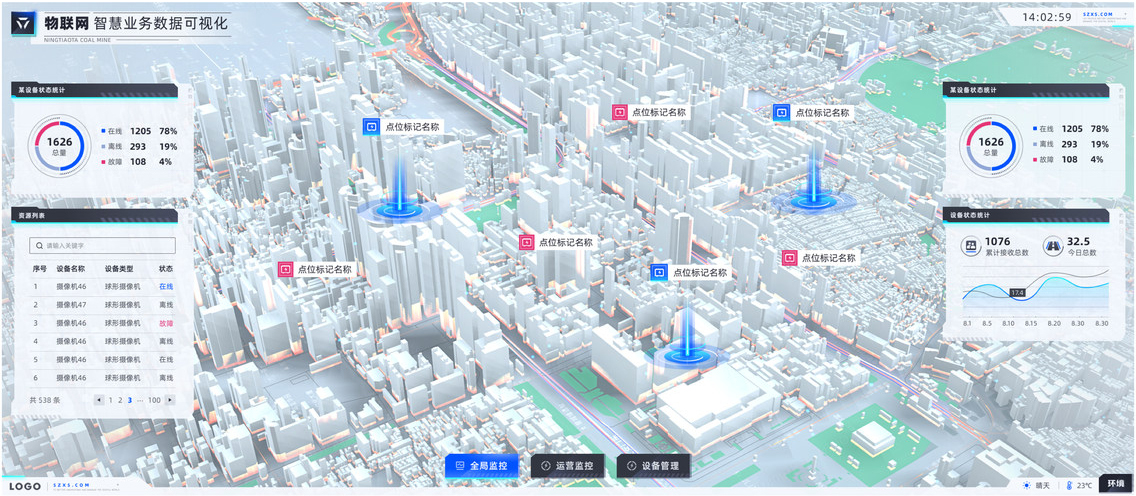
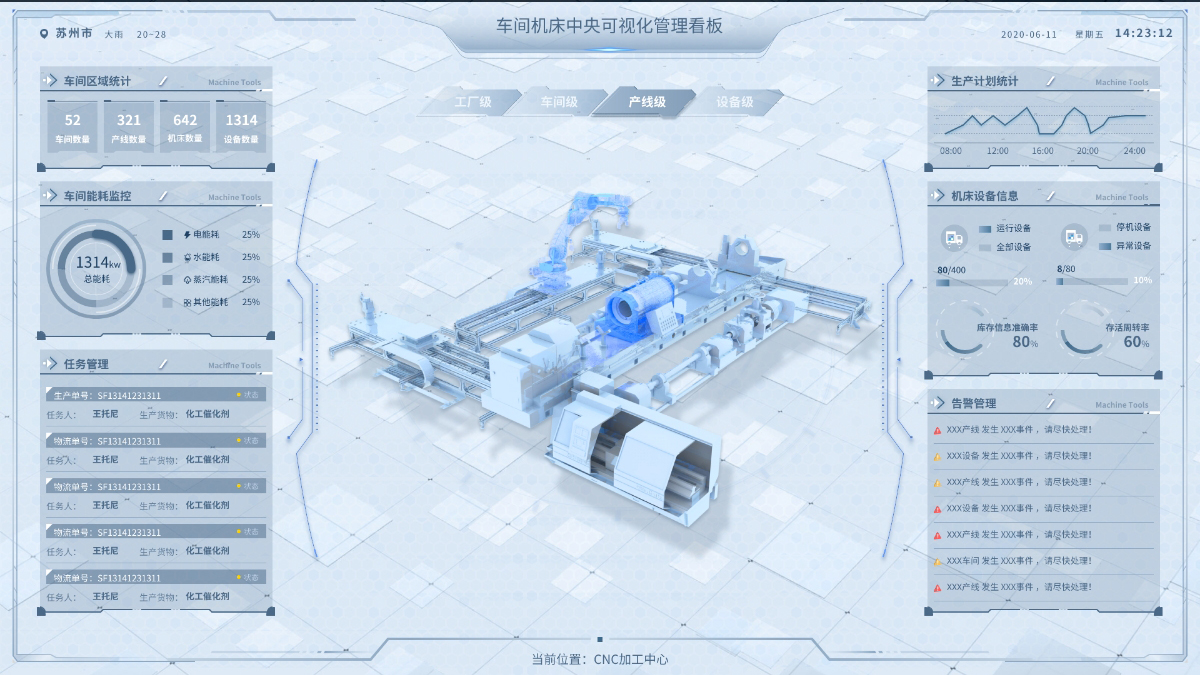
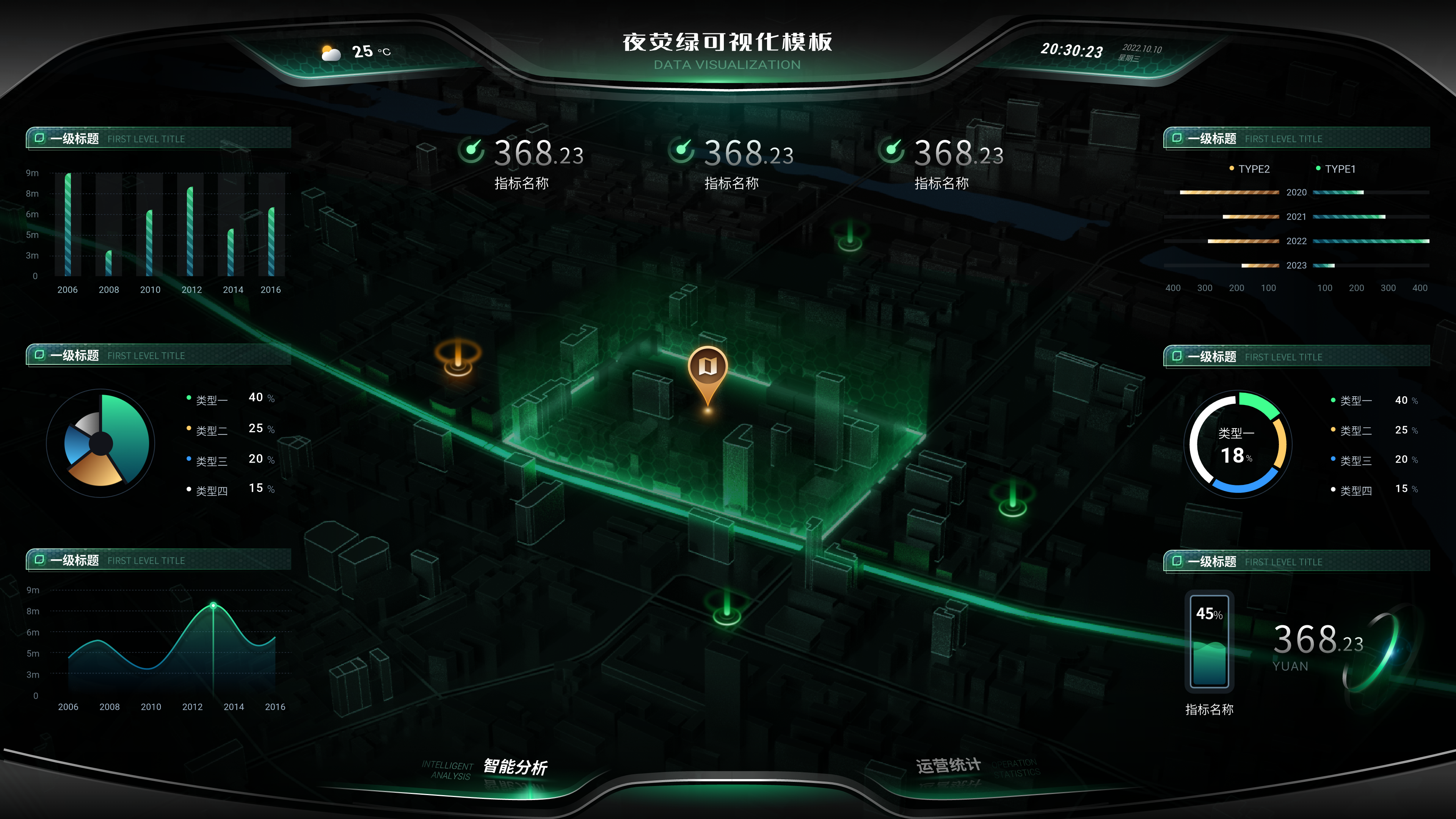
在数据量呈指数级增长的今天,UI 前端设计正经历从 "视觉呈现" 到 "数据交互" 的范式转型。据 IDC 预测,到 2025 年全球数据圈将达到 175ZB,如何在海量数据中提取有价值信息并转化为直观、高效的用户体验,成为前端设计师面临的核心挑战。本文将从数据可视化、交互设计、性能优化、用户体验等维度,探讨大数据时代 UI 前端设计的创新方向与实践方法。
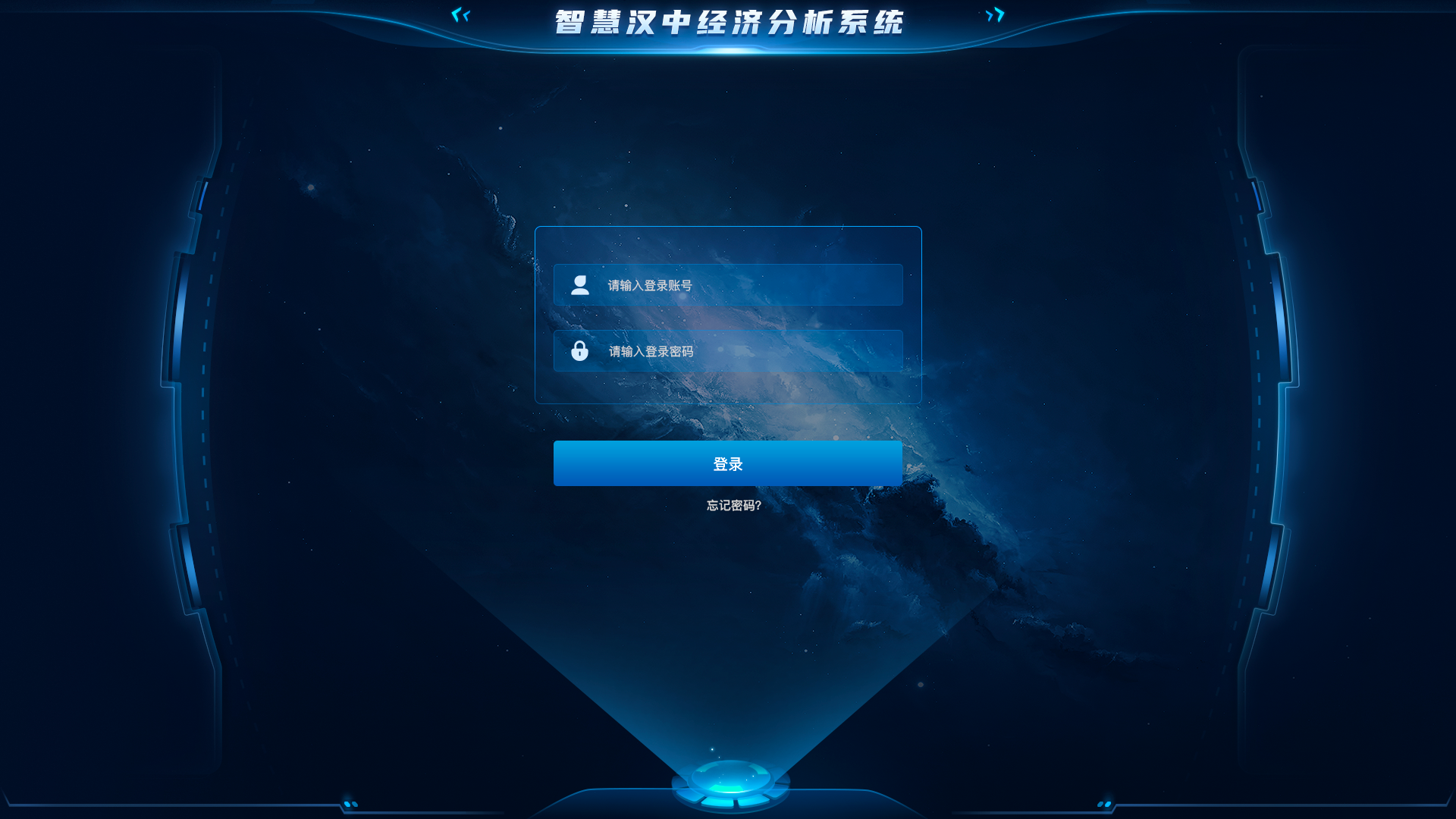
一、数据可视化:从信息展示到洞察发现
1.1 多维数据的视觉映射
传统图表已难以满足复杂数据的展示需求,现代数据可视化需构建多维度的视觉映射系统:
// 生物反馈自适应UI系统
class BiofeedbackAdaptiveUI {
constructor(dataInterface) {
this.dataInterface = dataInterface;
this.biofeedbackSensor = new BiofeedbackSensor();
this.userState = {
stressLevel: 0,
attention: 1,
fatigue: 0
};
this.uiStrategies = {
highStress: this.createLowCognitiveLoadUI,
lowAttention: this.createAttentionGrabbingUI,
highFatigue: this.createSimplifiedUI
};
}

async startAdaptiveLoop() {
// 1. 启动生物反馈传感器
await this.biofeedbackSensor.start();

// 2. 开始自适应循环
setInterval(async () => {
// 3. 读取用户生物指标
const metrics = await this.biofeedbackSensor.readMetrics();

// 4. 更新用户状态
this.updateUserState(metrics);

// 5. 根据用户状态调整UI
const strategy = this.selectAdaptiveStrategy();
const newUIConfig = strategy(this.dataInterface.getCurrentData());

// 6. 应用新的UI配置
this.dataInterface.applyUIConfig(newUIConfig);
}, 5000); // 每5秒检查一次
}

// 其他方法...
}
这种多维映射系统使设计师能够将 5-7 个维度的数据同时呈现,某金融分析平台通过该技术使分析师数据洞察效率提升 65%。
1.2 动态数据的实时响应
在实时数据流场景下,UI 需具备高效的增量更新能力:
// 生物反馈自适应UI系统
class BiofeedbackAdaptiveUI {
constructor(dataInterface) {
this.dataInterface = dataInterface;
this.biofeedbackSensor = new BiofeedbackSensor();
this.userState = {
stressLevel: 0,
attention: 1,
fatigue: 0
};
this.uiStrategies = {
highStress: this.createLowCognitiveLoadUI,
lowAttention: this.createAttentionGrabbingUI,
highFatigue: this.createSimplifiedUI
};
}

async startAdaptiveLoop() {
// 1. 启动生物反馈传感器
await this.biofeedbackSensor.start();

// 2. 开始自适应循环
setInterval(async () => {
// 3. 读取用户生物指标
const metrics = await this.biofeedbackSensor.readMetrics();

// 4. 更新用户状态
this.updateUserState(metrics);

// 5. 根据用户状态调整UI
const strategy = this.selectAdaptiveStrategy();
const newUIConfig = strategy(this.dataInterface.getCurrentData());

// 6. 应用新的UI配置
this.dataInterface.applyUIConfig(newUIConfig);
}, 5000); // 每5秒检查一次
}

// 其他方法...
}
某电商平台实时监控大屏采用此技术,在处理每秒 1000 + 数据点的情况下,保持了 60fps 的流畅渲染。
1.3 复杂数据的分层设计
通过视觉层级引导用户注意力:
// 生物反馈自适应UI系统
class BiofeedbackAdaptiveUI {
constructor(dataInterface) {
this.dataInterface = dataInterface;
this.biofeedbackSensor = new BiofeedbackSensor();
this.userState = {
stressLevel: 0,
attention: 1,
fatigue: 0
};
this.uiStrategies = {
highStress: this.createLowCognitiveLoadUI,
lowAttention: this.createAttentionGrabbingUI,
highFatigue: this.createSimplifiedUI
};
}

async startAdaptiveLoop() {
// 1. 启动生物反馈传感器
await this.biofeedbackSensor.start();

// 2. 开始自适应循环
setInterval(async () => {
// 3. 读取用户生物指标
const metrics = await this.biofeedbackSensor.readMetrics();

// 4. 更新用户状态
this.updateUserState(metrics);

// 5. 根据用户状态调整UI
const strategy = this.selectAdaptiveStrategy();
const newUIConfig = strategy(this.dataInterface.getCurrentData());

// 6. 应用新的UI配置
this.dataInterface.applyUIConfig(newUIConfig);
}, 5000); // 每5秒检查一次
}

// 其他方法...
}
某医疗数据分析系统采用三层设计,使医生在查看复杂病情趋势时认知负担降低 40%。

二、交互设计:从被动接受到主动探索
2.1 数据驱动的探索式交互
设计可让用户主动探索数据的交互模式:
// 生物反馈自适应UI系统
class BiofeedbackAdaptiveUI {
constructor(dataInterface) {
this.dataInterface = dataInterface;
this.biofeedbackSensor = new BiofeedbackSensor();
this.userState = {
stressLevel: 0,
attention: 1,
fatigue: 0
};
this.uiStrategies = {
highStress: this.createLowCognitiveLoadUI,
lowAttention: this.createAttentionGrabbingUI,
highFatigue: this.createSimplifiedUI
};
}

async startAdaptiveLoop() {
// 1. 启动生物反馈传感器
await this.biofeedbackSensor.start();

// 2. 开始自适应循环
setInterval(async () => {
// 3. 读取用户生物指标
const metrics = await this.biofeedbackSensor.readMetrics();

// 4. 更新用户状态
this.updateUserState(metrics);

// 5. 根据用户状态调整UI
const strategy = this.selectAdaptiveStrategy();
const newUIConfig = strategy(this.dataInterface.getCurrentData());

// 6. 应用新的UI配置
this.dataInterface.applyUIConfig(newUIConfig);
}, 5000); // 每5秒检查一次
}

// 其他方法...
}
某市场调研平台通过该设计,使用户发现数据洞察的平均时间从 20 分钟缩短至 5 分钟。
2.2 智能推荐的交互辅助
利用 AI 提供数据交互建议:
// 生物反馈自适应UI系统
class BiofeedbackAdaptiveUI {
constructor(dataInterface) {
this.dataInterface = dataInterface;
this.biofeedbackSensor = new BiofeedbackSensor();
this.userState = {
stressLevel: 0,
attention: 1,
fatigue: 0
};
this.uiStrategies = {
highStress: this.createLowCognitiveLoadUI,
lowAttention: this.createAttentionGrabbingUI,
highFatigue: this.createSimplifiedUI
};
}

async startAdaptiveLoop() {
// 1. 启动生物反馈传感器
await this.biofeedbackSensor.start();

// 2. 开始自适应循环
setInterval(async () => {
// 3. 读取用户生物指标
const metrics = await this.biofeedbackSensor.readMetrics();

// 4. 更新用户状态
this.updateUserState(metrics);

// 5. 根据用户状态调整UI
const strategy = this.selectAdaptiveStrategy();
const newUIConfig = strategy(this.dataInterface.getCurrentData());

// 6. 应用新的UI配置
this.dataInterface.applyUIConfig(newUIConfig);
}, 5000); // 每5秒检查一次
}

// 其他方法...
}
某数据分析工具集成该系统后,用户发现有价值数据模式的概率提升了 35%。
2.3 预测性交互反馈
根据用户行为预测需求并提前提供反馈:
// 生物反馈自适应UI系统
class BiofeedbackAdaptiveUI {
constructor(dataInterface) {
this.dataInterface = dataInterface;
this.biofeedbackSensor = new BiofeedbackSensor();
this.userState = {
stressLevel: 0,
attention: 1,
fatigue: 0
};
this.uiStrategies = {
highStress: this.createLowCognitiveLoadUI,
lowAttention: this.createAttentionGrabbingUI,
highFatigue: this.createSimplifiedUI
};
}

async startAdaptiveLoop() {
// 1. 启动生物反馈传感器
await this.biofeedbackSensor.start();

// 2. 开始自适应循环
setInterval(async () => {
// 3. 读取用户生物指标
const metrics = await this.biofeedbackSensor.readMetrics();

// 4. 更新用户状态
this.updateUserState(metrics);

// 5. 根据用户状态调整UI
const strategy = this.selectAdaptiveStrategy();
const newUIConfig = strategy(this.dataInterface.getCurrentData());

// 6. 应用新的UI配置
this.dataInterface.applyUIConfig(newUIConfig);
}, 5000); // 每5秒检查一次
}

// 其他方法...
}
某新闻 APP 采用预测性加载技术后,页面加载速度提升了 40%,用户停留时间增加了 28%。
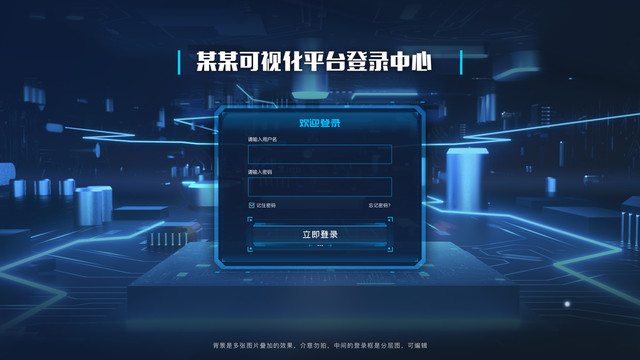
三、性能优化:大数据场景下的体验保障
3.1 虚拟滚动技术
处理海量列表数据的渲染:
// 生物反馈自适应UI系统
class BiofeedbackAdaptiveUI {
constructor(dataInterface) {
this.dataInterface = dataInterface;
this.biofeedbackSensor = new BiofeedbackSensor();
this.userState = {
stressLevel: 0,
attention: 1,
fatigue: 0
};
this.uiStrategies = {
highStress: this.createLowCognitiveLoadUI,
lowAttention: this.createAttentionGrabbingUI,
highFatigue: this.createSimplifiedUI
};
}

async startAdaptiveLoop() {
// 1. 启动生物反馈传感器
await this.biofeedbackSensor.start();

// 2. 开始自适应循环
setInterval(async () => {
// 3. 读取用户生物指标
const metrics = await this.biofeedbackSensor.readMetrics();

// 4. 更新用户状态
this.updateUserState(metrics);

// 5. 根据用户状态调整UI
const strategy = this.selectAdaptiveStrategy();
const newUIConfig = strategy(this.dataInterface.getCurrentData());

// 6. 应用新的UI配置
this.dataInterface.applyUIConfig(newUIConfig);
}, 5000); // 每5秒检查一次
}

// 其他方法...
}
某社交平台采用虚拟滚动后,处理 10 万条消息列表时内存占用减少 75%,滚动帧率保持 60fps。
3.2 数据分片与懒加载
// 生物反馈自适应UI系统
class BiofeedbackAdaptiveUI {
constructor(dataInterface) {
this.dataInterface = dataInterface;
this.biofeedbackSensor = new BiofeedbackSensor();
this.userState = {
stressLevel: 0,
attention: 1,
fatigue: 0
};
this.uiStrategies = {
highStress: this.createLowCognitiveLoadUI,
lowAttention: this.createAttentionGrabbingUI,
highFatigue: this.createSimplifiedUI
};
}

async startAdaptiveLoop() {
// 1. 启动生物反馈传感器
await this.biofeedbackSensor.start();

// 2. 开始自适应循环
setInterval(async () => {
// 3. 读取用户生物指标
const metrics = await this.biofeedbackSensor.readMetrics();

// 4. 更新用户状态
this.updateUserState(metrics);

// 5. 根据用户状态调整UI
const strategy = this.selectAdaptiveStrategy();
const newUIConfig = strategy(this.dataInterface.getCurrentData());

// 6. 应用新的UI配置
this.dataInterface.applyUIConfig(newUIConfig);
}, 5000); // 每5秒检查一次
}

// 其他方法...
}
某企业级数据管理平台采用该技术后,大型数据集的初始加载时间从 15 秒缩短至 2 秒。
3.3 服务端渲染与客户端增量更新
平衡大数据场景下的加载与交互性能:
// 生物反馈自适应UI系统
class BiofeedbackAdaptiveUI {
constructor(dataInterface) {
this.dataInterface = dataInterface;
this.biofeedbackSensor = new BiofeedbackSensor();
this.userState = {
stressLevel: 0,
attention: 1,
fatigue: 0
};
this.uiStrategies = {
highStress: this.createLowCognitiveLoadUI,
lowAttention: this.createAttentionGrabbingUI,
highFatigue: this.createSimplifiedUI
};
}

async startAdaptiveLoop() {
// 1. 启动生物反馈传感器
await this.biofeedbackSensor.start();

// 2. 开始自适应循环
setInterval(async () => {
// 3. 读取用户生物指标
const metrics = await this.biofeedbackSensor.readMetrics();

// 4. 更新用户状态
this.updateUserState(metrics);

// 5. 根据用户状态调整UI
const strategy = this.selectAdaptiveStrategy();
const newUIConfig = strategy(this.dataInterface.getCurrentData());

// 6. 应用新的UI配置
this.dataInterface.applyUIConfig(newUIConfig);
}, 5000); // 每5秒检查一次
}

// 其他方法...
}
某金融实时监控系统采用此架构后,页面加载时间减少 60%,数据更新延迟降低至 100ms 以内。
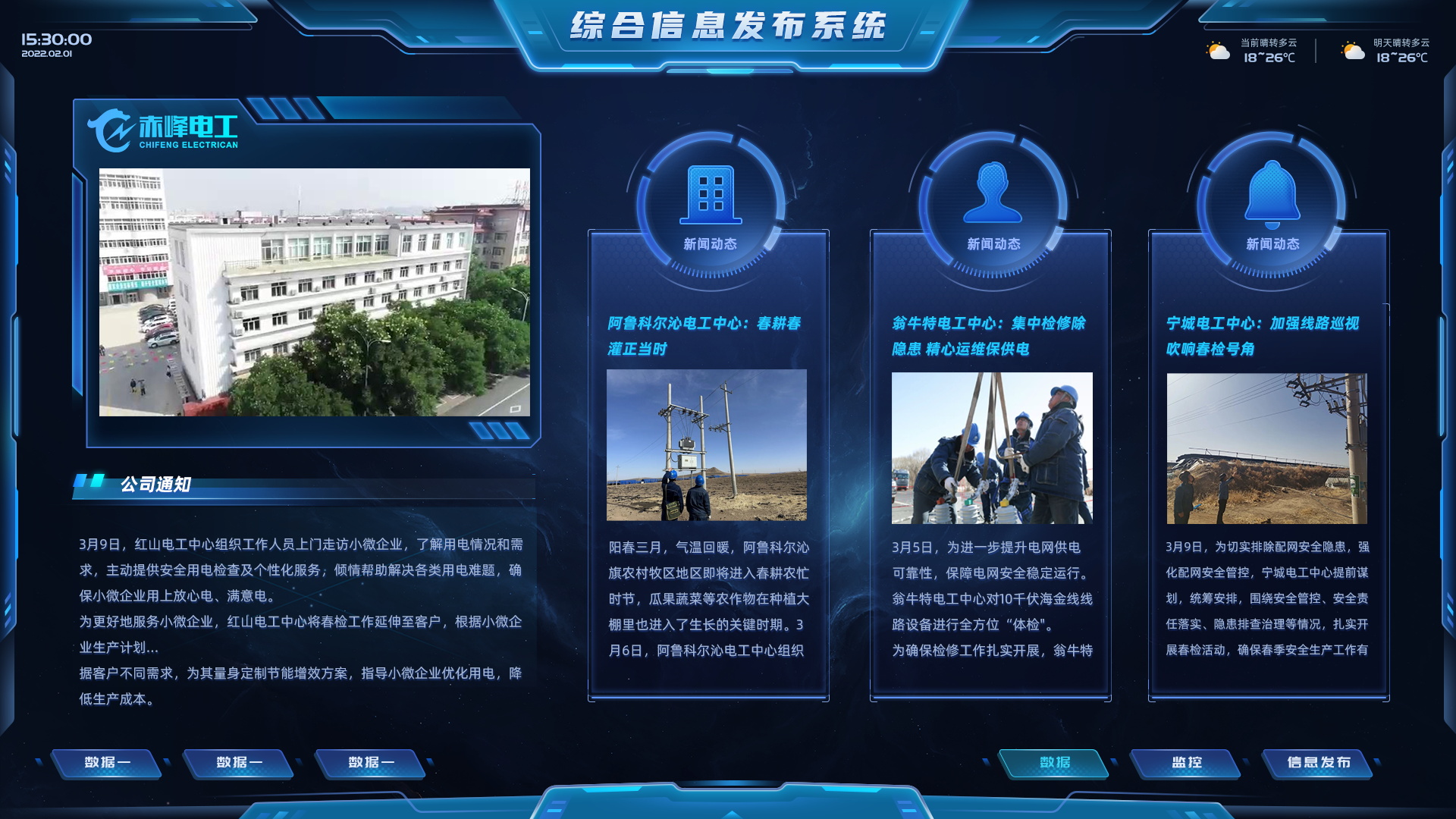
四、用户体验:大数据时代的设计哲学
4.1 数据素养与认知减负
设计符合用户认知水平的数据呈现方式:
// 生物反馈自适应UI系统
class BiofeedbackAdaptiveUI {
constructor(dataInterface) {
this.dataInterface = dataInterface;
this.biofeedbackSensor = new BiofeedbackSensor();
this.userState = {
stressLevel: 0,
attention: 1,
fatigue: 0
};
this.uiStrategies = {
highStress: this.createLowCognitiveLoadUI,
lowAttention: this.createAttentionGrabbingUI,
highFatigue: this.createSimplifiedUI
};
}

async startAdaptiveLoop() {
// 1. 启动生物反馈传感器
await this.biofeedbackSensor.start();

// 2. 开始自适应循环
setInterval(async () => {
// 3. 读取用户生物指标
const metrics = await this.biofeedbackSensor.readMetrics();

// 4. 更新用户状态
this.updateUserState(metrics);

// 5. 根据用户状态调整UI
const strategy = this.selectAdaptiveStrategy();
const newUIConfig = strategy(this.dataInterface.getCurrentData());

// 6. 应用新的UI配置
this.dataInterface.applyUIConfig(newUIConfig);
}, 5000); // 每5秒检查一次
}

// 其他方法...
}
某数据分析工具通过该功能,使初级用户的数据分析成功率提升了 55%。
4.2 故事化数据叙事
将数据转化为有意义的故事:
// 生物反馈自适应UI系统
class BiofeedbackAdaptiveUI {
constructor(dataInterface) {
this.dataInterface = dataInterface;
this.biofeedbackSensor = new BiofeedbackSensor();
this.userState = {
stressLevel: 0,
attention: 1,
fatigue: 0
};
this.uiStrategies = {
highStress: this.createLowCognitiveLoadUI,
lowAttention: this.createAttentionGrabbingUI,
highFatigue: this.createSimplifiedUI
};
}

async startAdaptiveLoop() {
// 1. 启动生物反馈传感器
await this.biofeedbackSensor.start();

// 2. 开始自适应循环
setInterval(async () => {
// 3. 读取用户生物指标
const metrics = await this.biofeedbackSensor.readMetrics();

// 4. 更新用户状态
this.updateUserState(metrics);

// 5. 根据用户状态调整UI
const strategy = this.selectAdaptiveStrategy();
const newUIConfig = strategy(this.dataInterface.getCurrentData());

// 6. 应用新的UI配置
this.dataInterface.applyUIConfig(newUIConfig);
}, 5000); // 每5秒检查一次
}

// 其他方法...
}
某市场研究平台通过数据故事功能,使用户理解数据洞察的时间缩短了 40%。
4.3 无障碍与包容性设计
确保所有用户都能有效获取数据信息:
// 生物反馈自适应UI系统
class BiofeedbackAdaptiveUI {
constructor(dataInterface) {
this.dataInterface = dataInterface;
this.biofeedbackSensor = new BiofeedbackSensor();
this.userState = {
stressLevel: 0,
attention: 1,
fatigue: 0
};
this.uiStrategies = {
highStress: this.createLowCognitiveLoadUI,
lowAttention: this.createAttentionGrabbingUI,
highFatigue: this.createSimplifiedUI
};
}

async startAdaptiveLoop() {
// 1. 启动生物反馈传感器
await this.biofeedbackSensor.start();

// 2. 开始自适应循环
setInterval(async () => {
// 3. 读取用户生物指标
const metrics = await this.biofeedbackSensor.readMetrics();

// 4. 更新用户状态
this.updateUserState(metrics);

// 5. 根据用户状态调整UI
const strategy = this.selectAdaptiveStrategy();
const newUIConfig = strategy(this.dataInterface.getCurrentData());

// 6. 应用新的UI配置
this.dataInterface.applyUIConfig(newUIConfig);
}, 5000); // 每5秒检查一次
}

// 其他方法...
}
某政府数据公开平台实施无障碍改进后,视障用户访问量增加了 200%。
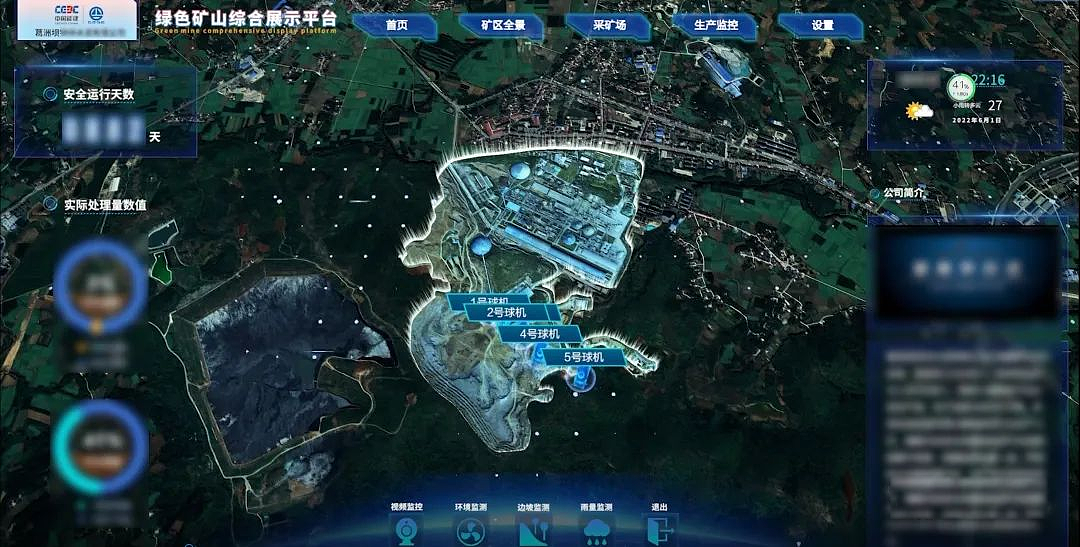
五、未来趋势:大数据与 UI 设计的融合创新
5.1 AI 增强的数据交互
AI 将深度参与数据交互设计:
// 生物反馈自适应UI系统
class BiofeedbackAdaptiveUI {
constructor(dataInterface) {
this.dataInterface = dataInterface;
this.biofeedbackSensor = new BiofeedbackSensor();
this.userState = {
stressLevel: 0,
attention: 1,
fatigue: 0
};
this.uiStrategies = {
highStress: this.createLowCognitiveLoadUI,
lowAttention: this.createAttentionGrabbingUI,
highFatigue: this.createSimplifiedUI
};
}

async startAdaptiveLoop() {
// 1. 启动生物反馈传感器
await this.biofeedbackSensor.start();

// 2. 开始自适应循环
setInterval(async () => {
// 3. 读取用户生物指标
const metrics = await this.biofeedbackSensor.readMetrics();

// 4. 更新用户状态
this.updateUserState(metrics);

// 5. 根据用户状态调整UI
const strategy = this.selectAdaptiveStrategy();
const newUIConfig = strategy(this.dataInterface.getCurrentData());

// 6. 应用新的UI配置
this.dataInterface.applyUIConfig(newUIConfig);
}, 5000); // 每5秒检查一次
}

// 其他方法...
}
5.2 空间计算与 3D 数据可视化
突破二维平面限制:
// 生物反馈自适应UI系统
class BiofeedbackAdaptiveUI {
constructor(dataInterface) {
this.dataInterface = dataInterface;
this.biofeedbackSensor = new BiofeedbackSensor();
this.userState = {
stressLevel: 0,
attention: 1,
fatigue: 0
};
this.uiStrategies = {
highStress: this.createLowCognitiveLoadUI,
lowAttention: this.createAttentionGrabbingUI,
highFatigue: this.createSimplifiedUI
};
}

async startAdaptiveLoop() {
// 1. 启动生物反馈传感器
await this.biofeedbackSensor.start();

// 2. 开始自适应循环
setInterval(async () => {
// 3. 读取用户生物指标
const metrics = await this.biofeedbackSensor.readMetrics();

// 4. 更新用户状态
this.updateUserState(metrics);

// 5. 根据用户状态调整UI
const strategy = this.selectAdaptiveStrategy();
const newUIConfig = strategy(this.dataInterface.getCurrentData());

// 6. 应用新的UI配置
this.dataInterface.applyUIConfig(newUIConfig);
}, 5000); // 每5秒检查一次
}

// 其他方法...
}
5.3 生物反馈与自适应 UI
根据用户状态动态调整数据呈现:
// 生物反馈自适应UI系统
class BiofeedbackAdaptiveUI {
constructor(dataInterface) {
this.dataInterface = dataInterface;
this.biofeedbackSensor = new BiofeedbackSensor();
this.userState = {
stressLevel: 0,
attention: 1,
fatigue: 0
};
this.uiStrategies = {
highStress: this.createLowCognitiveLoadUI,
lowAttention: this.createAttentionGrabbingUI,
highFatigue: this.createSimplifiedUI
};
}

async startAdaptiveLoop() {
// 1. 启动生物反馈传感器
await this.biofeedbackSensor.start();

// 2. 开始自适应循环
setInterval(async () => {
// 3. 读取用户生物指标
const metrics = await this.biofeedbackSensor.readMetrics();

// 4. 更新用户状态
this.updateUserState(metrics);

// 5. 根据用户状态调整UI
const strategy = this.selectAdaptiveStrategy();
const newUIConfig = strategy(this.dataInterface.getCurrentData());

// 6. 应用新的UI配置
this.dataInterface.applyUIConfig(newUIConfig);
}, 5000); // 每5秒检查一次
}

// 其他方法...
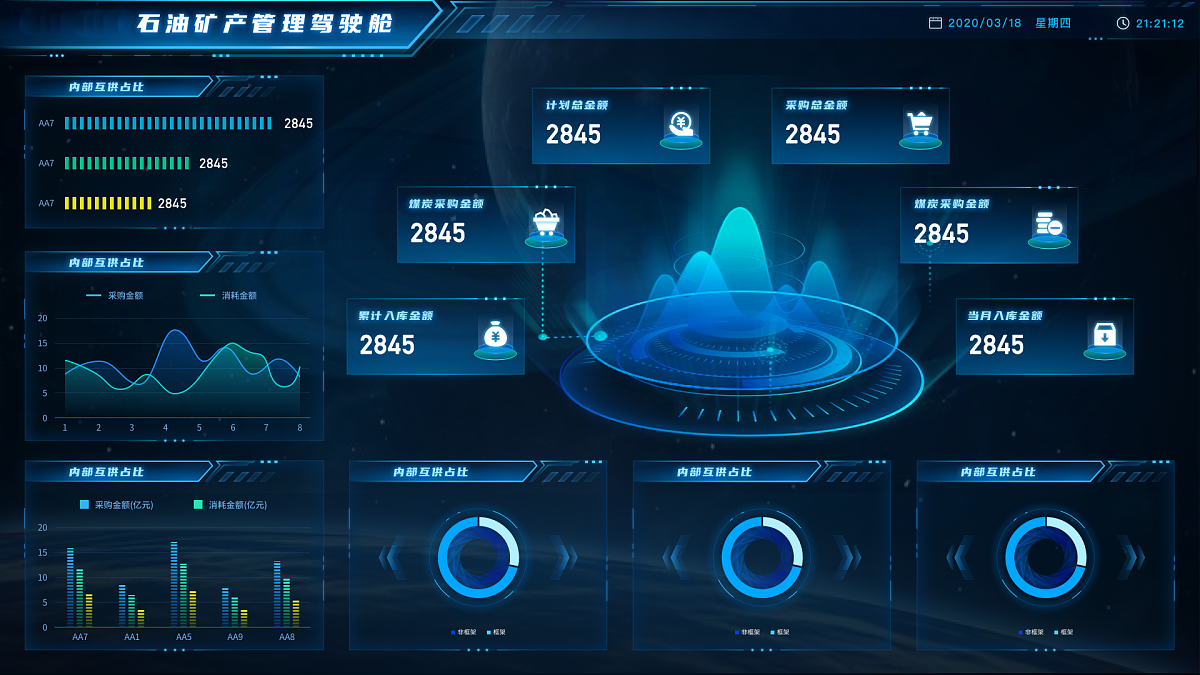
}
六、结语:大数据时代的 UI 设计转型
大数据正在重塑 UI 前端设计的底层逻辑 —— 从静态界面设计转向动态数据交互,从单一视觉呈现转向多维度信息感知,从标准化体验转向个性化洞察。设计师的角色也从 "界面美化者" 转变为 "数据翻译官",需要同时掌握设计思维与数据科学,才能在海量数据中为用户提炼价值。
未来的 UI 设计将更加智能、更加沉浸、更加人性化。AI 将帮助设计师自动生成数据可视化方案,空间计算技术将突破二维屏幕限制,生物反馈系统将使界面能感知并适应用户状态。但无论技术如何演进,以用户为中心的设计理念始终是核心 —— 让数据服务于人,而非让人适应数据。
在这个数据驱动的时代,UI 前端设计师需要构建新的能力体系:理解数据科学的基本原理,掌握数据可视化的高级技巧,熟悉大数据场景下的性能优化方法,更重要的是保持对用户体验的敏锐洞察。只有这样,才能在大数据浪潮中,为用户创造出既高效又有温度的数字交互体验。
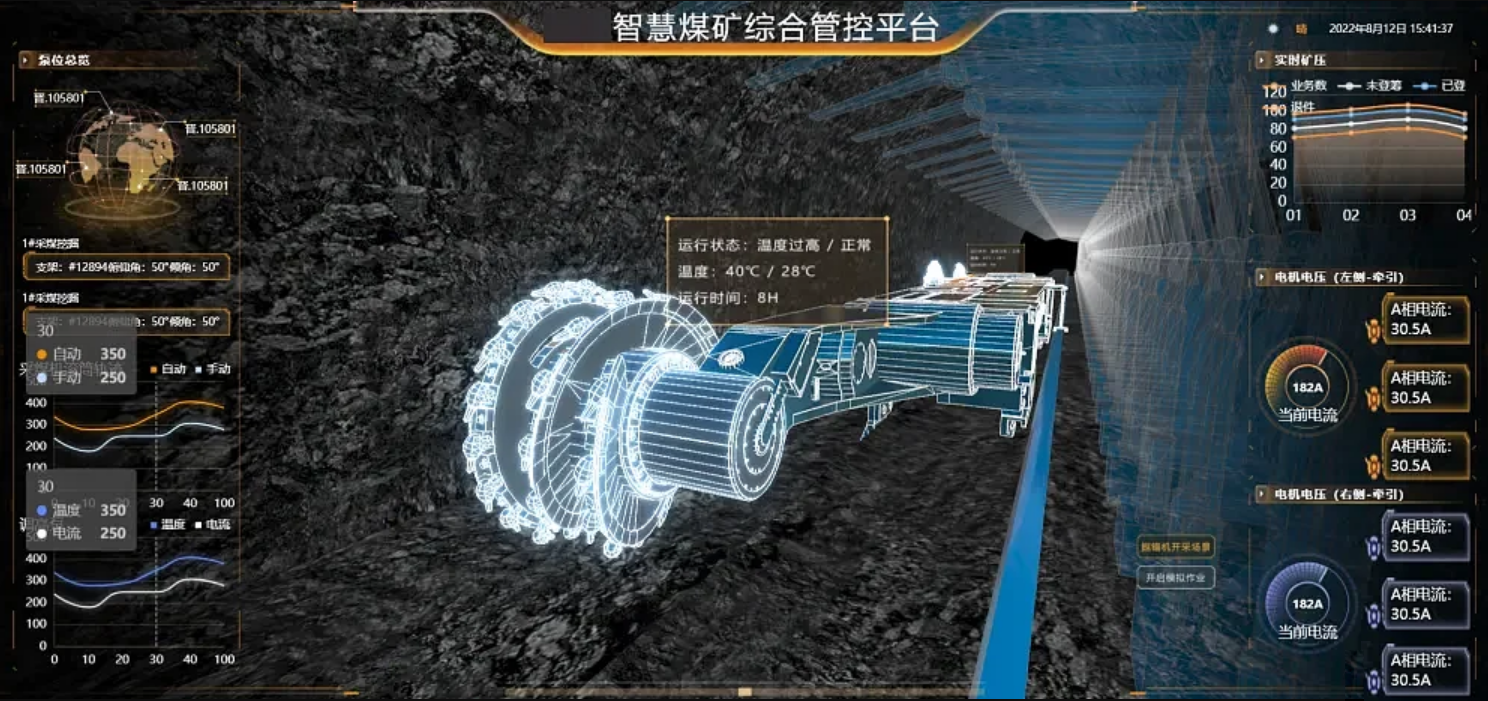
hello宝子们...我们是艾斯视觉擅长ui设计、前端开发、数字孪生、大数据、三维建模、三维动画10年+经验!希望我的分享能帮助到您!如需帮助可以评论关注私信我们一起探讨!致敬感谢感恩!
学废了吗老铁?


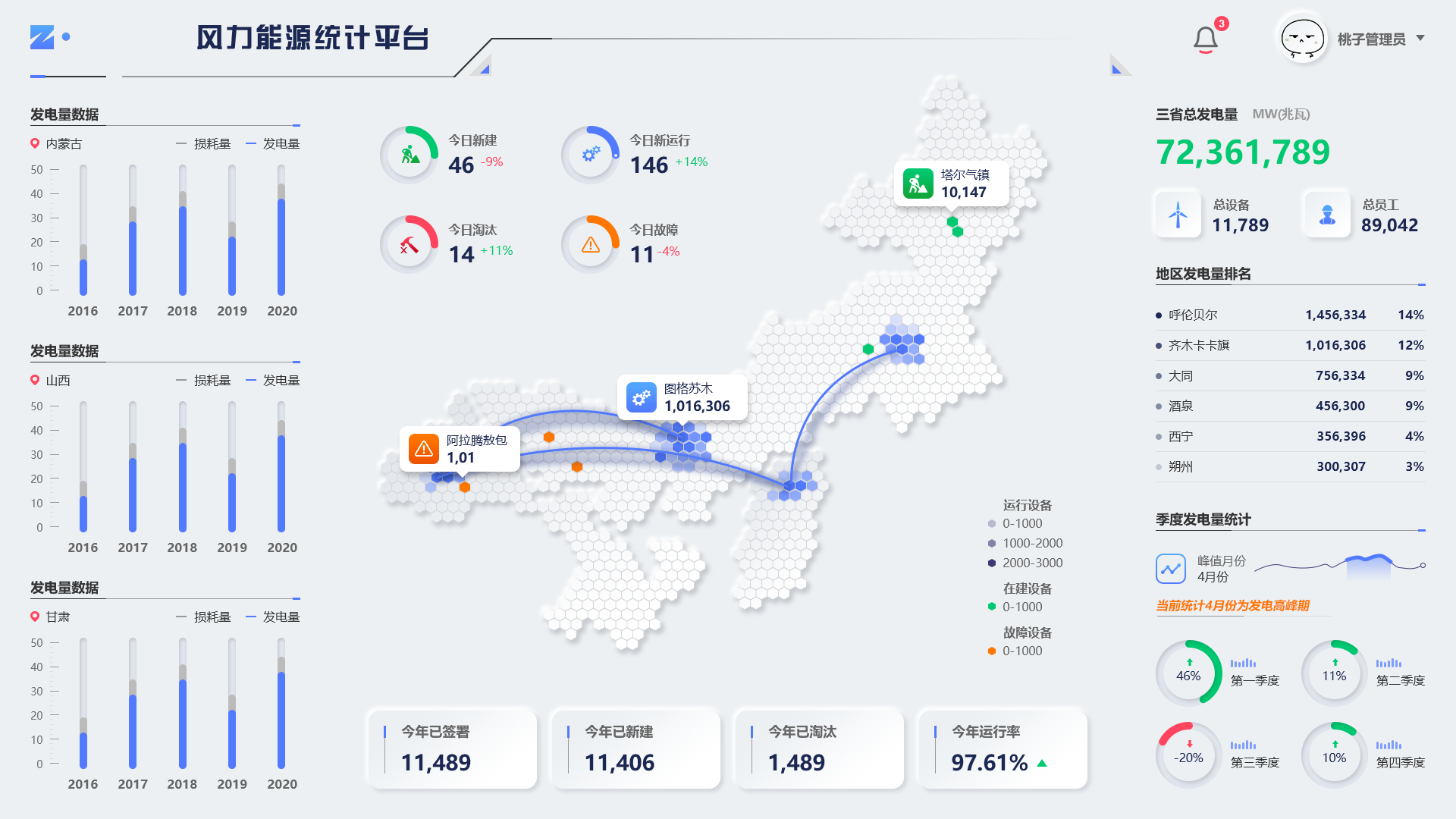
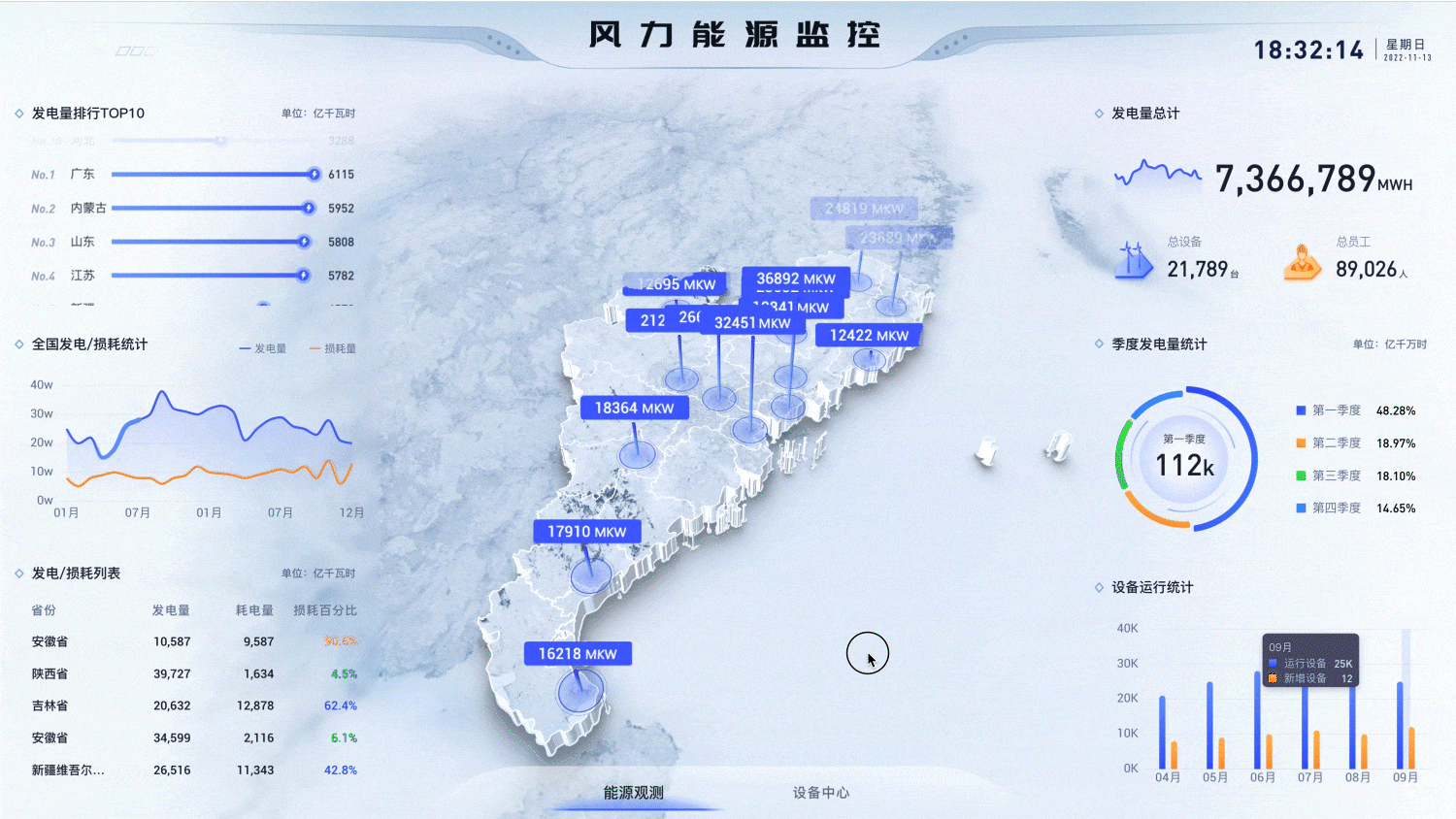


魔乐社区(Modelers.cn) 是一个中立、公益的人工智能社区,提供人工智能工具、模型、数据的托管、展示与应用协同服务,为人工智能开发及爱好者搭建开放的学习交流平台。社区通过理事会方式运作,由全产业链共同建设、共同运营、共同享有,推动国产AI生态繁荣发展。
更多推荐


 22
22 0
0- 0


 已为社区贡献7条内容

所有评论(0)