php 加载等待转圈页面,jquery实现加载更多"转圈圈"效果(示例代码)
功能:发送网络请求时等待加载的圈圈动态显示,网络请求成功后关闭提示圈圈代码:index.htmlcss画动态等待转圈效果.toast {display: none;position: fixed;flex-direction: column;justify-content: center;align-items: center;width: 18rem;height: 18rem;left: 50
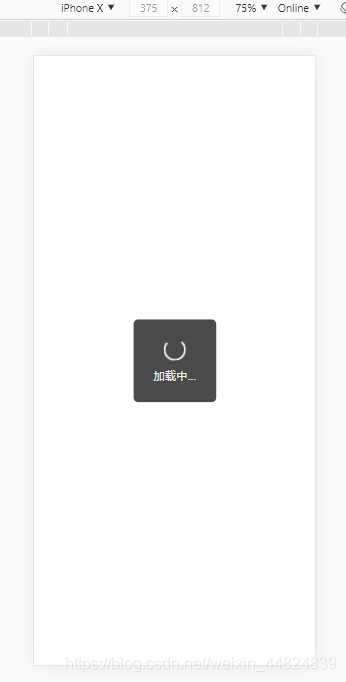
功能:发送网络请求时等待加载的圈圈动态显示,网络请求成功后关闭提示圈圈
代码:
index.html
css画动态等待转圈效果.toast {
display: none;
position: fixed;
flex-direction: column;
justify-content: center;
align-items: center;
width: 18rem;
height: 18rem;
left: 50%;
top: 50%;
transform: translate(-50%, -50%);
background-color: #4A4A4B;
border-radius: 1rem;
color: #f0f0f0;
font-size: 2.5rem;
}
.load {
display: inline-block;
margin-bottom: 1.5rem;
height: 4rem;
width: 4rem;
border: 0.4rem solid transparent;
border-top-color: white;
border-left-color: white;
border-bottom-color: white;
animation: circle 1s infinite linear;
-webkit-animation: circle 1s infinite linear; /* Safari 和 Chrome */
border-radius: 50%
}
@-webkit-keyframes circle {
0% {
transform: rotate(0deg);
}
100% {
transform: rotate(-360deg)
}
}
加载中...
$(function () {
$('.toast').css({display: 'flex'})
//这里可以写网络请求代码...
$.ajax({
url: '/api/login',
type: 'POST',
data: {username: '111'},
dataType: 'json',
success: function (data) {//请求成功则关闭圈圈
$('.toast').css({display: 'none'})
},
error: function (e) {
console.log(e)
}
})
});
效果:
到此这篇关于jquery实现加载更多“转圈圈“效果的文章就介绍到这了,更多相关jquery加载更多转圈圈内容请搜索脚本之家以前的文章或继续浏览下面的相关文章希望大家以后多多支持脚本之家!

魔乐社区(Modelers.cn) 是一个中立、公益的人工智能社区,提供人工智能工具、模型、数据的托管、展示与应用协同服务,为人工智能开发及爱好者搭建开放的学习交流平台。社区通过理事会方式运作,由全产业链共同建设、共同运营、共同享有,推动国产AI生态繁荣发展。
更多推荐


 1
1 0
0- 0


 已为社区贡献2条内容

所有评论(0)