

订单超时取消:当用户成功提交订单之后在规定时间内如果没有完成支付,则将订单关闭,还原库存。
实现订单的超时取消通常有两种解决方案:
1.使用定时任务(循环扫描)(quartz)
2.延时队列(MQ)
一、流程分析
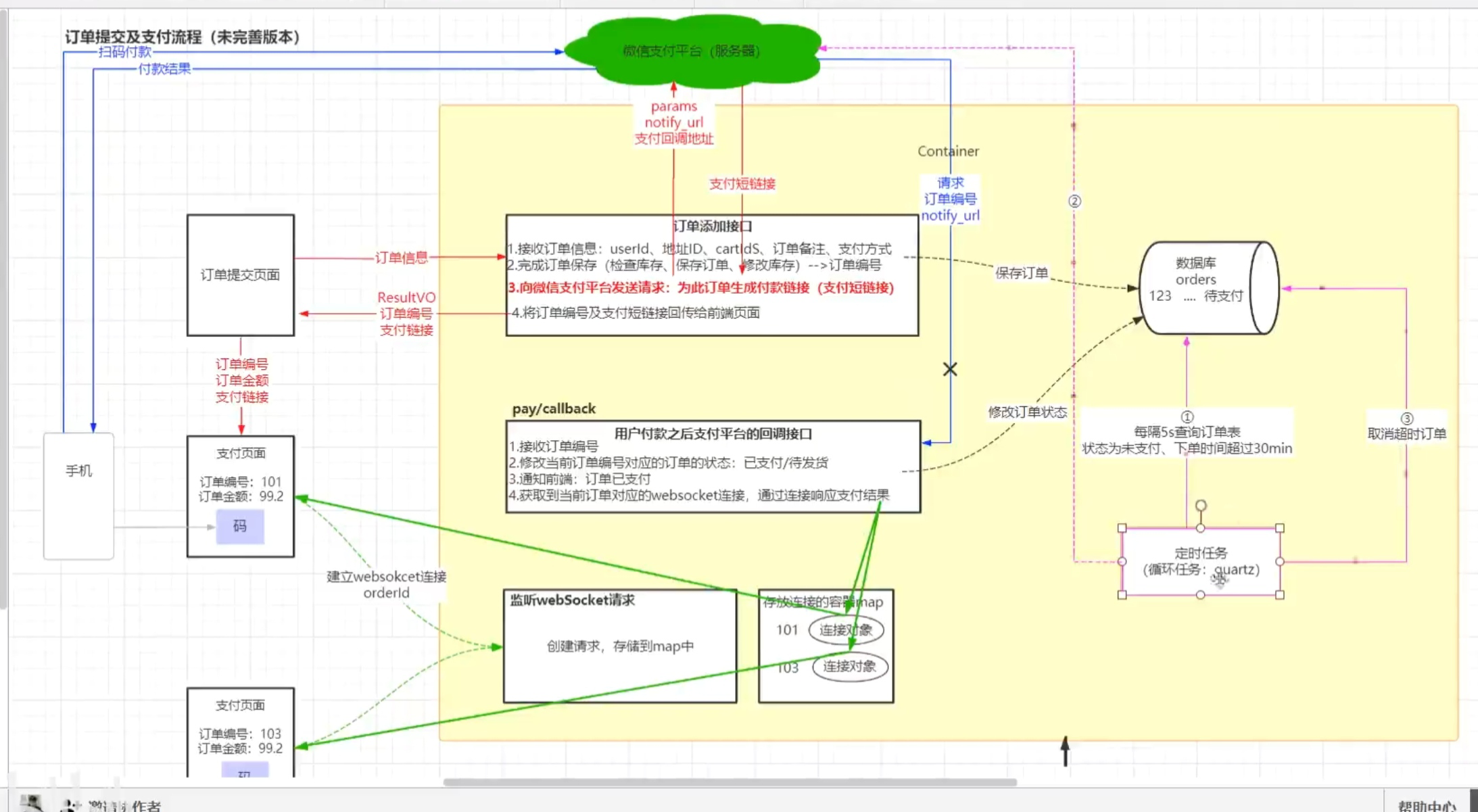
二、实现
1.在service中的pom.xml中添加定时任务依赖:
        <dependency>
            <groupId>org.springframework.boot</groupId>
            <artifactId>spring-boot-starter-quartz</artifactId>
        </dependency>
2.在api子工程启动类中添加启动定时任务的注解@EnableScheduling
@EnableScheduling
@SpringBootApplication
@MapperScan("com.qfedu.fmmall.dao")
public class ApiApplication {

    public static void main(String[] args) {
        SpringApplication.run(ApiApplication.class, args);
    }

}
3.在service包下新建job包
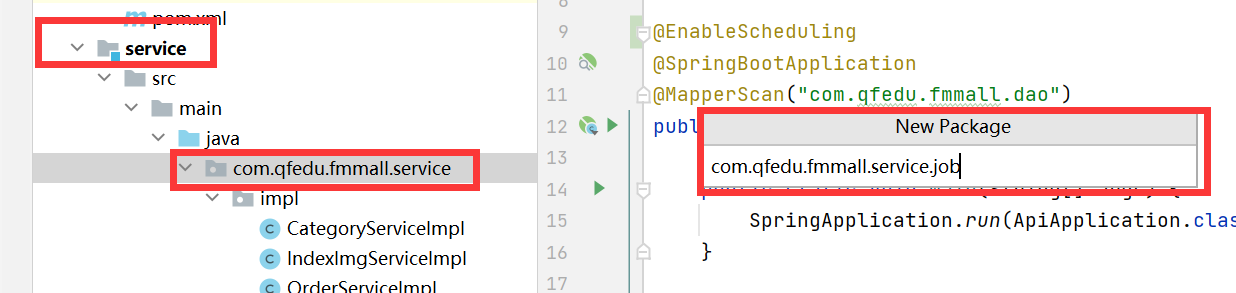
job包下新建OrderTimeoutCheckJob类。
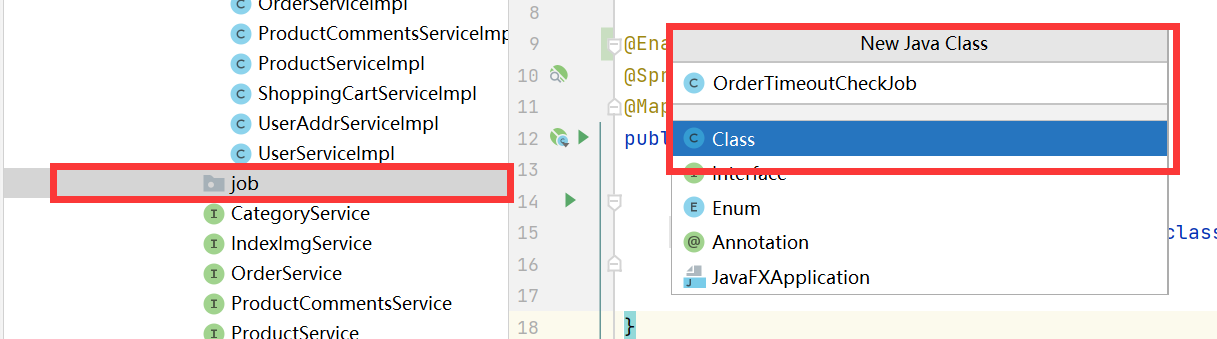
OrderTimeoutCheckJob:
@Component
public class OrderTimeoutCheckJob {

    @Autowired
    private OrdersMapper ordersMapper;

    @Scheduled(cron = "0/5 * * * * ?")
    public void checkAndCloseOrder(){
        //1.查询超过30分钟,订单状态依然为待支付状态的订单
        Example example = new Example(Orders.class);
        Example.Criteria criteria = example.createCriteria();
        criteria.andEqualTo("status","1");

        Date time = new Date(System.currentTimeMillis() - 30*60*1000);
        criteria.andLessThan("createTime",time);

        List<Orders> orders = ordersMapper.selectByExample(example);

    }
}
4.测试:
    @Autowired
    private OrdersMapper ordersMapper;

   @Test
    public void test(){
        Example example = new Example(Orders.class);
        Example.Criteria criteria = example.createCriteria();
        criteria.andEqualTo("status","1");

        Date time = new Date(System.currentTimeMillis() - 30*60*1000);
        criteria.andLessThan("createTime",time);

        List<Orders> orders = ordersMapper.selectByExample(example);
for (int i = 0; i < orders.size(); i++) {
        System.out.println(orders.get(i).getOrderId()+"\t"
            +orders.get(i).getCreateTime()+"\t"+orders.get(i).getStatus());
      }
}
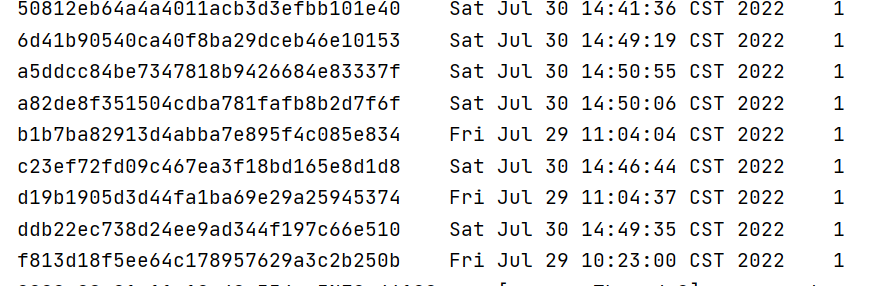
测试成功!




 已为社区贡献6条内容

所有评论(0)