linux下安装Pyinstaller
1、Linux配置代理
2、先安装wheel包 # pip3 install wheel -i http://pypi.douban.com/simple/ --trusted-host pypi.douban.com
[root@localhost ~]# pip3 install wheel -i http://pypi.douban.com/simple/ --trusted-host pypi.douban.com
WARNING: Running pip install with root privileges is generally not a good idea. Try `pip3 install --user` instead.
Collecting wheel
  Downloading http://pypi.doubanio.com/packages/27/d6/003e593296a85fd6ed616ed962795b2f87709c3eee2bca4f6d0fe55c6d00/wheel-0.37.1-py2.py3-none-any.whl
Installing collected packages: wheel
Successfully installed wheel-0.37.1

3、安装pyinstaller # pip3 install pyinstaller -i http://pypi.douban.com/simple/ --trusted-host pypi.douban.com
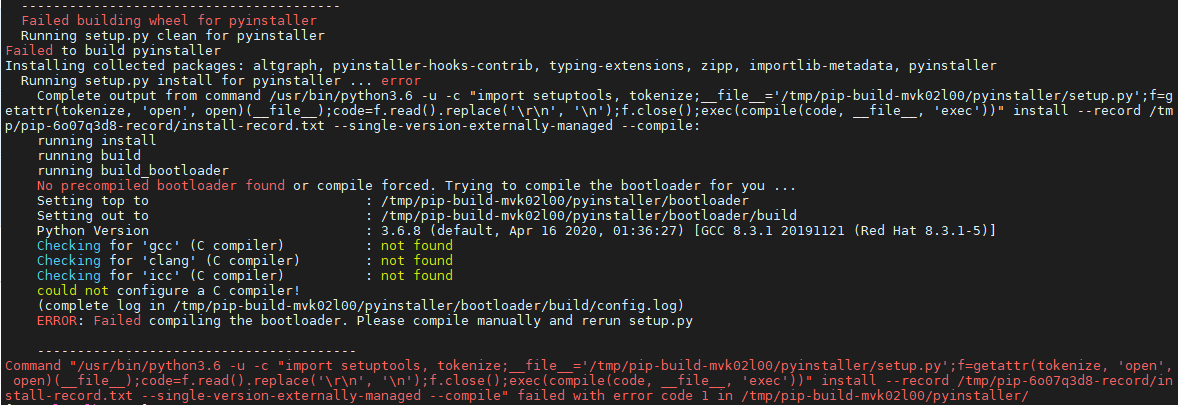
有报错:Command "/usr/bin/python3.6 -u -c "import setuptools, tokenize;__file__='/tmp/pip-build-mvk02l00/pyinstaller/setup.py';f=getattr(tokenize, 'open', open)(__file__);code=f.read().replace('\r\n', '\n');f.close();exec(compile(code, __file__, 'exec'))" install --record /tmp/pip-6o07q3d8-record/install-record.txt --single-version-externally-managed --compile" failed with error code 1 in /tmp/pip-build-mvk02l00/pyinstaller/——暂不用理会,继续往下进行步骤
[root@localhost ~]# pip3 install pyinstaller -i http://pypi.douban.com/simple/ --trusted-host pypi.douban.com
WARNING: Running pip install with root privileges is generally not a good idea. Try `pip3 install --user` instead.
Collecting pyinstaller
  Downloading http://pypi.doubanio.com/packages/b0/e6/e5760666896739115b0e4538a42cdd895215581618ec885ad043dd35ee57/pyinstaller-4.10.tar.gz (2.7MB)
    100% |████████████████████████████████| 2.7MB 264kB/s
Requirement already satisfied: setuptools in /usr/lib/python3.6/site-packages (from pyinstaller)
Collecting altgraph (from pyinstaller)
  Downloading http://pypi.doubanio.com/packages/cc/ff/88d277ba936d226b0f6dbd6711145f90fcfeed3aa9455c1c2f62c8ffec5b/altgraph-0.17.3-py2.py3-none-any.whl
Collecting pyinstaller-hooks-contrib>=2020.6 (from pyinstaller)
  Downloading http://pypi.doubanio.com/packages/a5/51/aca8508043b9564620bdd96adbc824b8d84537afcfb92ff806ea119ee176/pyinstaller_hooks_contrib-2022.0-py2.py3-none-any.whl (222kB)
    100% |████████████████████████████████| 225kB 249kB/s
Collecting importlib-metadata (from pyinstaller)
  Downloading http://pypi.doubanio.com/packages/a0/a1/b153a0a4caf7a7e3f15c2cd56c7702e2cf3d89b1b359d1f1c5e59d68f4ce/importlib_metadata-4.8.3-py3-none-any.whl
Collecting typing-extensions>=3.6.4; python_version < "3.8" (from importlib-metadata->pyinstaller)
  Downloading http://pypi.doubanio.com/packages/45/6b/44f7f8f1e110027cf88956b59f2fad776cca7e1704396d043f89effd3a0e/typing_extensions-4.1.1-py3-none-any.whl
Collecting zipp>=0.5 (from importlib-metadata->pyinstaller)
  Downloading http://pypi.doubanio.com/packages/bd/df/d4a4974a3e3957fd1c1fa3082366d7fff6e428ddb55f074bf64876f8e8ad/zipp-3.6.0-py3-none-any.whl
Building wheels for collected packages: pyinstaller
  Running setup.py bdist_wheel for pyinstaller ... error
  Complete output from command /usr/bin/python3.6 -u -c "import setuptools, tokenize;__file__='/tmp/pip-build-mvk02l00/pyinstaller/setup.py';f=getattr(tokenize, 'open', open)(__file__);code=f.read().replace('\r\n', '\n');f.close();exec(compile(code, __file__, 'exec'))" bdist_wheel -d /tmp/tmppzlaeonapip-wheel- --python-tag cp36:
  running bdist_wheel
  running build
  running build_bootloader
  No precompiled bootloader found or compile forced. Trying to compile the bootloader for you ...
  Setting top to                           : /tmp/pip-build-mvk02l00/pyinstaller/bootloader
  Setting out to                           : /tmp/pip-build-mvk02l00/pyinstaller/bootloader/build
  Python Version                           : 3.6.8 (default, Apr 16 2020, 01:36:27) [GCC 8.3.1 20191121 (Red Hat 8.3.1-5)]
  Checking for 'gcc' (C compiler)          : not found
  Checking for 'clang' (C compiler)        : not found
  Checking for 'icc' (C compiler)          : not found
  could not configure a C compiler!
  (complete log in /tmp/pip-build-mvk02l00/pyinstaller/bootloader/build/config.log)
  ERROR: Failed compiling the bootloader. Please compile manually and rerun setup.py

  ----------------------------------------
  Failed building wheel for pyinstaller
  Running setup.py clean for pyinstaller
Failed to build pyinstaller
Installing collected packages: altgraph, pyinstaller-hooks-contrib, typing-extensions, zipp, importlib-metadata, pyinstaller
  Running setup.py install for pyinstaller ... error
    Complete output from command /usr/bin/python3.6 -u -c "import setuptools, tokenize;__file__='/tmp/pip-build-mvk02l00/pyinstaller/setup.py';f=getattr(tokenize, 'open', open)(__file__);code=f.read().replace('\r\n', '\n');f.close();exec(compile(code, __file__, 'exec'))" install --record /tmp/pip-6o07q3d8-record/install-record.txt --single-version-externally-managed --compile:
    running install
    running build
    running build_bootloader
    No precompiled bootloader found or compile forced. Trying to compile the bootloader for you ...
    Setting top to                           : /tmp/pip-build-mvk02l00/pyinstaller/bootloader
    Setting out to                           : /tmp/pip-build-mvk02l00/pyinstaller/bootloader/build
    Python Version                           : 3.6.8 (default, Apr 16 2020, 01:36:27) [GCC 8.3.1 20191121 (Red Hat 8.3.1-5)]
    Checking for 'gcc' (C compiler)          : not found
    Checking for 'clang' (C compiler)        : not found
    Checking for 'icc' (C compiler)          : not found
    could not configure a C compiler!
    (complete log in /tmp/pip-build-mvk02l00/pyinstaller/bootloader/build/config.log)
    ERROR: Failed compiling the bootloader. Please compile manually and rerun setup.py

    ----------------------------------------
Command "/usr/bin/python3.6 -u -c "import setuptools, tokenize;__file__='/tmp/pip-build-mvk02l00/pyinstaller/setup.py';f=getattr(tokenize, 'open', open)(__file__);code=f.read().replace('\r\n', '\n');f.close();exec(compile(code, __file__, 'exec'))" install --record /tmp/pip-6o07q3d8-record/install-record.txt --single-version-externally-managed --compile" failed with error code 1 in /tmp/pip-build-mvk02l00/pyinstaller/
4、升级pip # pip3 install --user --upgrade pip -i http://pypi.douban.com/simple/ --trusted-host pypi.douban.com
[root@localhost ~]# pip3 install --user --upgrade pip  -i http://pypi.douban.com/simple/ --trusted-host pypi.douban.com
WARNING: Running pip install with root privileges is generally not a good idea. Try `pip3 install --user` instead.
Collecting pip
  Downloading http://pypi.doubanio.com/packages/a4/6d/6463d49a933f547439d6b5b98b46af8742cc03ae83543e4d7688c2420f8b/pip-21.3.1-py3-none-any.whl (1.7MB)
    100% |████████████████████████████████| 1.7MB 269kB/s
Installing collected packages: pip
Successfully installed pip-21.3.1

5、重新安装pyinstaller
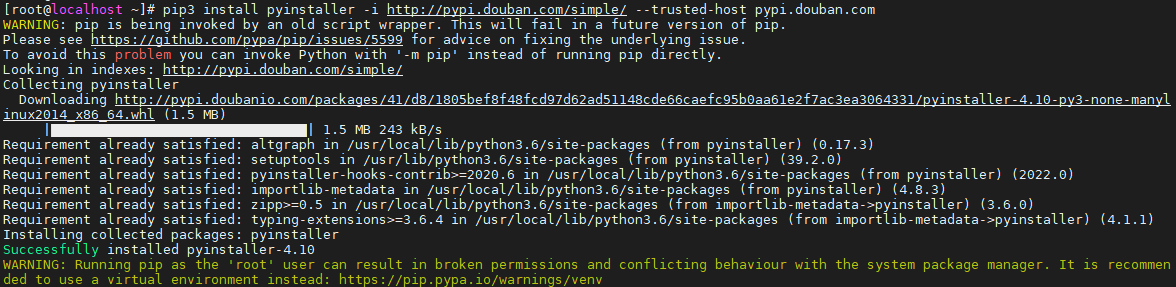
[root@localhost ~]# pip3 install pyinstaller -i http://pypi.douban.com/simple/ --trusted-host pypi.douban.com
WARNING: pip is being invoked by an old script wrapper. This will fail in a future version of pip.
Please see https://github.com/pypa/pip/issues/5599 for advice on fixing the underlying issue.
To avoid this problem you can invoke Python with '-m pip' instead of running pip directly.
Looking in indexes: http://pypi.douban.com/simple/
Collecting pyinstaller
  Downloading http://pypi.doubanio.com/packages/41/d8/1805bef8f48fcd97d62ad51148cde66caefc95b0aa61e2f7ac3ea3064331/pyinstaller-4.10-py3-none-manylinux2014_x86_64.whl (1.5 MB)
     |████████████████████████████████| 1.5 MB 243 kB/s
Requirement already satisfied: altgraph in /usr/local/lib/python3.6/site-packages (from pyinstaller) (0.17.3)
Requirement already satisfied: setuptools in /usr/lib/python3.6/site-packages (from pyinstaller) (39.2.0)
Requirement already satisfied: pyinstaller-hooks-contrib>=2020.6 in /usr/local/lib/python3.6/site-packages (from pyinstaller) (2022.0)
Requirement already satisfied: importlib-metadata in /usr/local/lib/python3.6/site-packages (from pyinstaller) (4.8.3)
Requirement already satisfied: zipp>=0.5 in /usr/local/lib/python3.6/site-packages (from importlib-metadata->pyinstaller) (3.6.0)
Requirement already satisfied: typing-extensions>=3.6.4 in /usr/local/lib/python3.6/site-packages (from importlib-metadata->pyinstaller) (4.1.1)
Installing collected packages: pyinstaller
Successfully installed pyinstaller-4.10
WARNING: Running pip as the 'root' user can result in broken permissions and conflicting behaviour with the system package manager. It is recommended to use a virtual environment instead: https://pip.pypa.io/warnings/venv

魔乐社区(Modelers.cn) 是一个中立、公益的人工智能社区,提供人工智能工具、模型、数据的托管、展示与应用协同服务,为人工智能开发及爱好者搭建开放的学习交流平台。社区通过理事会方式运作,由全产业链共同建设、共同运营、共同享有,推动国产AI生态繁荣发展。
更多推荐


 5
5 0
0- 0


 已为社区贡献2条内容

所有评论(0)