easypoi之post请求导出excel(解决ajax发送请求乱码无法导出excel文件问题)
坑1:ajax发送请求乱码无法导出excel文件,因为文件是二进制格式,ajax最终会将返回的数据解析成json,所以导致乱码。坑2:通过form表单发送post请求,后端接口不要用 @RequestParam 和 @RequestBody 修饰原因:form传参的格式是username=xxx,pwd=xxx这样的格式,ajax是将对象转成字符串进行传参,格式为username : xxx,pw
坑1:ajax发送请求乱码无法导出excel文件,因为文件是二进制格式,ajax最终会将返回的数据解析成json,所以导致乱码。
坑2:通过form表单发送post请求,后端接口不要用 @RequestParam 和 @RequestBody 修饰
原因:form传参的格式是username=xxx,pwd=xxx这样的格式,
ajax是将对象转成字符串进行传参,格式为username : xxx,pwd : xxx
因此,如果想post请求方式导出excel,则必须用form提交请求,且后端接口不能用@RequestParam 和 @RequestBody修饰参数
否则报错,无法解析参数,400错误
思路:改变发送请求的方式
解决方案1:
通过在div中写form表单的方式
现在页面最底部生成一个form表单,对应后台接口的封装对象
 <div>
      <form id="exportUser" method="POST" enctype="multipart/form-data" action="/employee_api/personnel/exportExcelPartData">
        <p>
          <input type="hidden" id="locale" name="locale" value=""/>
          <input type="hidden" id="userIDList" name="userIDList" value=""/>
        </p>
      </form>
    </div>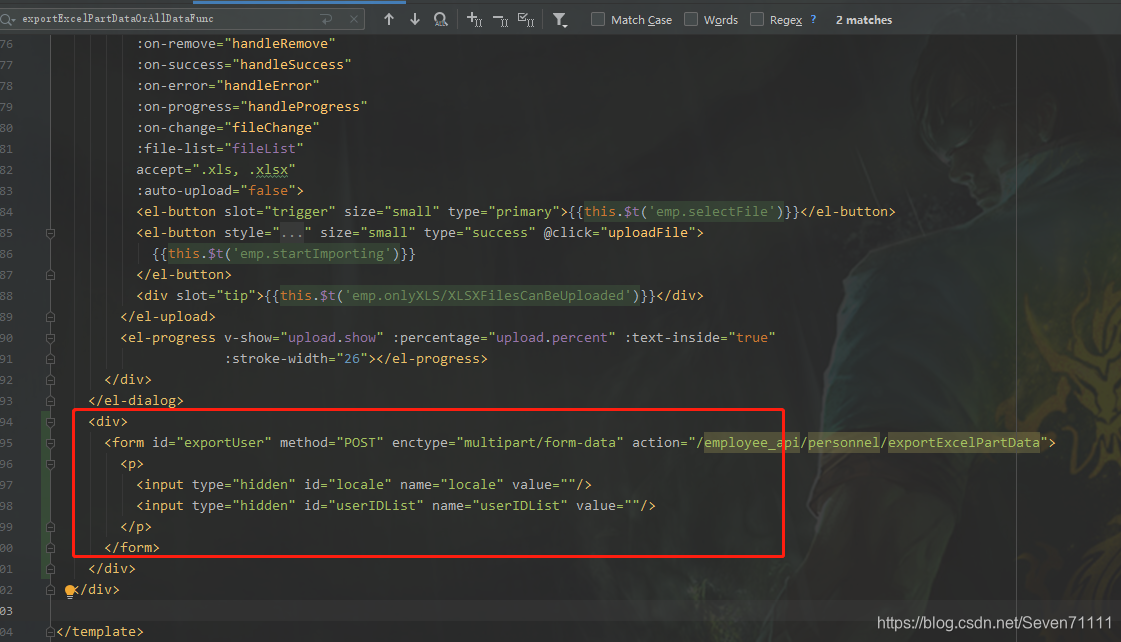
js中给<inpurt>赋值并发送请求:
exportExcelPartDataOrAllDataFunc(){
                if (this.selectedIds==null || this.selectedIds.length===0){
                    this.$confirm(this.$t('emp.areYouSureExportAllData') + " ?", this.$t('emp.reminder'), {
                        confirmButtonText: this.$t('emp.confirm'),
                        cancelButtonText: this.$t('emp.cancel'),
                        type: 'warning'
                    }).then(() => {
                        exportExcelAllData(this.$i18n.locale);
                    }, () => {
                    });
                }else {
                    //form表单赋值并发送请求
                    document.getElementById("locale").value=this.$i18n.locale;
                    document.getElementById("userIDList").value=this.selectedIds;
                    console.log(document.getElementById("exportUser"))
                    document.getElementById("exportUser").submit();
                }
            },
后台代码:
 @ApiOperation("导出勾选的人员信息数据")
    @PostMapping("/exportExcelPartData")
    public void exportExcelPartData(HttpServletResponse response, ExportExcelPartDataParam excelParam) throws Exception {
        personnelService.exportUserExcelPartDataOrAllData(response,excelParam);
    }
解决方案2:
js拼接form表单方式提交(比较推荐,方便)
js代码,封装参数对象并发送请求
exportExcelPartDataOrAllDataFunc(){
                if (this.selectedIds==null || this.selectedIds.length===0){
                    this.$confirm(this.$t('emp.areYouSureExportAllData') + " ?", this.$t('emp.reminder'), {
                        confirmButtonText: this.$t('emp.confirm'),
                        cancelButtonText: this.$t('emp.cancel'),
                        type: 'warning'
                    }).then(() => {
                        exportExcelAllData(this.$i18n.locale);
                    }, () => {
                    });
                }else {
                    const dataParam = {
                        locale: this.$i18n.locale,
                        userIDList: this.selectedIds,
                    };
                    //发送请求
                    exportExcelPartData(dataParam);

                }
            },


postExcelFile(params) { //params是post请求需要的参数,url是请求url地址
  var url = request.baseURL + "/personnel/exportExcelPartData";
  var form = document.createElement("form");
  form.style.display = 'none';
  form.action = url;
  form.method = "post";
  form.enctype="multipart/form-data";
  document.body.appendChild(form);
  for (var key in params) {
    var input = document.createElement("input");
    input.type = "hidden";
    input.name = key;
    input.value = params[key];
    form.appendChild(input);
  }
  form.submit();
  form.remove();
}
后端代码是和上面代码一样的
@ApiOperation("导出勾选的人员信息数据")
    @PostMapping("/exportExcelPartData")
    public void exportExcelPartData(HttpServletResponse response, ExportExcelPartDataParam excelParam) throws Exception {
        personnelService.exportUserExcelPartDataOrAllData(response,excelParam);
    }
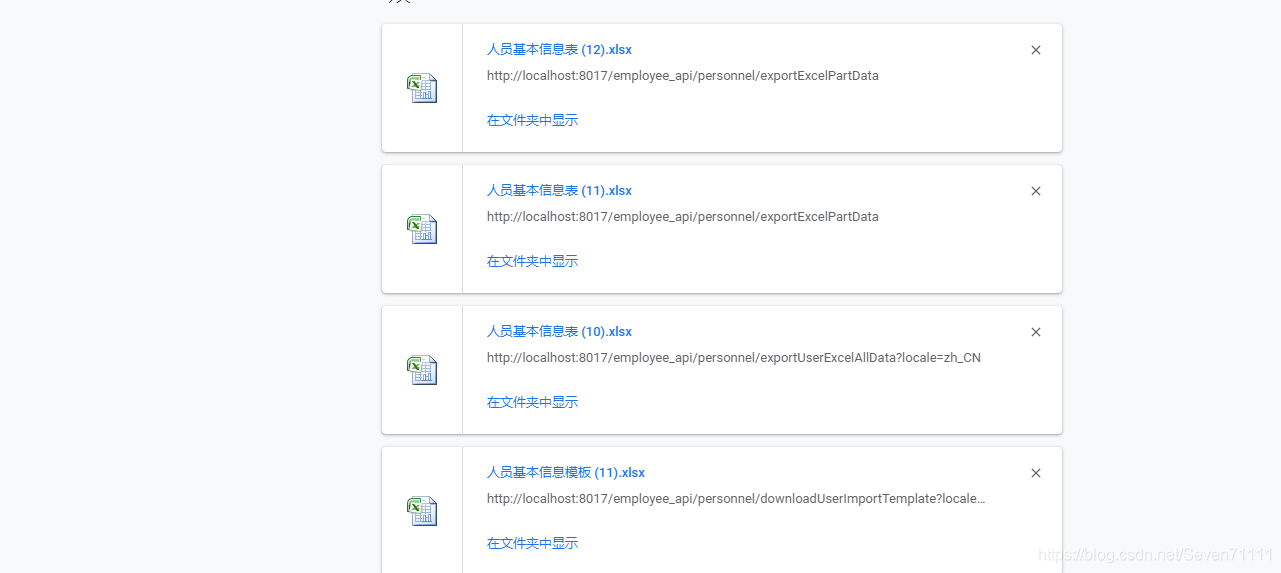
最终解决问题


魔乐社区(Modelers.cn) 是一个中立、公益的人工智能社区,提供人工智能工具、模型、数据的托管、展示与应用协同服务,为人工智能开发及爱好者搭建开放的学习交流平台。社区通过理事会方式运作,由全产业链共同建设、共同运营、共同享有,推动国产AI生态繁荣发展。
更多推荐



 3
3 0
0- 0


 已为社区贡献4条内容

所有评论(0)