mybatis plus配置mysql_MyBatisPlus详解
MyBatis-Plus(简称 MP)是一个 MyBatis 的增强工具,在 MyBatis
的基础上只做增强不做改变,为简化开发、提高效率而生。
MyBatis 最好的搭档,就像 魂斗罗 中的 1P、2P,基友搭配,效率翻倍。
3|0为什么要学习它呢?MyBatisPlus可以节省我们大量工作时间,所有的CRUD代码它都可以自动化完成!
4|0特性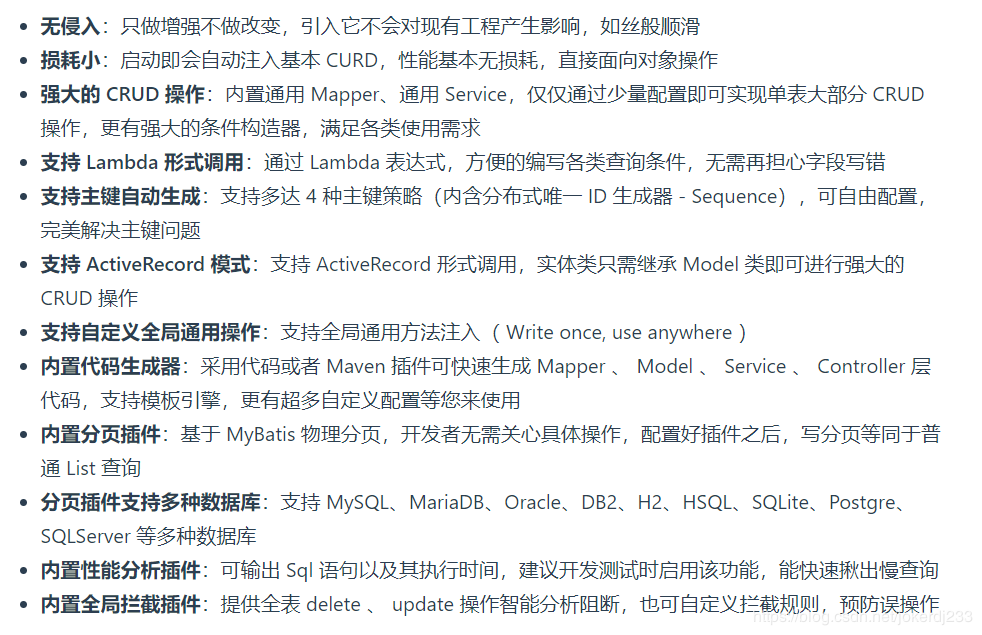
5|0支持数据库
6|0架构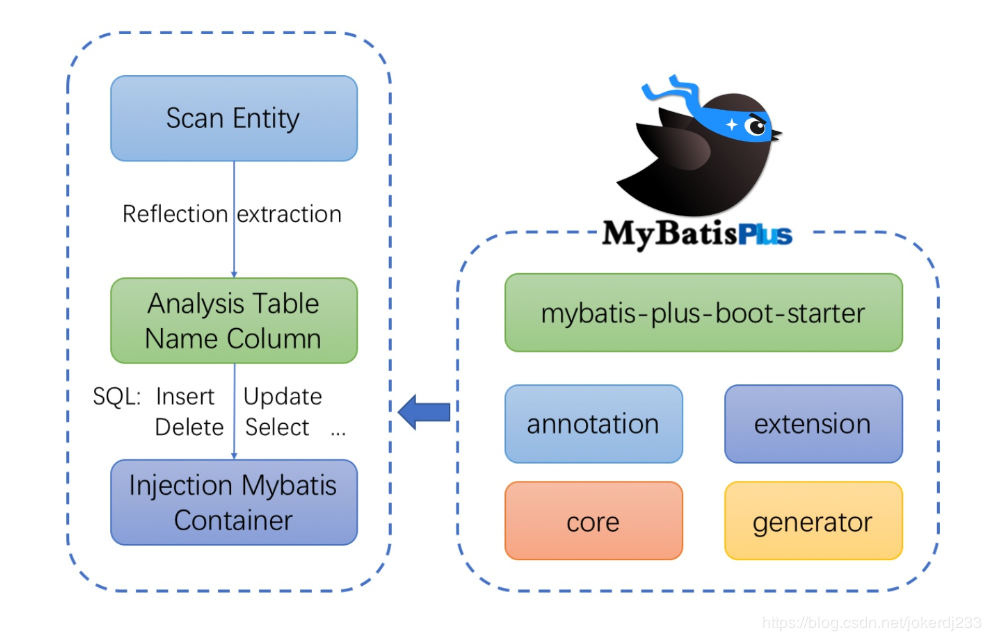
7|0快速开始创建user表
DROP TABLE IF EXISTS user;
CREATE TABLE user
(
id BIGINT(20) NOT NULL COMMENT '主键ID',
name VARCHAR(30) NULL DEFAULT NULL COMMENT '姓名',
age INT(11) NULL DEFAULT NULL COMMENT '年龄',
email VARCHAR(50) NULL DEFAULT NULL COMMENT '邮箱',
PRIMARY KEY (id)
);
DELETE FROM user;
INSERT INTO user (id, name, age, email) VALUES
(1, 'Jone', 18, 'test1@baomidou.com'),
(2, 'Jack', 20, 'test2@baomidou.com'),
(3, 'Tom', 28, 'test3@baomidou.com'),
(4, 'Sandy', 21, 'test4@baomidou.com'),
(5, 'Billie', 24, 'test5@baomidou.com');
创建springboot项目,导入依赖
org.springframework.boot
spring-boot-starter-parent
2.2.6.RELEASE
org.springframework.boot
spring-boot-starter
org.springframework.boot
spring-boot-starter-test
test
org.projectlombok
lombok
true
com.baomidou
mybatis-plus-boot-starter
3.3.1.tmp
com.h2database
h2
runtime
在这里插入图片描述
3. 配置 连接数据库
在这里插入图片描述
spring:
datasource:
username: root
password: 123456
url: jdbc:mysql://localhost:3306/mybatis_plus?useUnicode=true&characterEncoding=utf-8&serverTimezone=UTC&useSSL=false
driver-class-name: com.mysql.cj.jdbc.Driver
编写实体类
@Data
public class User {
private Long id;
private String name;
private Integer age;
private String email;
}
编写Mapper类
public interface UserMapper extends BaseMapper {
}创建启动类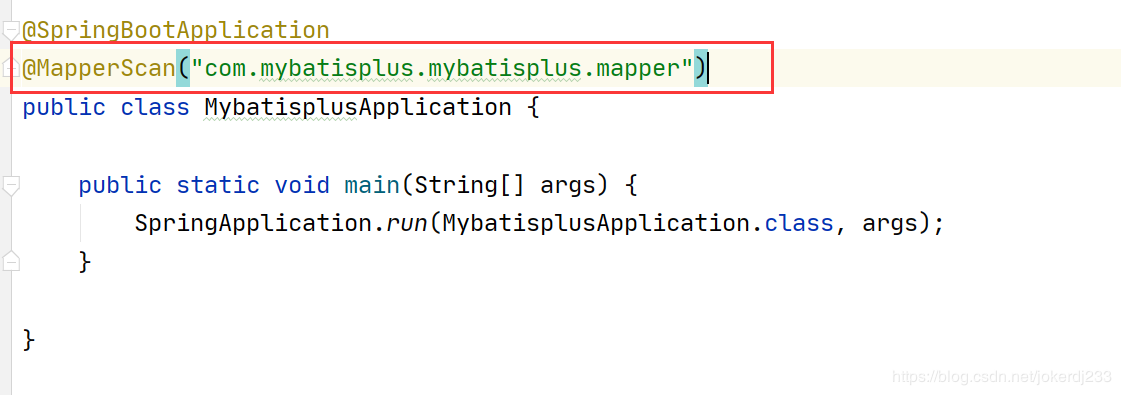
@SpringBootApplication
@MapperScan("com.mybatisplus.mybatisplus.mapper")
public class MybatisplusApplication {
public static void main(String[] args) {
SpringApplication.run(MybatisplusApplication.class, args);
}
测试
查询全部用户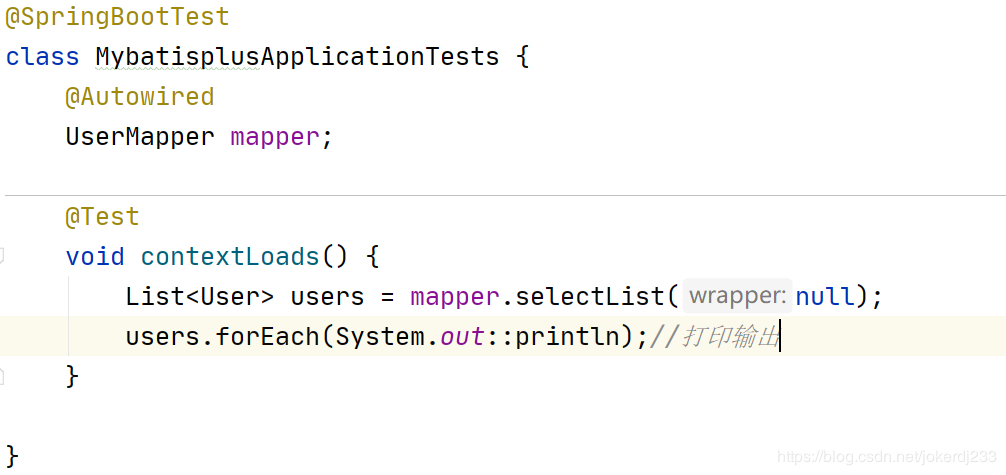
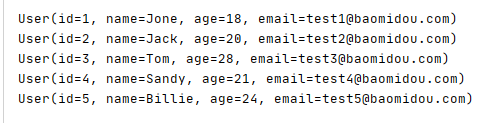
@SpringBootTest
class MybatisplusApplicationTests {
@Autowired
UserMapper mapper;
@Test
void contextLoads() {
List users = mapper.selectList(null);
users.forEach(System.out::println);//打印输出
}
}
通过以上几个简单的步骤,我们就实现了 User 表的 CRUD 功能,甚至连 XML 文件都不用编写!
从以上步骤中,我们可以看到集成MyBatis-Plus非常的简单,只需要引入 starter 工程,并配置 mapper 扫描路径即可。
以上内容转载自网络
更多内容获取欢迎添加小优:DKA-2018

魔乐社区(Modelers.cn) 是一个中立、公益的人工智能社区,提供人工智能工具、模型、数据的托管、展示与应用协同服务,为人工智能开发及爱好者搭建开放的学习交流平台。社区通过理事会方式运作,由全产业链共同建设、共同运营、共同享有,推动国产AI生态繁荣发展。
更多推荐


 1
1 0
0- 0


 已为社区贡献2条内容

所有评论(0)