完整的select下拉框:springBoot 之 查询数据库在HTML页面显示下拉框,使用springBoot来完成
·
springBoot 之 查询数据库在HTML页面显示下拉框,使用springBoot来完成,
找了一上午的数据库查询下拉框,都没解决,刚刚突然有灵感,写好了,想把这个问题记录下来,方便大家的同时也方便我自己。
1.首先把页面写好,js也不用搞,这个很方便
html页面如下(我自己的)
<div class="form-group">
    <label class="col-sm-3 control-label">选择产品:</label>
    <div class="col-sm-8">
        <select id="addProductId" name="addProductId" class="form-control" >
            <option value="">---请选择产品---</option>
            <option th:each="a:${wxProduct}" th:value="${a.id}" th:text="${a.productName}"></option>
        </select>
    </div>
</div>
2. 然后就到controller层了
    /**
     * 添加(为首页添加内容)
     * @return
     */
    @RequiresPermissions("sys:WxMainHome:add")// 这是我自己的权限管理,大家可以忽略
    @GetMapping("/add")
    public String add(Model model) {
        // 查询产品(添加时),将需要添加的产品做一个下拉框
        List<WxProduct> list = wxProductMapper.queryList();//查询
        // "wxProduct"在前台页面直接引用的,list是把查询到的内容传给"wxProduct"
        model.addAttribute("wxProduct",list);
        return prefix + "/add";  //返回到所使用的页面
    }
3. 然后就是查询了 wxProductMapper.queryList();//查询,就是这里mapper文件的接口
List<WxProduct> queryList();
4. 然后就是mapper文件的xml文件
  <!--/查询产品/-->
  <select id="queryList" resultMap="ResultMap">
    select A.id,A.product_name,A.riskCode
    from  wx_product A
  </select>
5. 再然后我们去看数据库:
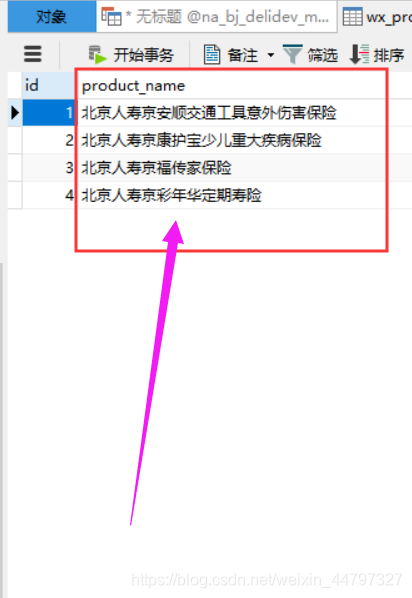
6. 结果是我们想要的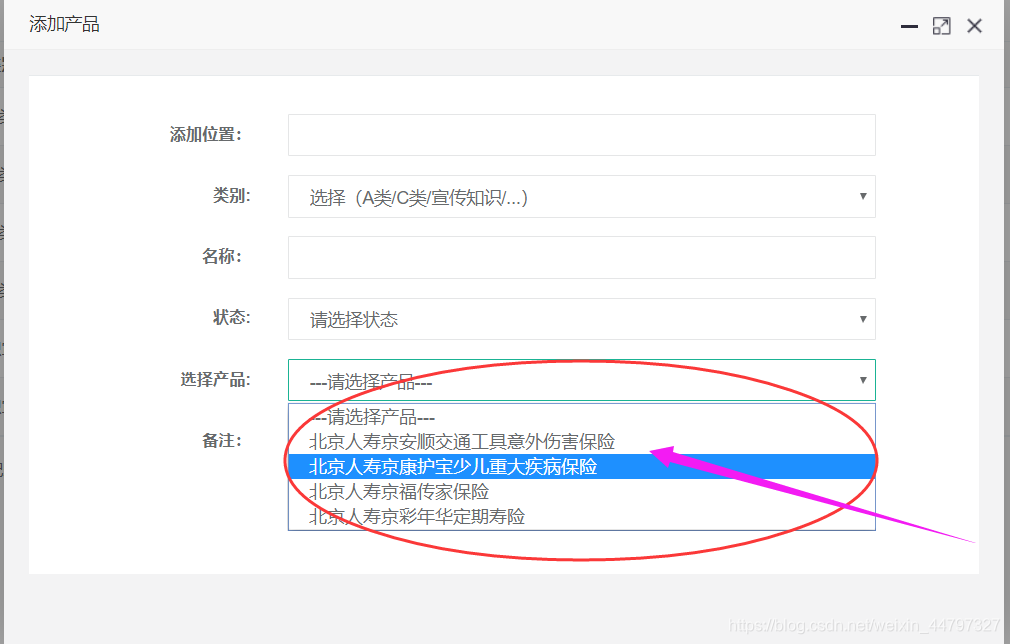
希望对需要的伙伴有所用

魔乐社区(Modelers.cn) 是一个中立、公益的人工智能社区,提供人工智能工具、模型、数据的托管、展示与应用协同服务,为人工智能开发及爱好者搭建开放的学习交流平台。社区通过理事会方式运作,由全产业链共同建设、共同运营、共同享有,推动国产AI生态繁荣发展。
更多推荐


 19
19 0
0- 0


 已为社区贡献4条内容

所有评论(0)