jquery实现回到顶部,悬浮窗口功能
·
以下是使用jquery实现的一些前端页面的小功能,下滑超过指定px就会出现回到顶部的按钮,还有广告窗口的出现,关闭。
<!DOCTYPE html>
<html lang="en">
<head>
    <meta charset="UTF-8">
    <title>Title</title>
</head>
<script src="./js/jquery-3.5.1/jquery-3.5.1.min.js"></script>
<style>
    .floating-window {
        position: fixed;
        top:50%;
        right: 20px;
        width: 300px;
        background-color: #fff;
        box-shadow: 0px 0px 10px rgba(0, 0, 0, 0.2);
        border-radius: 5px;
    }

    .floating-window-hide {
        position: fixed;
        top:50%;
        right: 20px;
        width: 40px;
        background-color: #fff;
        box-shadow: 0px 0px 10px rgba(0, 0, 0, 0.2);
        border-radius: 5px;
    }

    .window-header {
        display: flex;
        justify-content: space-between;//对齐方式
        align-items: center;
        padding: 10px;
        background-color: #f5f5f5;
        border-top-left-radius: 5px;
        border-top-right-radius: 5px;
        cursor: pointer;
    }

    .window-header h2 {
        margin: 0;
    }
    .window-header:hover{
        color:cadetblue;
    }

    .close-button {
        background: none;
        border: none;
        font-size: 16px;
        color: #999;
        cursor: pointer;
    }

    .close-button:hover {
        color: #666;
    }

    .window-body {
        padding: 10px;
    }

    .floating-left{
        position: fixed;
        top: 60%;
        width: 100px;
        height: 100px;
        background-color: pink;
        display: none;

    }

</style>
<body>
<div style="width: 200px;height: 2000px;border: 1px solid;background-color:pink;margin-left: 40%"></div>
<div id="menu" class="floating-window">
    <div class="window-header">
        <h2>悬浮窗标题</h2>
        <button class="close-button">关闭</button>
    </div>
    <div class="window-body">
        <p>这是悬浮窗的内容。</p>
    </div>
</div>
<div id="open" class="floating-window-hide" style="display: none">展开</div>

<div class="floating-left">
    <div style="display: flex">
    <div class="window-header">我是左边的隐藏浮窗</div>
    <button id="close" class="close-button">关闭</button>
    </div>
</div>

<div style="position: fixed;right: 5px;bottom: 10%;cursor:pointer;display: none" id="to-top">回到顶部</div>
<script>

    $(function () {


    $(window).scroll(function () {
        if ($(window).scrollTop() > 100 ){//当窗口下滑距离大于100px时,回到顶部的空间以1秒的速度浮现
            $("#to-top").fadeIn(1000);
        }else {
            $("#to-top").fadeOut(1000);//否则就淡出
        }
    })

    })
    $("#to-top").click(function(){
        $('body,html').animate({scrollTop:0},1000)//点击回到顶部的空件,窗口回到最顶端
    })

    $("#open").mouseover(function () {
        $("#menu").show();
        $(this).hide()
    })
    $("#menu").click(function () {
        $("#open").show();
        $(this).hide()
    })
    $("#close").click(function (){
        $(".floating-left").hide()
    })
    //  function timeOut() {
    //     setTimeout(function(){
    //         $(".floating-left").hide();
    //     }, 5000);定时器
    // }
    $(".window-header").mouseover(function () {
        $(".floating-left").show();
    })

</script>
</body>
</html>
大致的效果图如下: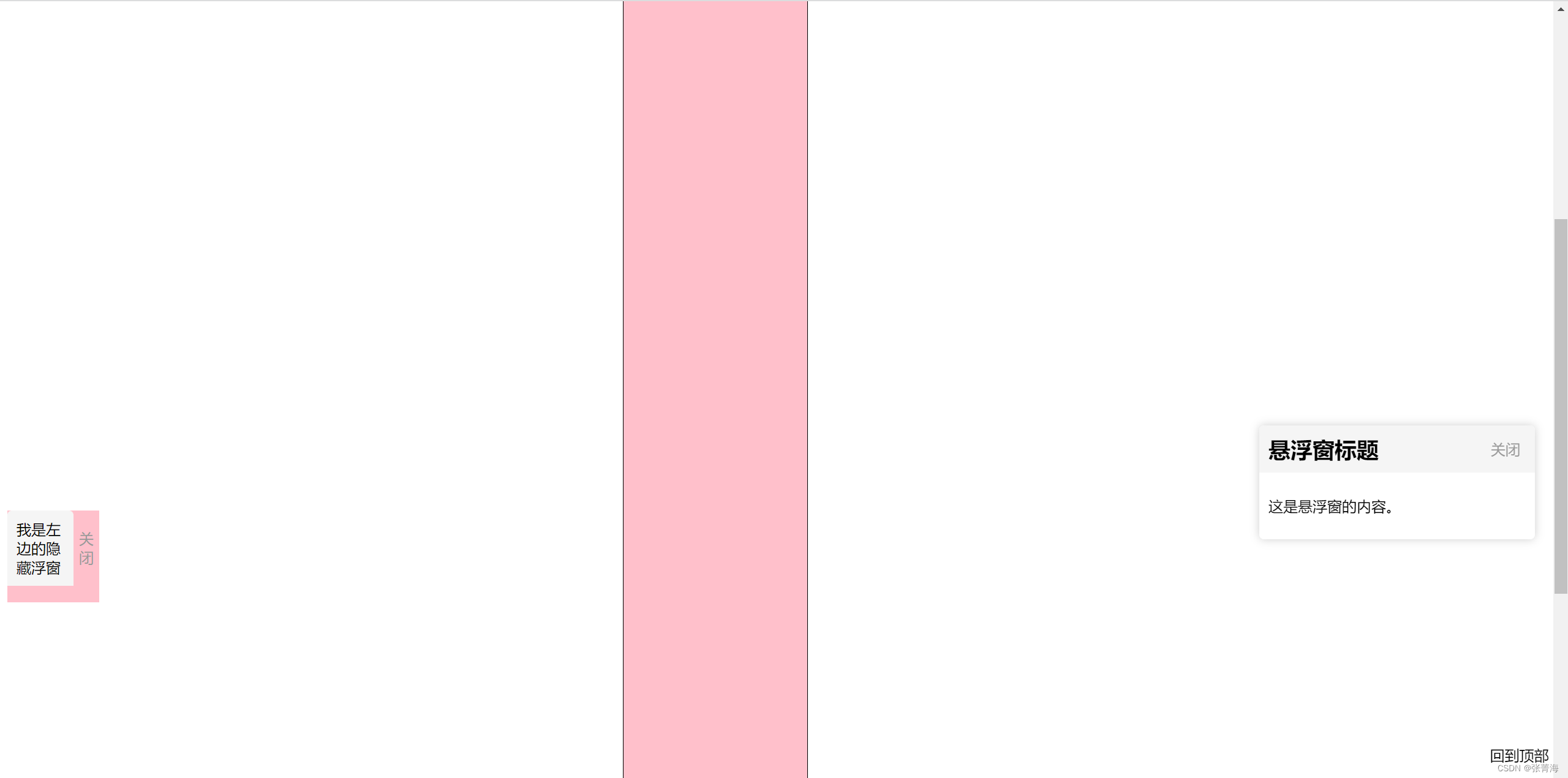
只是练习,样式自己可以调

魔乐社区(Modelers.cn) 是一个中立、公益的人工智能社区,提供人工智能工具、模型、数据的托管、展示与应用协同服务,为人工智能开发及爱好者搭建开放的学习交流平台。社区通过理事会方式运作,由全产业链共同建设、共同运营、共同享有,推动国产AI生态繁荣发展。
更多推荐


 0
0 0
0- 0


 已为社区贡献2条内容

所有评论(0)