解决eclipse:Referenced file contains errors(applicationContext.xml文件首行报错版本不一致)
本篇用于个人编程学习记录。
 https://jingyan.baidu.com/article/29697b91bd24abab20de3c38.html
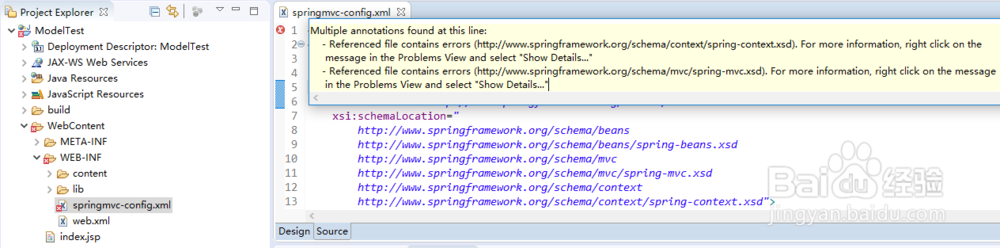
在eclipse中spring mvc声明部分报错如下所示:
Multiple annotations found at this line: - Referenced file contains errors (http://www.springframework.org/schema/context/spring-context.xsd). For more information, right click on the message in the Problems View and select "Show Details..." - Referenced file contains errors (http://www.springframework.org/schema/mvc/spring-mvc.xsd). For more information, right click on the message in the Problems View and select "Show Details..."
工具/原料
-
eclipse
方法/步骤
-
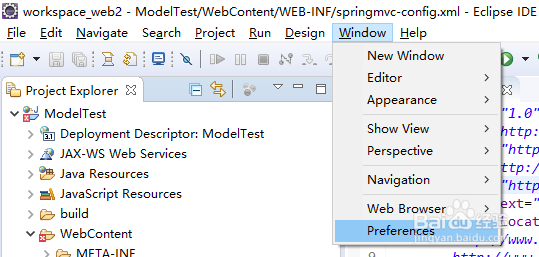
依次点击Window>Preferences
-
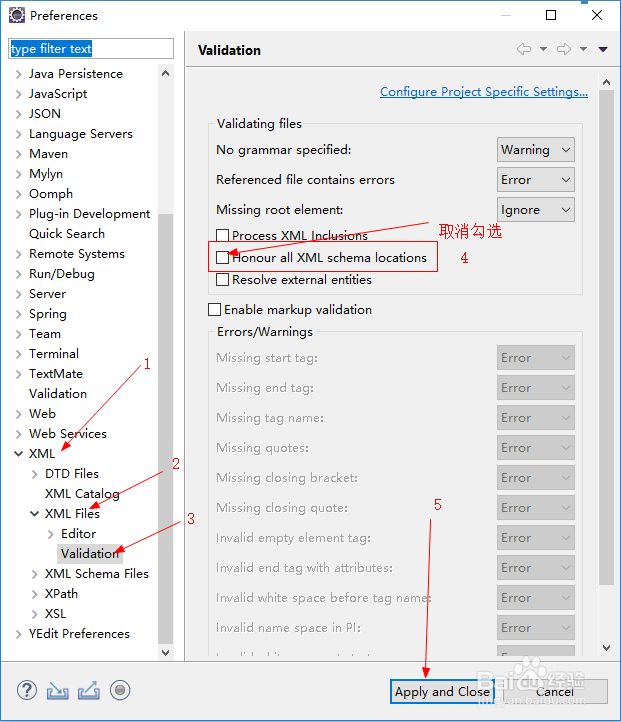
然后点击XML>XML Files >Validation,取消勾选:`Honour all XML schema locations`,这告诉eclipse,不再验证不同schema位置的相同命名空间的引用,仅以第一次找到的可验证的XML文件为结果。 然后点击下面的`Apply and Close`按钮,如下图所示.
-
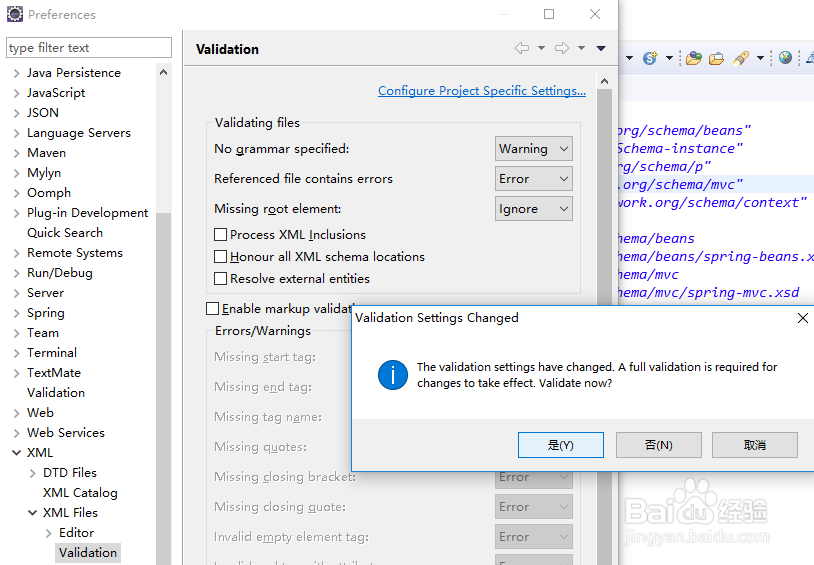
接下来会弹出一个选择框,选`是`即可,如下图所示.
-
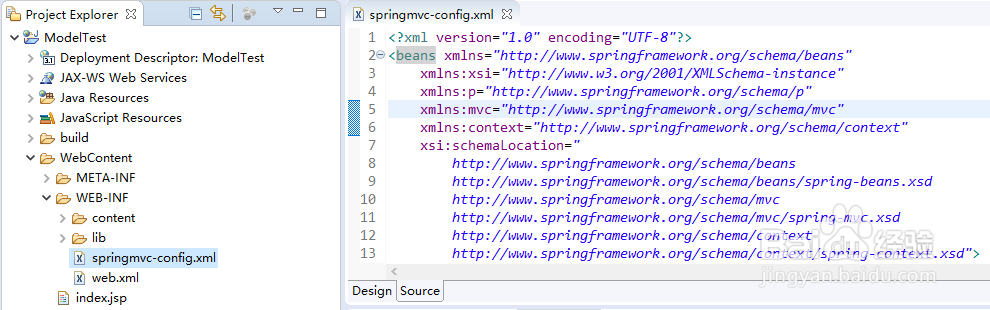
这样就不会报错了,如下图所示:

魔乐社区(Modelers.cn) 是一个中立、公益的人工智能社区,提供人工智能工具、模型、数据的托管、展示与应用协同服务,为人工智能开发及爱好者搭建开放的学习交流平台。社区通过理事会方式运作,由全产业链共同建设、共同运营、共同享有,推动国产AI生态繁荣发展。
更多推荐


 0
0 0
0- 0


 已为社区贡献1条内容

所有评论(0)