创建springboot工程,pom.xml文件报红,
·
创建springboot工程,pom.xml文件报红
我总共试了三种方法,对我而言第三种才有效。
如图:
 然后在网上找了一大堆如何解决springboot的pom.xml文件报红。
第一种:有说去修改maven的下conf文件夹下的settings.xml的三个主要信息 第二种:修改idea下的maven配置信息:

第三种:(转载:https://blog.csdn.net/gfl1427097103/article/details/104840380/)
打开maven目录下的conf ,再打开 settings.xml。在mirrors里面写入:
`<!-- 阿里云镜像 -->
	<mirror>
		<id>alimaven</id>
		<name>aliyun maven</name>
		<url>http://maven.aliyun.com/nexus/content/groups/public/</url>
		<mirrorOf>central</mirrorOf>
	</mirror>
	<mirror>
		<id>central</id>
		<name>Maven Repository Switchboard</name>
		<url>http://repo1.maven.org/maven2/</url>
		<mirrorOf>central</mirrorOf></mirror>
	<mirror>
		<id>repo2</id>
		<mirrorOf>central</mirrorOf>
		<name>Human Readable Name for this Mirror.</name>
		<url>http://repo2.maven.org/maven2/</url>
	</mirror>

	<mirror>
		<id>ibiblio</id>
		<mirrorOf>central</mirrorOf>
		<name>Human Readable Name for this Mirror.</name>
		<url>http://mirrors.ibiblio.org/pub/mirrors/maven2/</url>
		</mirror>
<!-- 中央仓库在中国的镜像 -->
	<mirror>
		<id>maven.net.cn</id>
		<name>oneof the central mirrors in china</name>
		<url>http://maven.net.cn/content/groups/public/</url>
		<mirrorOf>central</mirrorOf>
	</mirror>
之后还是有些问题,
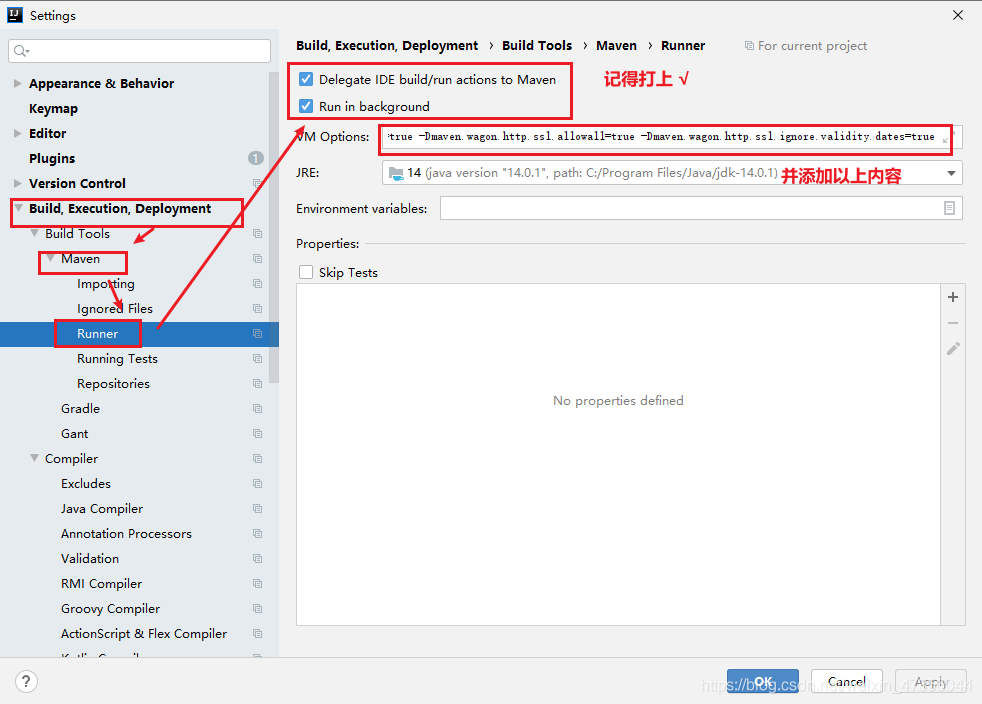 然后再JV Options内添加:
-Dmaven.wagon.http.ssl.insecure=true
-Dmaven.wagon.http.ssl.allowall=true
-Dmaven.wagon.http.ssl.ignore.validity.dates=true
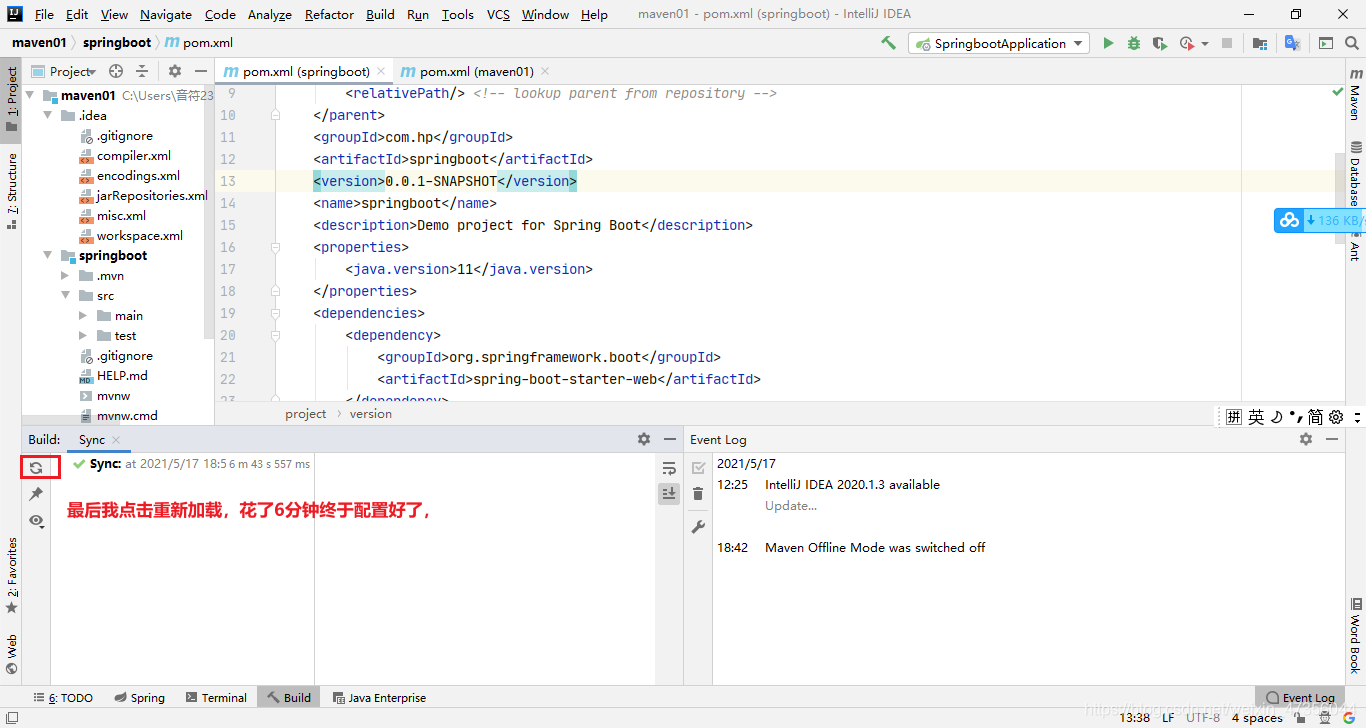
最后我点击加载:

魔乐社区(Modelers.cn) 是一个中立、公益的人工智能社区,提供人工智能工具、模型、数据的托管、展示与应用协同服务,为人工智能开发及爱好者搭建开放的学习交流平台。社区通过理事会方式运作,由全产业链共同建设、共同运营、共同享有,推动国产AI生态繁荣发展。
更多推荐


 2
2 0
0- 0


 已为社区贡献2条内容

所有评论(0)