labelme批量json_to_dataset转换
之前写过的一篇博客,https://blog.csdn.net/yql_617540298/article/details/81110685,发现朋友遇到了好多问题。
刚好,我换了电脑之后,还没有安装这个环境,所以重新尝试了一下安装labelme,然后把遇到的问题和大家分享一下。
我之前的环境是win10+python3.6.2,现在的环境是win10+python3.7.0。

一、安装labelme
pip install labelme安装成功后,检查一下labelme的版本:

二、进入labelme安装目录
进入labelme的安装目录,主要是找到anaconda的安装目录。打开:D:\Anaconda3\Lib\site-packages\labelme\cli
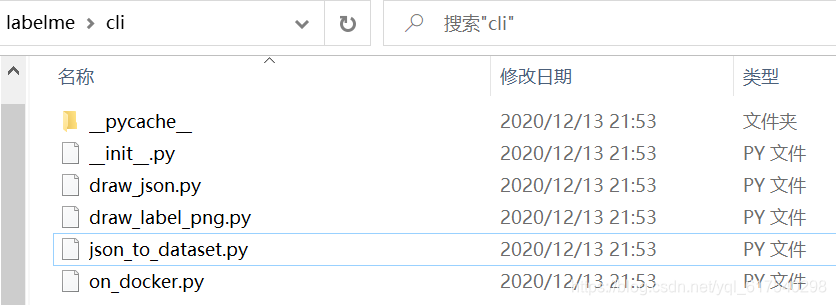
依然是找到json_to_dataset.py文件

三、代码修改
安装完labelme之后的源码:
import argparse
import base64
import json
import os
import os.path as osp

import imgviz
import PIL.Image

from labelme.logger import logger
from labelme import utils


def main():
    logger.warning(
        "This script is aimed to demonstrate how to convert the "
        "JSON file to a single image dataset."
    )
    logger.warning(
        "It won't handle multiple JSON files to generate a "
        "real-use dataset."
    )

    parser = argparse.ArgumentParser()
    parser.add_argument("json_file")
    parser.add_argument("-o", "--out", default=None)
    args = parser.parse_args()

    json_file = args.json_file

    if args.out is None:
        out_dir = osp.basename(json_file).replace(".", "_")
        out_dir = osp.join(osp.dirname(json_file), out_dir)
    else:
        out_dir = args.out
    if not osp.exists(out_dir):
        os.mkdir(out_dir)

    data = json.load(open(json_file))
    imageData = data.get("imageData")

    if not imageData:
        imagePath = os.path.join(os.path.dirname(json_file), data["imagePath"])
        with open(imagePath, "rb") as f:
            imageData = f.read()
            imageData = base64.b64encode(imageData).decode("utf-8")
    img = utils.img_b64_to_arr(imageData)

    label_name_to_value = {"_background_": 0}
    for shape in sorted(data["shapes"], key=lambda x: x["label"]):
        label_name = shape["label"]
        if label_name in label_name_to_value:
            label_value = label_name_to_value[label_name]
        else:
            label_value = len(label_name_to_value)
            label_name_to_value[label_name] = label_value
    lbl, _ = utils.shapes_to_label(
        img.shape, data["shapes"], label_name_to_value
    )

    label_names = [None] * (max(label_name_to_value.values()) + 1)
    for name, value in label_name_to_value.items():
        label_names[value] = name

    lbl_viz = imgviz.label2rgb(
        label=lbl, img=imgviz.asgray(img), label_names=label_names, loc="rb"
    )

    PIL.Image.fromarray(img).save(osp.join(out_dir, "img.png"))
    utils.lblsave(osp.join(out_dir, "label.png"), lbl)
    PIL.Image.fromarray(lbl_viz).save(osp.join(out_dir, "label_viz.png"))

    with open(osp.join(out_dir, "label_names.txt"), "w") as f:
        for lbl_name in label_names:
            f.write(lbl_name + "\n")

    logger.info("Saved to: {}".format(out_dir))


if __name__ == "__main__":
    main()
想要实现批量修改,就是要找到labelme中生成一个json文件的代码,然后加一个循环就可以了。
循环代码:
所以说,这个python的版本不重要,安装的哪个版本的labelme也不重要,主要就是在安装好的labelme的源码中加一个循环即可。
count = os.listdir(json_file)
for i in range(0,len(count)):
   	path = os.path.join(json_file,count[i])
   	if os.path.isfile(path):
然后把单张处理的代码放在这个循环内即可,全部代码:
import argparse
import base64
import json
import os
import os.path as osp

import imgviz
import PIL.Image

from labelme.logger import logger
from labelme import utils


def main():
    logger.warning(
        "This script is aimed to demonstrate how to convert the "
        "JSON file to a single image dataset."
    )
    logger.warning(
        "It won't handle multiple JSON files to generate a "
        "real-use dataset."
    )

    parser = argparse.ArgumentParser()
    parser.add_argument("json_file")
    parser.add_argument("-o", "--out", default=None)
    args = parser.parse_args()

    json_file = args.json_file

    if args.out is None:
        out_dir = osp.basename(json_file).replace(".", "_")
        out_dir = osp.join(osp.dirname(json_file), out_dir)
    else:
        out_dir = args.out
    if not osp.exists(out_dir):
        os.mkdir(out_dir)

    count = os.listdir(json_file)
    for i in range(0, len(count)):
	    path = os.path.join(json_file, count[i])

	    if os.path.isfile(path):
		    data = json.load(open(path))
		    imageData = data.get("imageData")

		    if not imageData:
		        imagePath = os.path.join(os.path.dirname(json_file), data["imagePath"])
		        with open(imagePath, "rb") as f:
		            imageData = f.read()
		            imageData = base64.b64encode(imageData).decode("utf-8")
		    img = utils.img_b64_to_arr(imageData)

		    label_name_to_value = {"_background_": 0}
		    for shape in sorted(data["shapes"], key=lambda x: x["label"]):
		        label_name = shape["label"]
		        if label_name in label_name_to_value:
		            label_value = label_name_to_value[label_name]
		        else:
		            label_value = len(label_name_to_value)
		            label_name_to_value[label_name] = label_value
		    lbl, _ = utils.shapes_to_label(
		        img.shape, data["shapes"], label_name_to_value
		    )

		    label_names = [None] * (max(label_name_to_value.values()) + 1)
		    for name, value in label_name_to_value.items():
		        label_names[value] = name

		    lbl_viz = imgviz.label2rgb(
		        label=lbl, img=imgviz.asgray(img), label_names=label_names, loc="rb"
		    )

		    out_dir= osp.basename(count[i]).replace('.', '_')
		    out_dir = osp.join(osp.dirname(count[i]), out_dir)
		    if not osp.exists(out_dir):
		    	os.mkdir(out_dir)
		    	print(out_dir)

		    PIL.Image.fromarray(img).save(osp.join(out_dir, "img.png"))
		    utils.lblsave(osp.join(out_dir, "label.png"), lbl)
		    PIL.Image.fromarray(lbl_viz).save(osp.join(out_dir, "label_viz.png"))

		    with open(osp.join(out_dir, "label_names.txt"), "w") as f:
		        for lbl_name in label_names:
		            f.write(lbl_name + "\n")

		    logger.info("Saved to: {}".format(out_dir))


if __name__ == "__main__":
    main()
四、批量操作
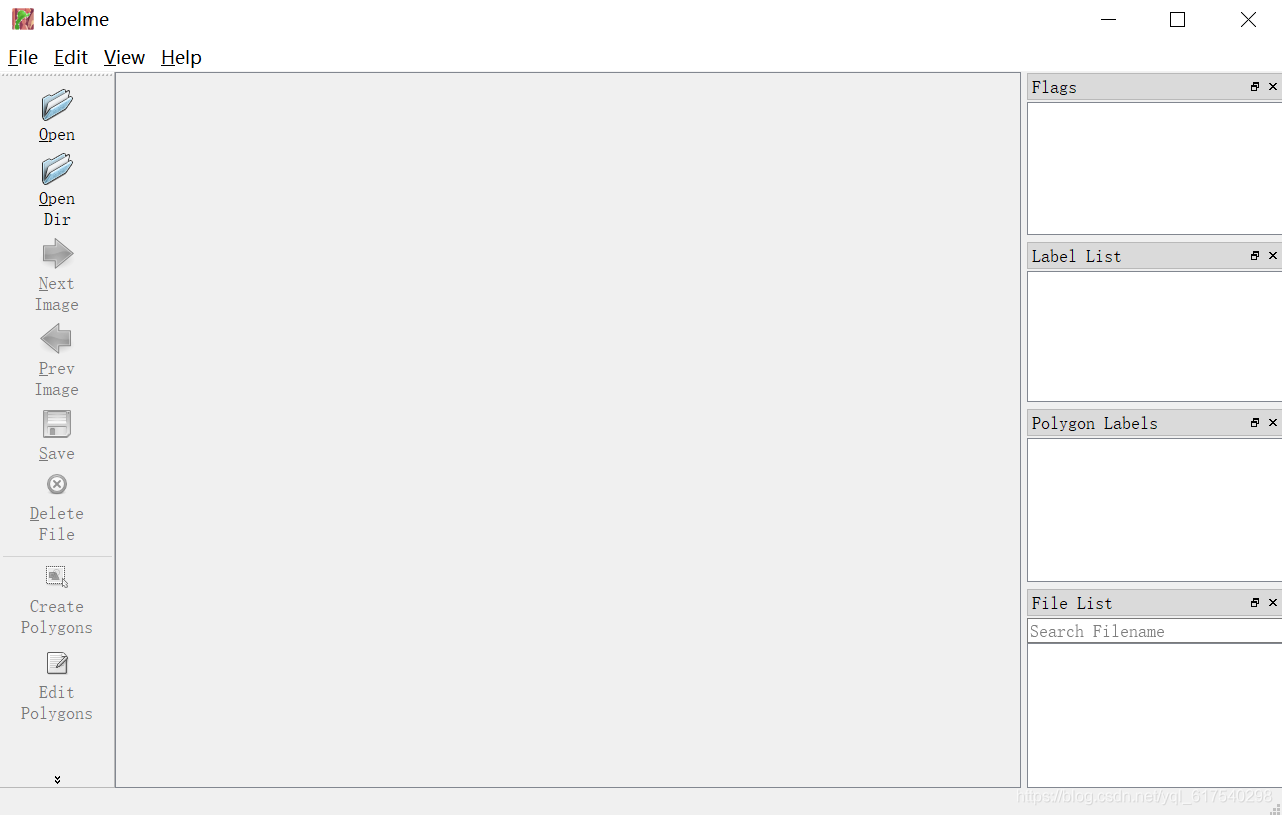
打开label,exe,开始描绘勾边。
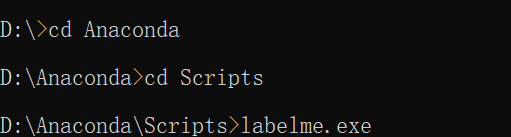
主界面如下面这样:
随便选择几张图片,测试一下批量操作。所选的图片来源于B站上面的ps教程素材,链接:https://www.bilibili.com/video/BV1A4411M729/?p=4
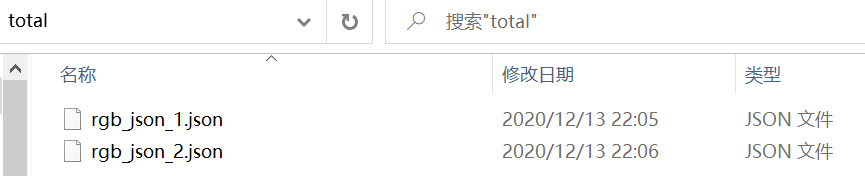
在cmd中cd到labelme_json_to_dataset.exe路径下,然后输入
D:\Anaconda\Scripts其中,total这个目录是放置label.exe中保存出来的json文件。
labelme_json_to_dataset.exe C:\Users\Mango\Desktop\total中间出现了一个错误:
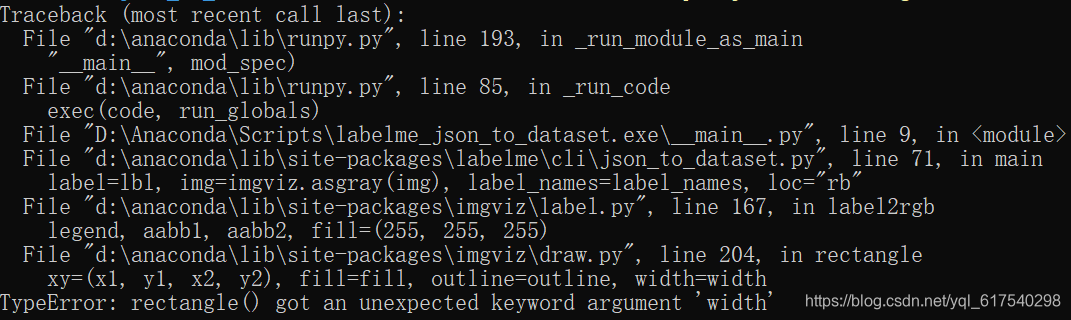
这是由于PILLOW的版本不匹配导致的,所以重新安装一下PILLOW,
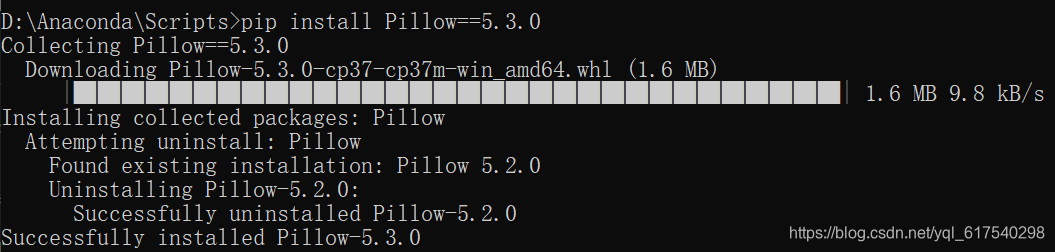
然后,可以看到执行出来的已经是批量完成的啦。

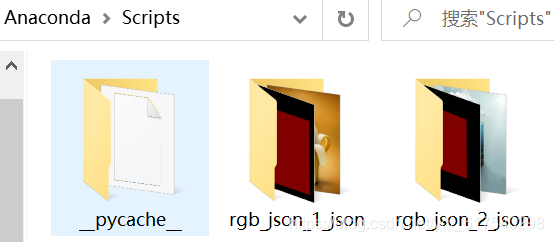
在安装目录D:\Anaconda\Scripts中可以看到保存的两个文件夹,

魔乐社区(Modelers.cn) 是一个中立、公益的人工智能社区,提供人工智能工具、模型、数据的托管、展示与应用协同服务,为人工智能开发及爱好者搭建开放的学习交流平台。社区通过理事会方式运作,由全产业链共同建设、共同运营、共同享有,推动国产AI生态繁荣发展。
更多推荐


 10
10 0
0- 0


 已为社区贡献5条内容

所有评论(0)