c# - - - winform 右下角气球提示通知
·
c# - - - winform 右下角气球提示通知
winform 右下角气球提示通知
1.1 winform 右下角气球提示通知
在工具箱中点击 NotifyIcon 控件,拖动到 Form1 窗体上添加这个控件。
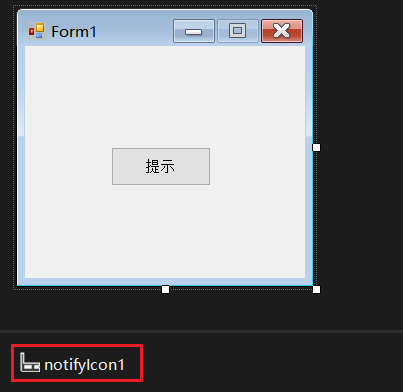
在“提示”按钮的点击事件中写气球提示通知内容。
public partial class Form1 : Form
{
    public Form1()
    {
        InitializeComponent();
    }

    private void button1_Click(object sender, EventArgs e)
    {
        this.notifyIcon1.Visible = true; // 设置控件可见
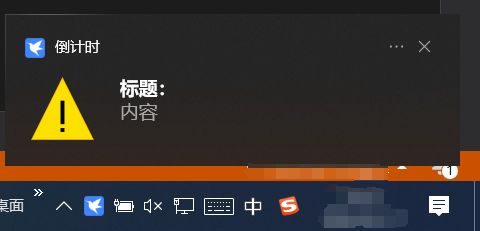
        this.notifyIcon1.ShowBalloonTip(1000, "标题:", "内容", ToolTipIcon.Warning); // 显示气泡提示
    }
}
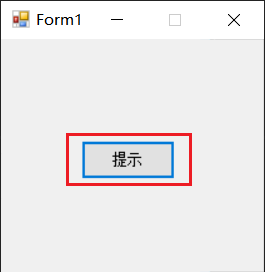
运行效果,点击“提示”按钮,右下角显示气球提示通知。

魔乐社区(Modelers.cn) 是一个中立、公益的人工智能社区,提供人工智能工具、模型、数据的托管、展示与应用协同服务,为人工智能开发及爱好者搭建开放的学习交流平台。社区通过理事会方式运作,由全产业链共同建设、共同运营、共同享有,推动国产AI生态繁荣发展。
更多推荐


 2
2 0
0- 0


 已为社区贡献4条内容

所有评论(0)