【前端小实战】转盘随机抽奖功能
·
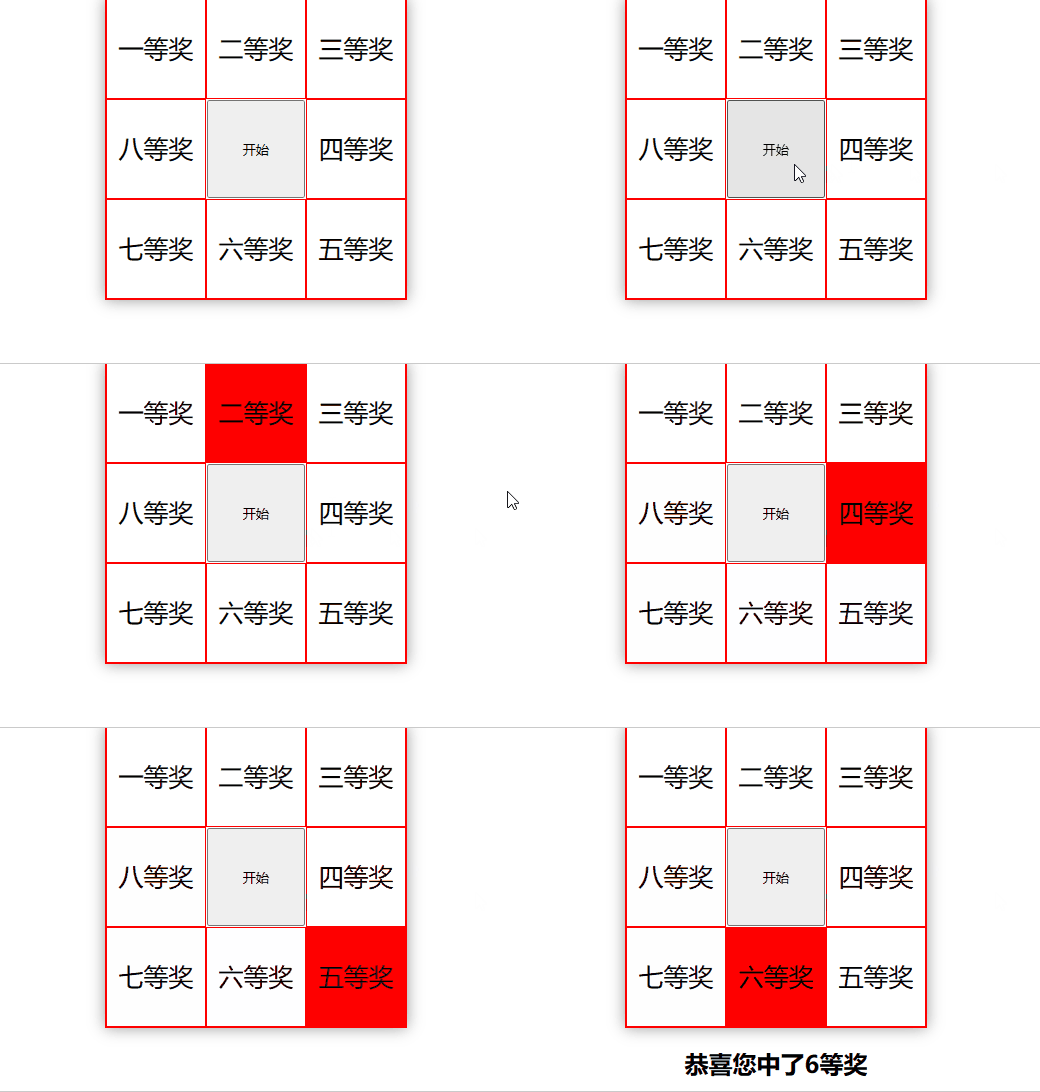
一、效果展示
二、完整代码
<!DOCTYPE html>
<html>
	<head>
		<meta charset="utf-8">
		<title></title>

		<style type="text/css">
			#box {
				position: relative;
				width: 300px;
				height: 300px;
				border: 1px solid red;
				margin: 0 auto;
				box-shadow: 0 0 15px rgba(0, 0, 0, 0.4);
			}

			#box div {
				position: absolute;
				width: 98px;
				height: 98px;
				line-height: 98px;
				border: 1px solid red;
				font-size: 25px;
				text-align: center;
			}

			#box div:nth-child(2) {
				left: 100px;
			}
			#box div:nth-child(3) {
				left: 200px;
			}
			#box div:nth-child(4) {
				left: 200px;
				top: 100px;
			}
			#box div:nth-child(5) {
				left: 200px;
				top: 200px;
			}
			#box div:nth-child(6) {
				left: 100px;
				top: 200px;
			}
			#box div:nth-child(7) {
				top: 200px;
			}
			#box div:nth-child(8) {
				top: 100px;
			}

			#box input {
				position: absolute;
				width: 98px;
				height: 98px;
				/* border: 1px solid blue; */
				left: 101px;
				top: 101px;
			}

			.toRed {
				background-color: red;
			}

			h2 {
				text-align: center;
			}
		</style>
	</head>

	<body>
		<div id="box">
			<div>一等奖</div>
			<div>二等奖</div>
			<div>三等奖</div>
			<div>四等奖</div>
			<div>五等奖</div>
			<div>六等奖</div>
			<div>七等奖</div>
			<div>八等奖</div>
			<input type="button" id="startBtn" value="开始">
		</div>

		<h2></h2>
	</body>

	<script type="text/javascript">
		var box = document.getElementById("box");
		var allDiv = box.getElementsByTagName("div");
		var startBtn = document.getElementById("startBtn");
		var score = document.getElementsByTagName("h2")[0];

		// 表示定时器是否在运行
		var flag = false;

		startBtn.onclick = function() {
			// 如果定时器在运行则不能进行下次抽奖
			if (flag) return;

			// 定时器开始运行
			flag = true

			// 生成 17~32 的随机数,中奖编号为 idx%8? idx%8: 8
			// 保证转盘至少转两圈不超过四圈
			var idx = Math.ceil(Math.random() * 16) + 16;

			var k = 0;
			var timer = setInterval(function() {
				for (var i = 0; i < allDiv.length; i++) {
					allDiv[i].className = ";"
				}
				allDiv[k%8].className = "toRed";
				if (k == idx-1) {
					// 抽奖结束,清除定时器
					clearTimeout(timer);
					//标记定时器不在运行
					flag = false;

					// 中奖信息
					score.innerText = "恭喜您中了" + (idx%8? idx%8: 8) + "等奖";
				}
				k++;
			}, 100)
		}
	</script>
</html>

魔乐社区(Modelers.cn) 是一个中立、公益的人工智能社区,提供人工智能工具、模型、数据的托管、展示与应用协同服务,为人工智能开发及爱好者搭建开放的学习交流平台。社区通过理事会方式运作,由全产业链共同建设、共同运营、共同享有,推动国产AI生态繁荣发展。
更多推荐


 2
2 0
0- 0


 已为社区贡献5条内容

所有评论(0)