CentOS 7安装go语言环境
·
CentOS 7安装go语言环境
1、下载go安装包
下载地址:https:/.dev/dl/
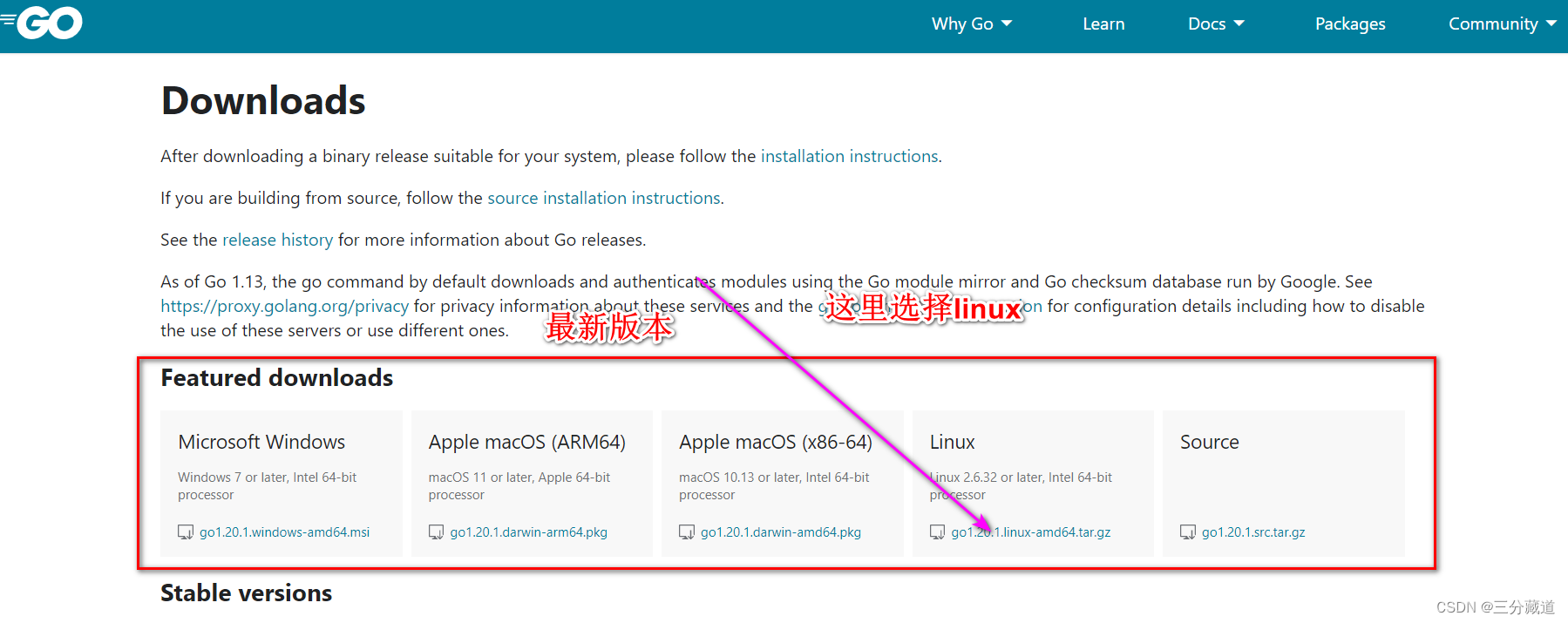
其它版本及稳定版本
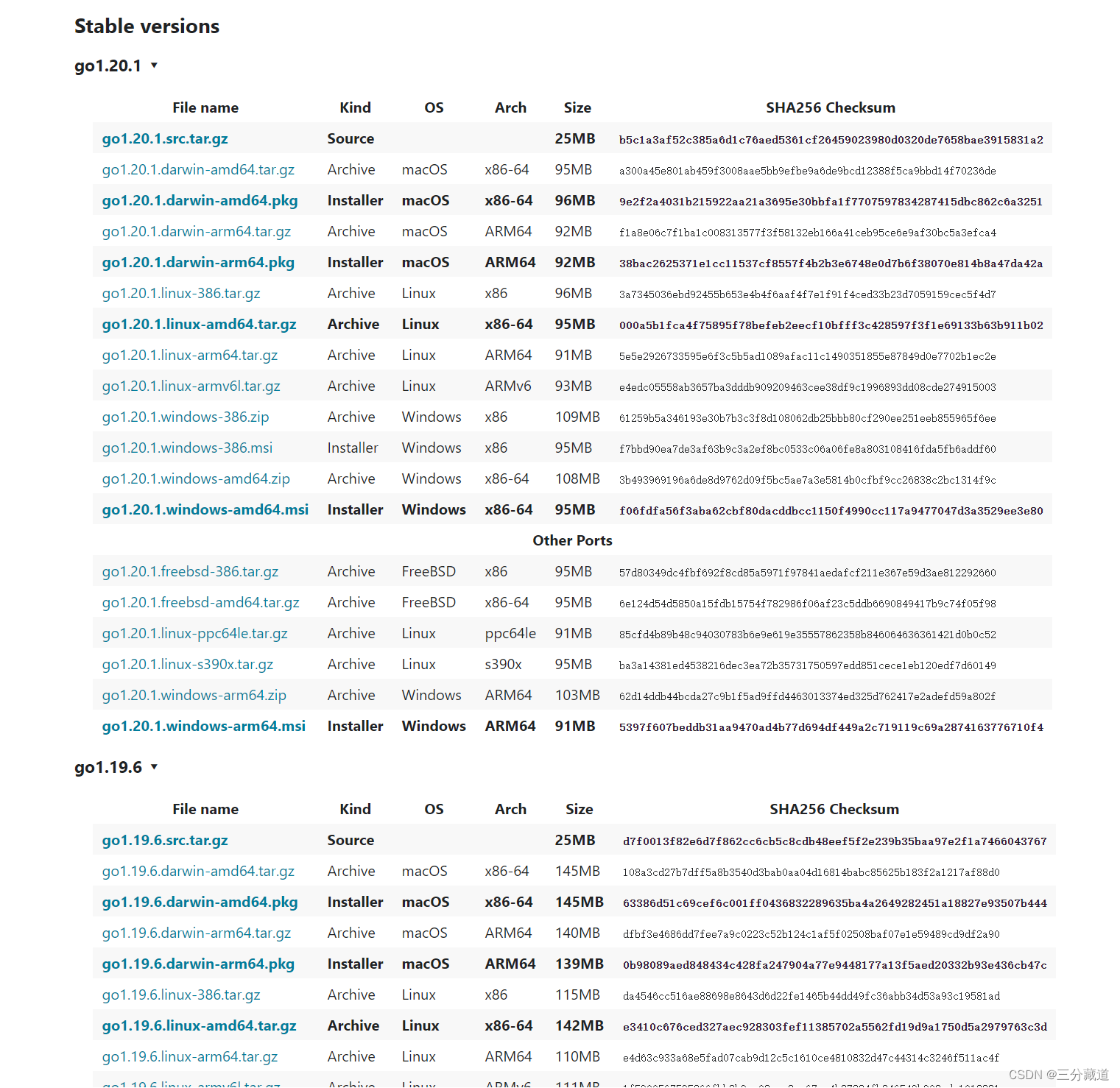
下载稳定最新版本
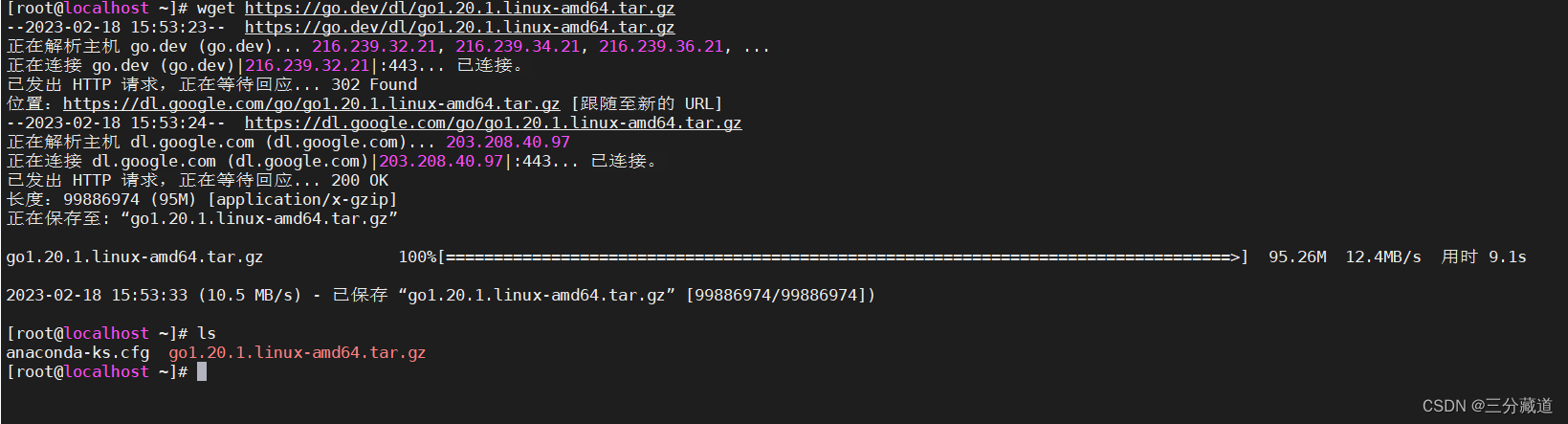
# 下载二进制包,该目录为root
wget https:/.dev/dl1.20.1.linux-amd64.tar.gz
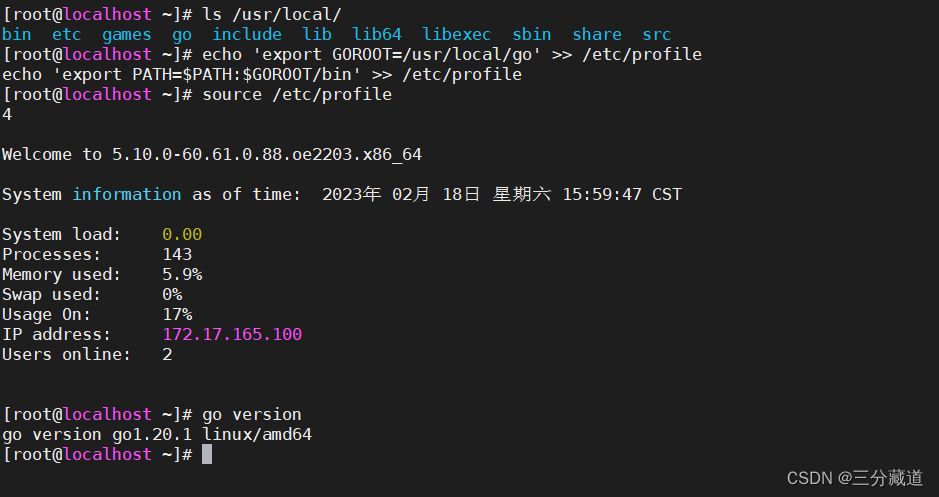
tar -zxvf go1.20.1.linux-amd64.tar.gz -C /usr/local/

# 加入环境变量
echo 'export GOROOT=/usr/local' >> /etc/profile
echo 'export PATH=$PATH:$GOROOT/bin' >> /etc/profile

# 当前shell生效
source /etc/profile

# 验证
go version

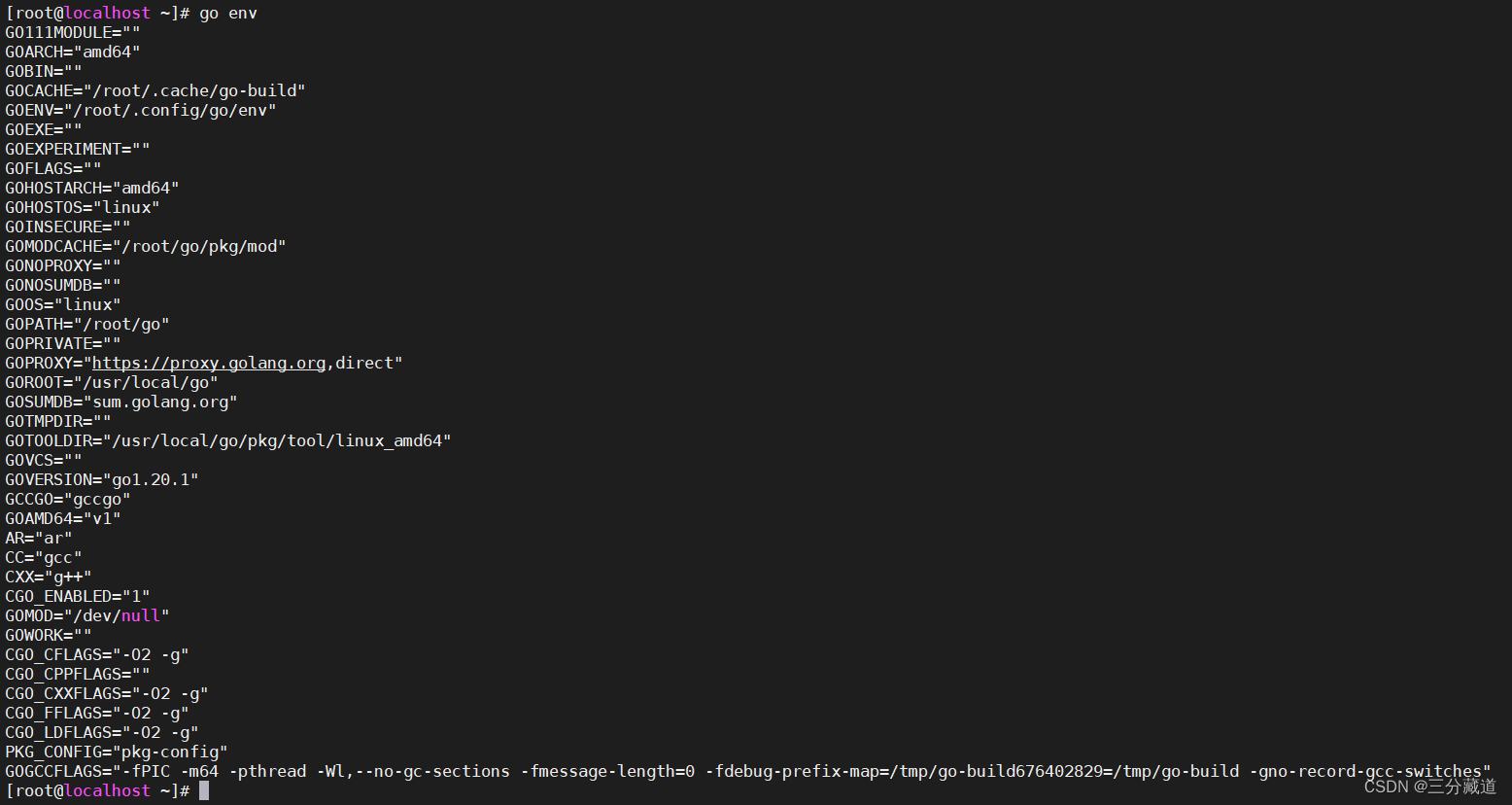
#查看环境变量
go env
2、文件下载加速
https:/proxy.io/
Bash (Linux or macOS)
# Set the GOPROXY environment variable
export GOPROXY=https:/proxy.io,direct
# Set environment variable allow bypassing the proxy for specified repos (optional)
export GOPRIVATE=git.mycompany.com,github.com/my/private
PowerShell (Windows)
# Set the GOPROXY environment variable
$env:GOPROXY = "https:/proxy.io,direct"
# Set environment variable allow bypassing the proxy for specified repos (optional)
$env:GOPRIVATE = "git.mycompany.com,github.com/my/private"

魔乐社区(Modelers.cn) 是一个中立、公益的人工智能社区,提供人工智能工具、模型、数据的托管、展示与应用协同服务,为人工智能开发及爱好者搭建开放的学习交流平台。社区通过理事会方式运作,由全产业链共同建设、共同运营、共同享有,推动国产AI生态繁荣发展。
更多推荐


 2
2 0
0- 0


 已为社区贡献1条内容

所有评论(0)