Python 实现微信测试号情侣纪念消息推送(消息群发)
·
概述
主要实现微信用户关注个人的测试号之后,可以像公众号一样定向的推送消息。该代码主要实现情侣之间提示对方城市的天气信息以及生日、纪念日等信息,此外还可以在这些模板的基础上拓展更多信息,写上你想说的话等。
总体来说,该代码就是一段用以朋友间玩笑的代码,实现公众号推送的效果。
实现步骤
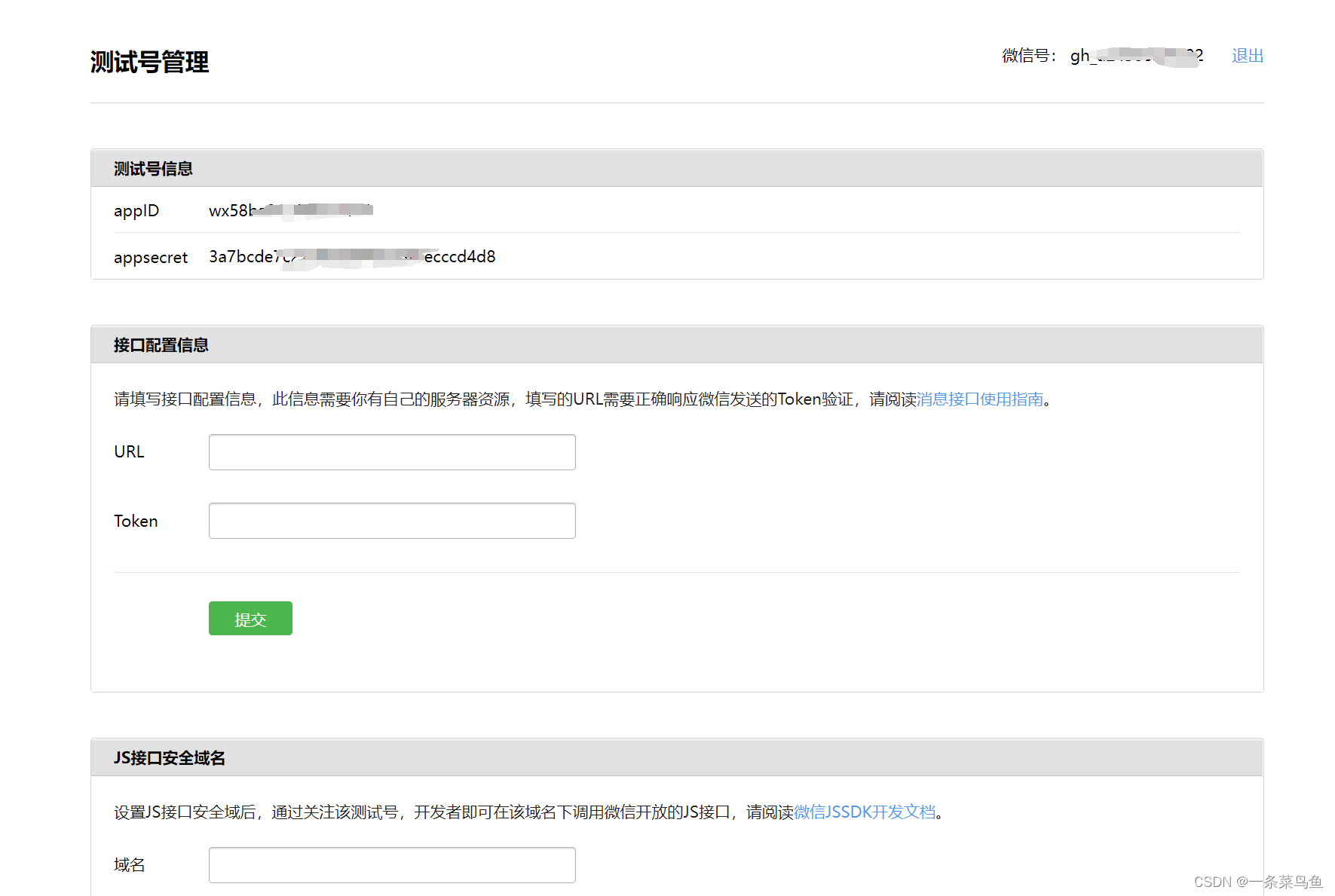
1、打开微信公众平台登录微信号
登录后,如下图所示
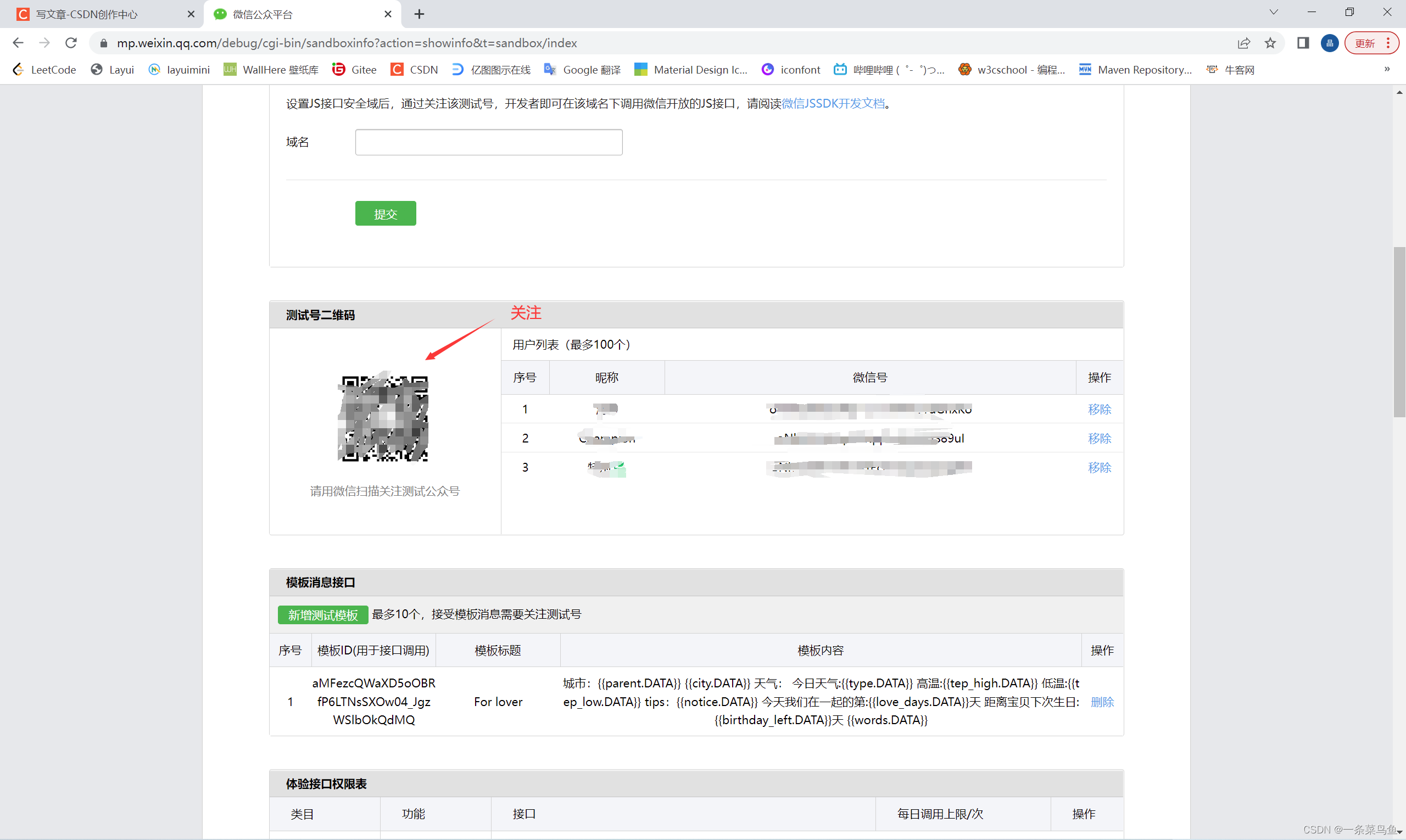
2、让朋友关注该测试号
3、新建测试模板
城市:{{parent.DATA}} {{city.DATA}}
天气:
   今日天气:{{type.DATA}}
   高温:{{tep_high.DATA}}
   低温:{{tep_low.DATA}}
   tips:{{notice.DATA}}
今天是你们的第:{{love_days.DATA}}天
距离生日:{{birthday_left.DATA}}天 {{words.DATA}}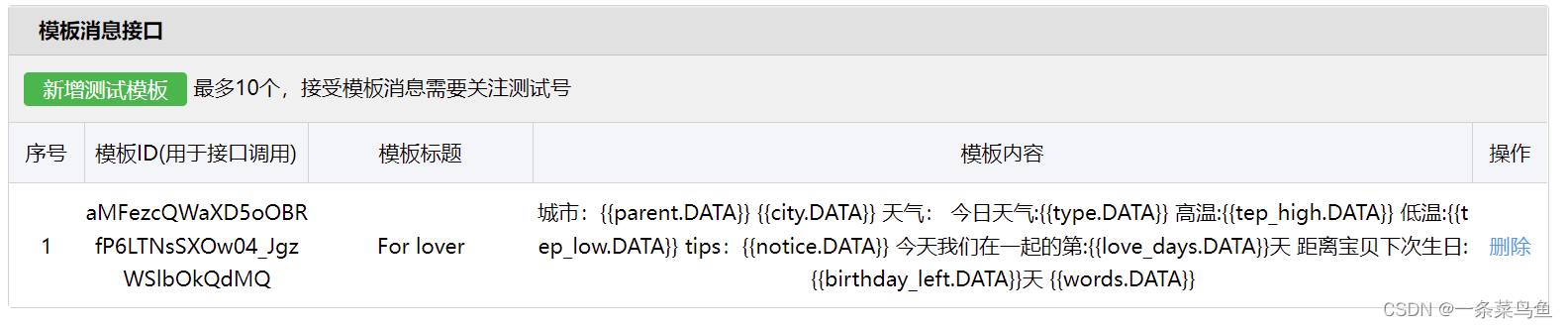
4、Python 代码
注意: 以下是需要填写的内容。
app_id = "" # 在测试号信息一览, app_id
app_s = ""   # 在测试号信息一览,app_secret
user_id = [""]        # 在测试号二维码一览, user_id 关注的用户微信ID
template_id = ""  # 在模板消息接口一览, 生成的模板id, 新建的ID
完整代码
from datetime import date, datetime
from wechatpy import WeChatClient
from wechatpy.client.api import WeChatMessage, WeChatTemplate
import requests
import random

today = datetime.now()     # 获取今日日期
start_date = "2017-11-25"  # 恋爱开始时间
city = "101110809"         # 城市天气查询的id ,根据自己城市查询城市ID
birthday = "07-14"         # 出生日期
app_id = "" # app_id
app_s = ""   # appsecret
user_id = [""]        # user_id 关注的用户微信ID
template_id = ""  # 生成的模板id, 新建的ID

def get_weather():
  url = "http://t.weather.sojson.com/api/weather/city/" + city
  res = requests.get(url).json()
  # res 结果
  '''
    'date':'20220827',
    'time':'2022-08-27 13:17:02',
    'cityInfo':{
      'city':'',
      'citykey':'101110809',
      'parent':'',
      'updateTime':'12:16'
    },
    'data':{
      'shidu':'86%',
      'pm25':9.0,
      'pm10':0.0,
      'quality':'优',
      'wendu':'27',
      'ganmao':'各类人群可自由活动',
      'forecast':[
        {
          'date':'27',
          'high':'高温 26℃',
          'low':'低温 18℃',
          'ymd':'2022-08-27',
          'week':'星期六',
          'sunrise':'06:26',
          'sunset':'19:26',
          'aqi':17,
          'fx':'东风',
          'fl':'1级',
          'type':'小雨',
          'notice':'雨虽小,注意保暖别感冒'
          },
          {
          'date':'28',
          'high':'高温 19℃',
          'low':'低温 18℃',
          'ymd':'2022-08-28',
          'week':'星期日',
          'sunrise':'06:27',
          'sunset':'19:25',
          'aqi':19,
          'fx':'北风',
          'fl':'2级',
          'type':'大雨',
          'notice':'出门最好穿雨衣,勿挡视线'
          },
  '''
  citys = res['cityInfo']
  weather = res['data']['forecast']
  return weather, citys


def get_count():
  delta = today - datetime.strptime(start_date, "%Y-%m-%d")
  return delta.days

def get_birthday():
  next = datetime.strptime(str(date.today().year) + "-" + birthday, "%Y-%m-%d")
  if next < datetime.now():
    next = next.replace(year=next.year + 1)
  return (next - today).days

def get_words():
  words = requests.get("https://api.shadiao.pro/chp")
  if words.status_code != 200:
    return get_words()
  return words.json()['data']['text']

def get_random_color():
  return "#%06x" % random.randint(0, 0xFFFFFF)


client = WeChatClient(app_id, app_secret)
wm = WeChatMessage(client)

weather_list, city_list = get_weather()
# 划分天气信息
print(weather_list)
type = weather_list[0]['type']   # 天气类型
tep_high = weather_list[0]['high'] # 高温
tep_low = weather_list[0]['low']   # 低温
notice = weather_list[0]['notice']  # 提示信息
# 划分城市
parent = city_list['parent']
citys = city_list['city']

data = {"parent":{"value":parent, "color": get_random_color()},
        "city":{"value":citys, "color": get_random_color()},
        "type":{"value":type, "color": get_random_color()},
        "tep_high":{"value":tep_high, "color": get_random_color()},
        "tep_low":{"value":tep_low, "color": get_random_color()},
        "notice":{"value":notice, "color": get_random_color()},
        "love_days":{"value":get_count(), "color": get_random_color()},
        "birthday_left":{"value":get_birthday(), "color": get_random_color()},
        "words":{"value":get_words(), "color": get_random_color()}}

# 群发消息
for i in range(len(user_id)):
  res = wm.send_template(user_id[i], template_id, data)
  print(res)
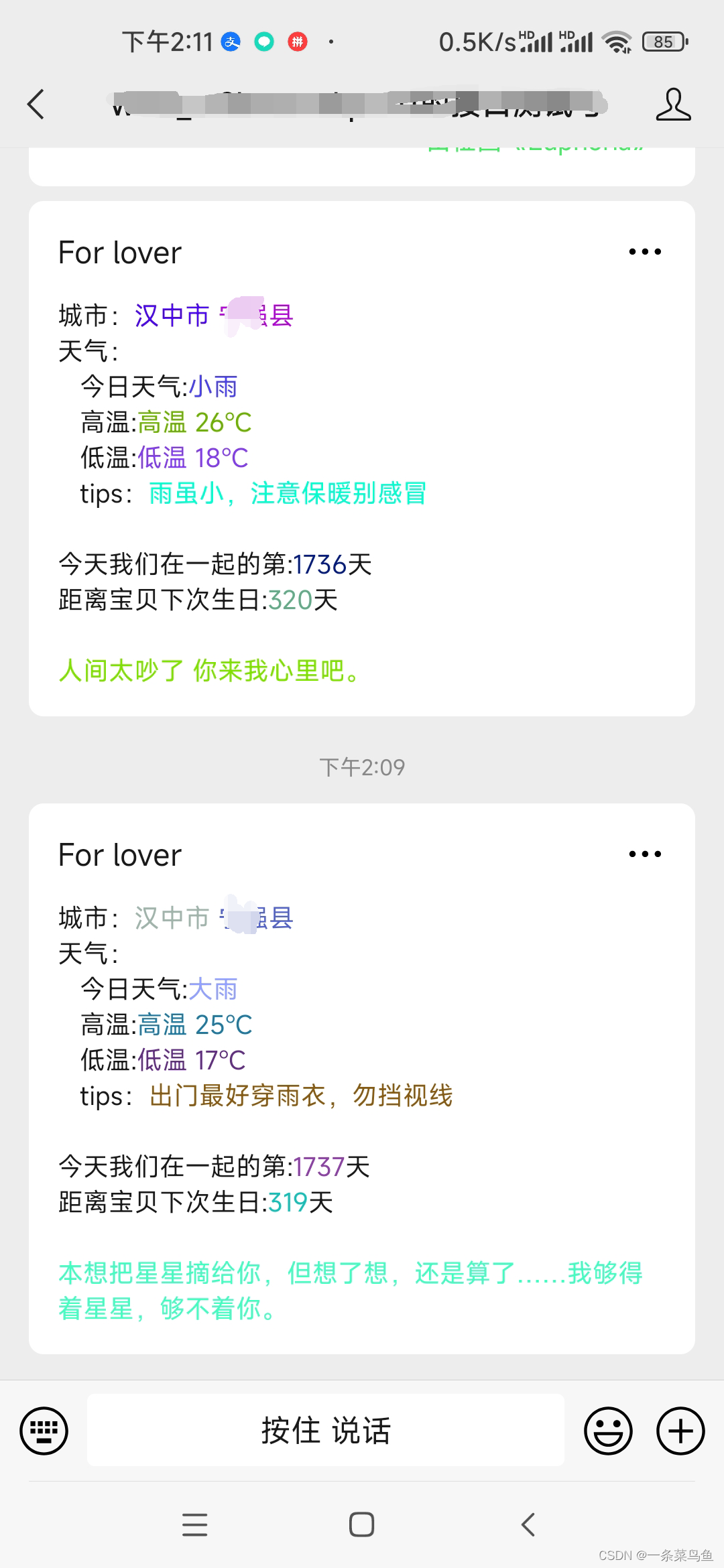
5、最终效果
Over~

魔乐社区(Modelers.cn) 是一个中立、公益的人工智能社区,提供人工智能工具、模型、数据的托管、展示与应用协同服务,为人工智能开发及爱好者搭建开放的学习交流平台。社区通过理事会方式运作,由全产业链共同建设、共同运营、共同享有,推动国产AI生态繁荣发展。
更多推荐


 5
5 0
0- 0


 已为社区贡献2条内容

所有评论(0)