基于Android移动应用开发,购物商城APP实现(一)
本文介绍了一个基于Android的购物商城APP开发项目。项目采用MySQL数据库存储数据,使用SpringBoot搭建服务端,通过OkHttp实现客户端与服务端通信。主要功能包括:启动页倒计时、记住密码登录、底部导航栏切换、商品分类展示等。开发环境为Android Studio(JDK11+)和IDEA(SpringBoot框架)。项目实现了用户端和管理员端,包含商品展示、分类浏览、用户管理等模
1. 项目功能思维导图
app用户端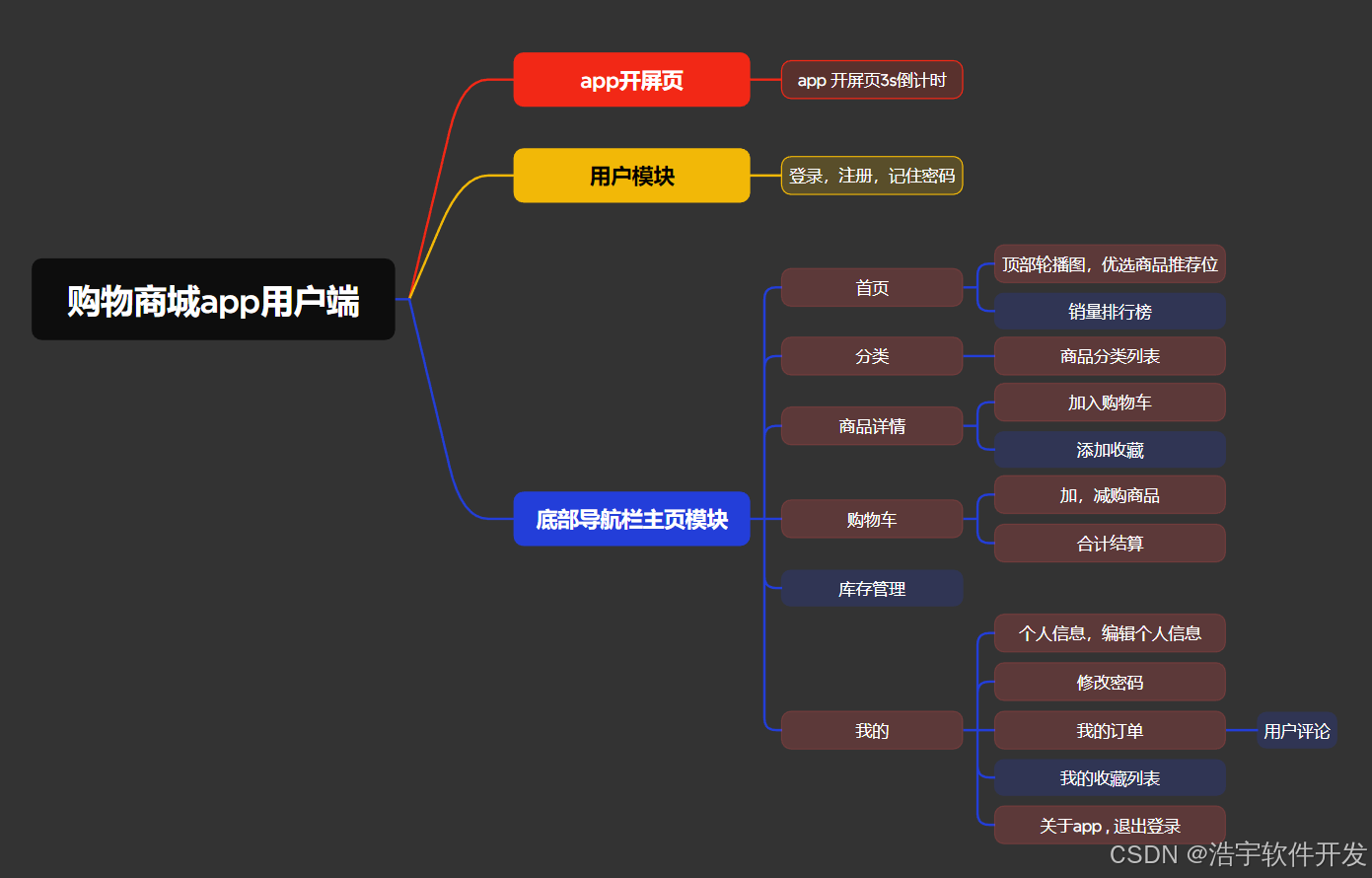
web管理员端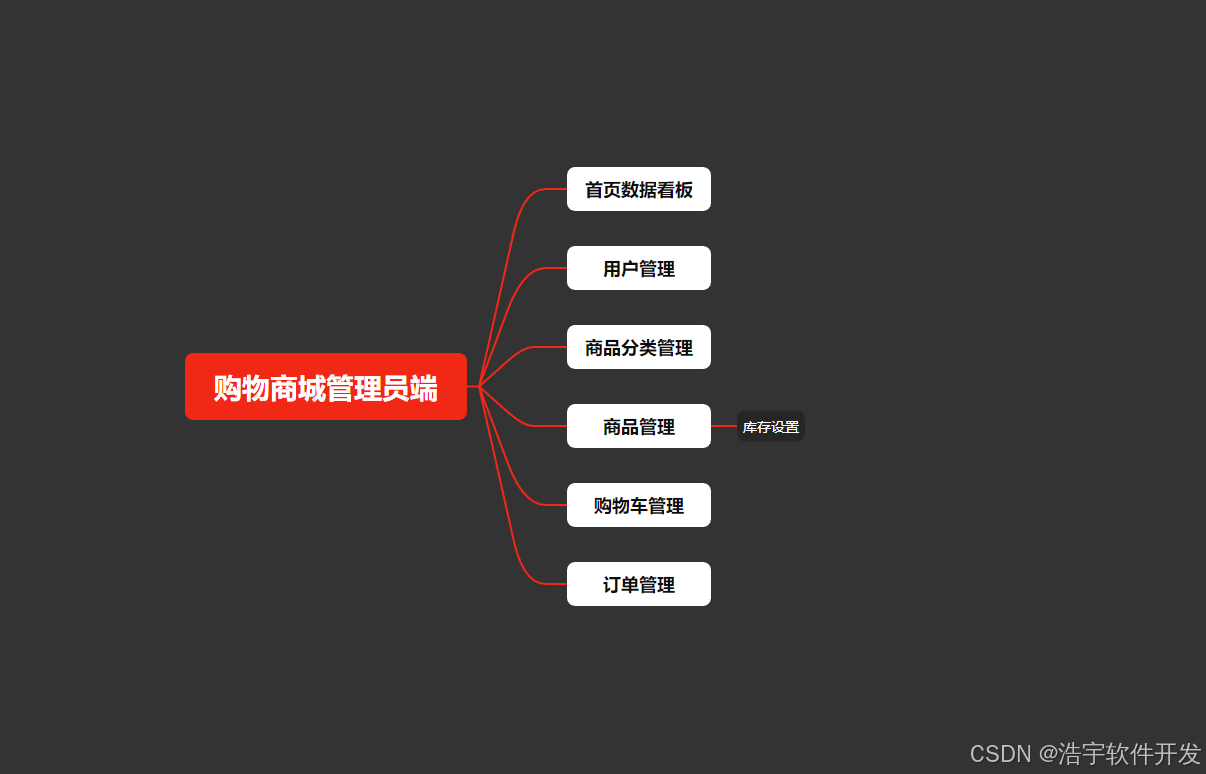
2. 项目涉及到的技术点
- 使用MySQL数据库实现数据存储
- 使用CountDownTimer实现启动页倒计时
- 使用SharedPreferences实现记住密码登录
- 使用BottomNavigationView实现底部导航栏
- 使用Activity+Fragment实现底部导航栏页面之间切换
- 使用RecyclerView+Adapter实现商品信息列表
- 使用RecyclerView实现商品水平滑动分类
- 使用CardView卡片控件实现头像圆角
- 使用AlertDialog实现退出登录提醒框
使用springBoot搭建服务端使用okhttp实现app端和服务端数据通讯
3. 开发环境
app端
- 开发工具:Androidstudio
- 开发语言:Java
- jdk版本:11+以上
服务端
- 开发工具:IDEA
- 开发语言:Java
- 开发框架:springBoot
web端
- 开发工具:Vscode
- 开发环境:Nodejs
- Element UI +Vue 实现框架搭建
4. 项目运行效果图
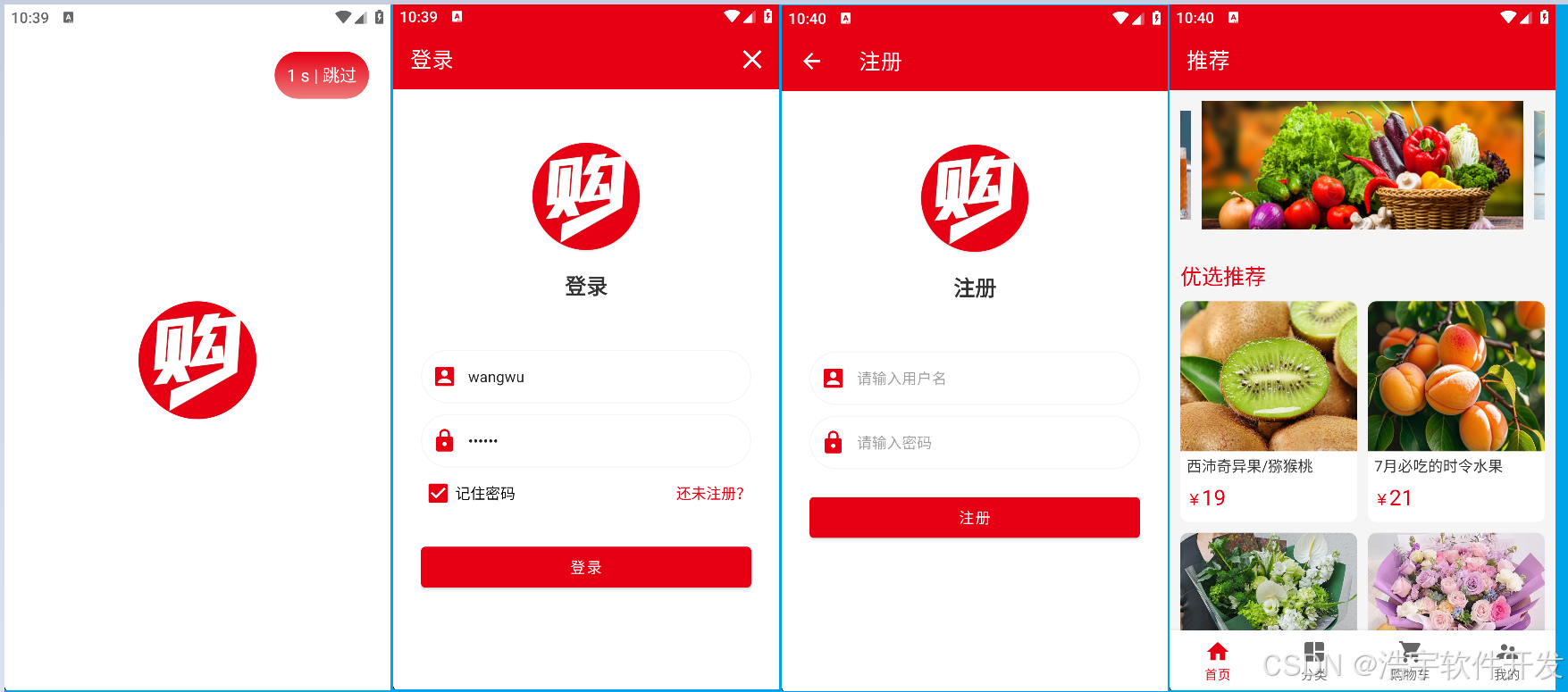
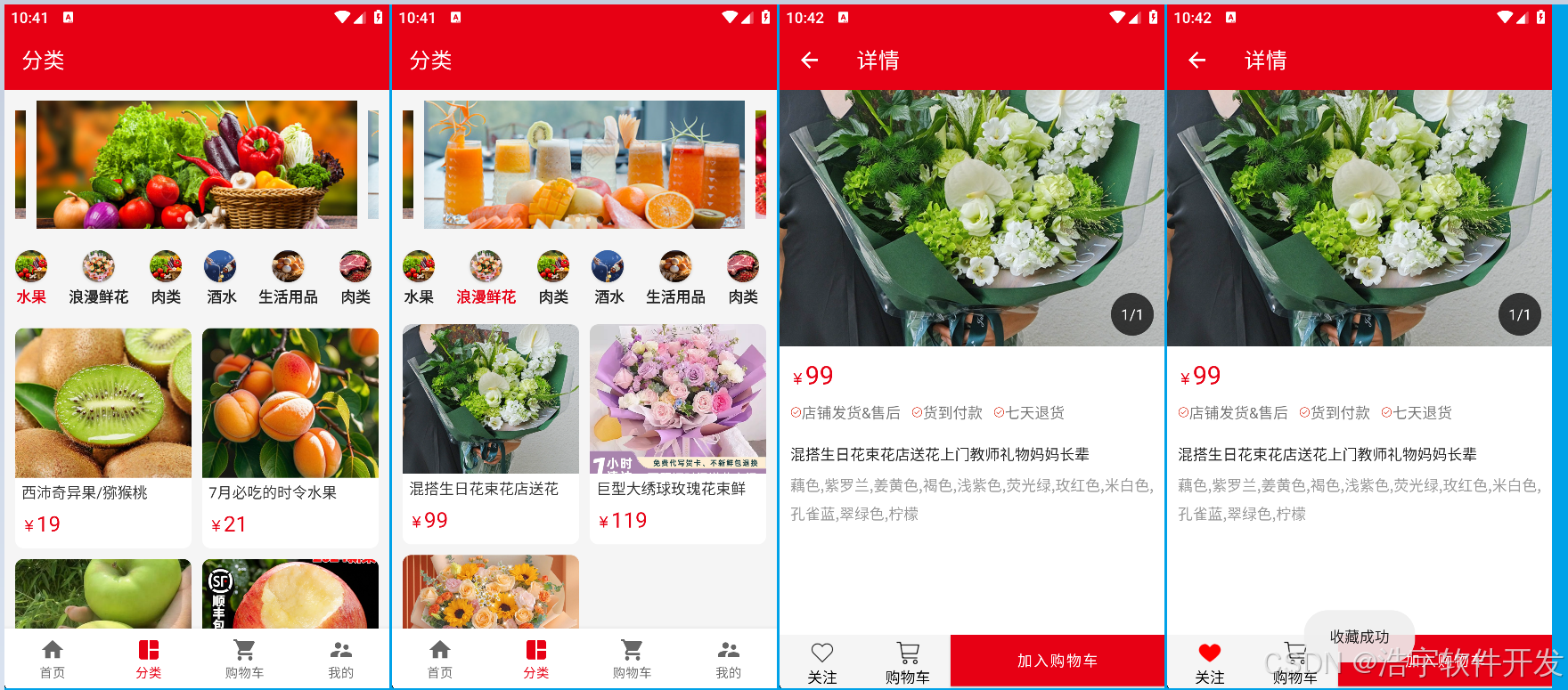
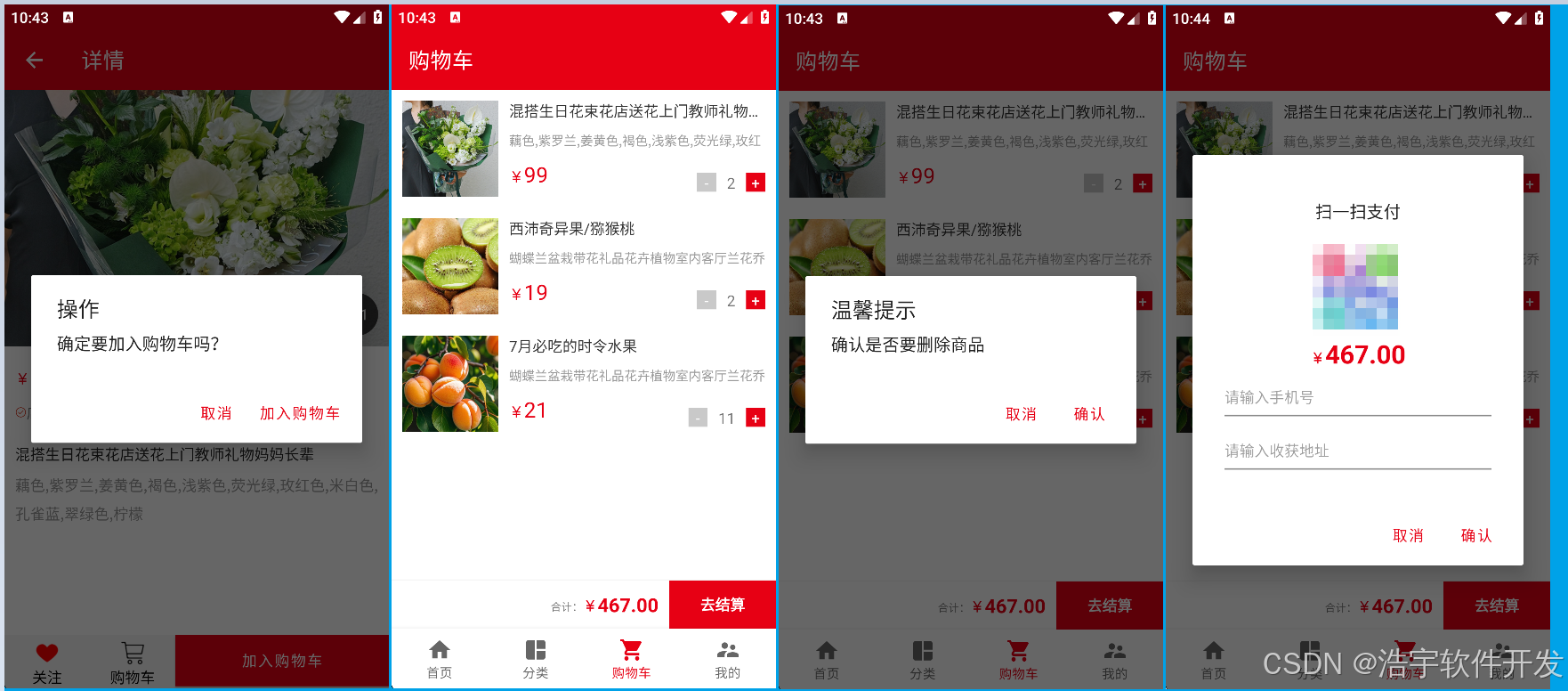
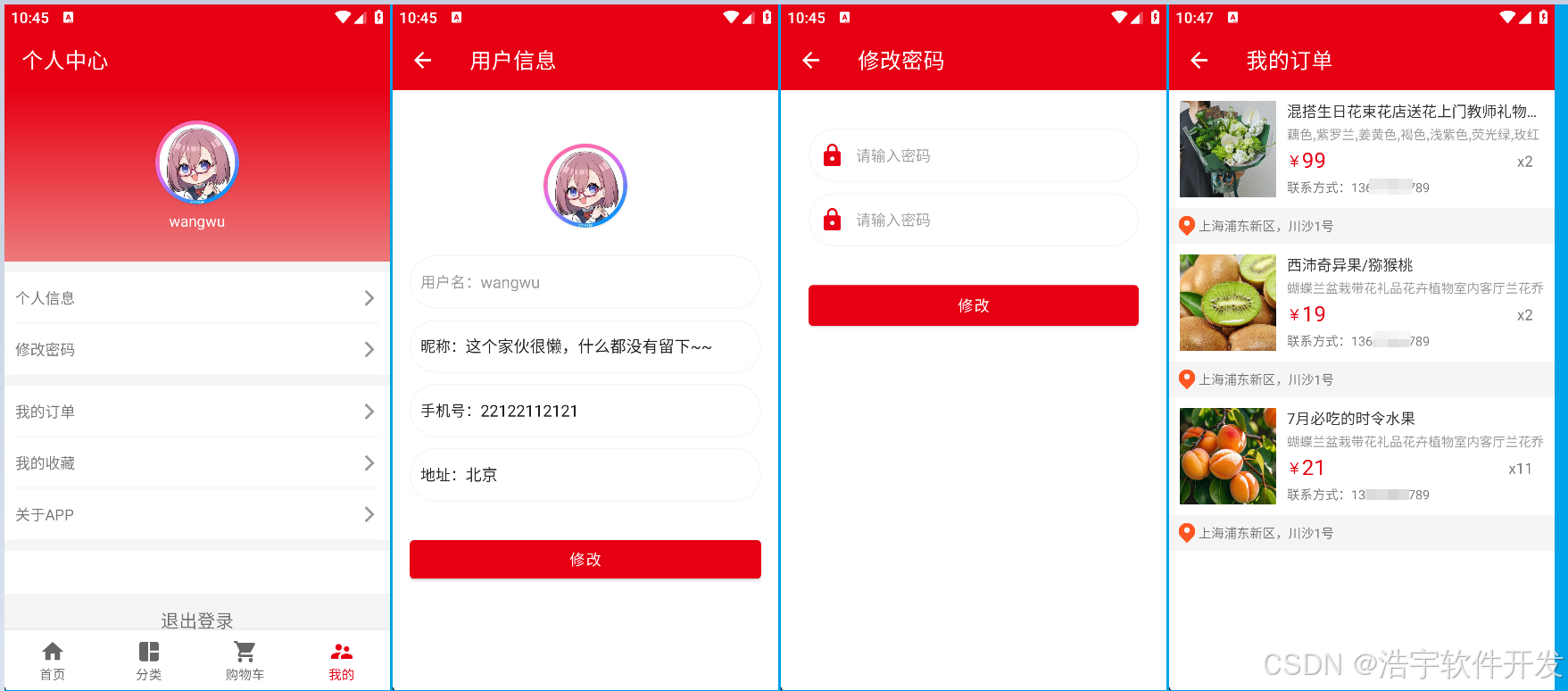
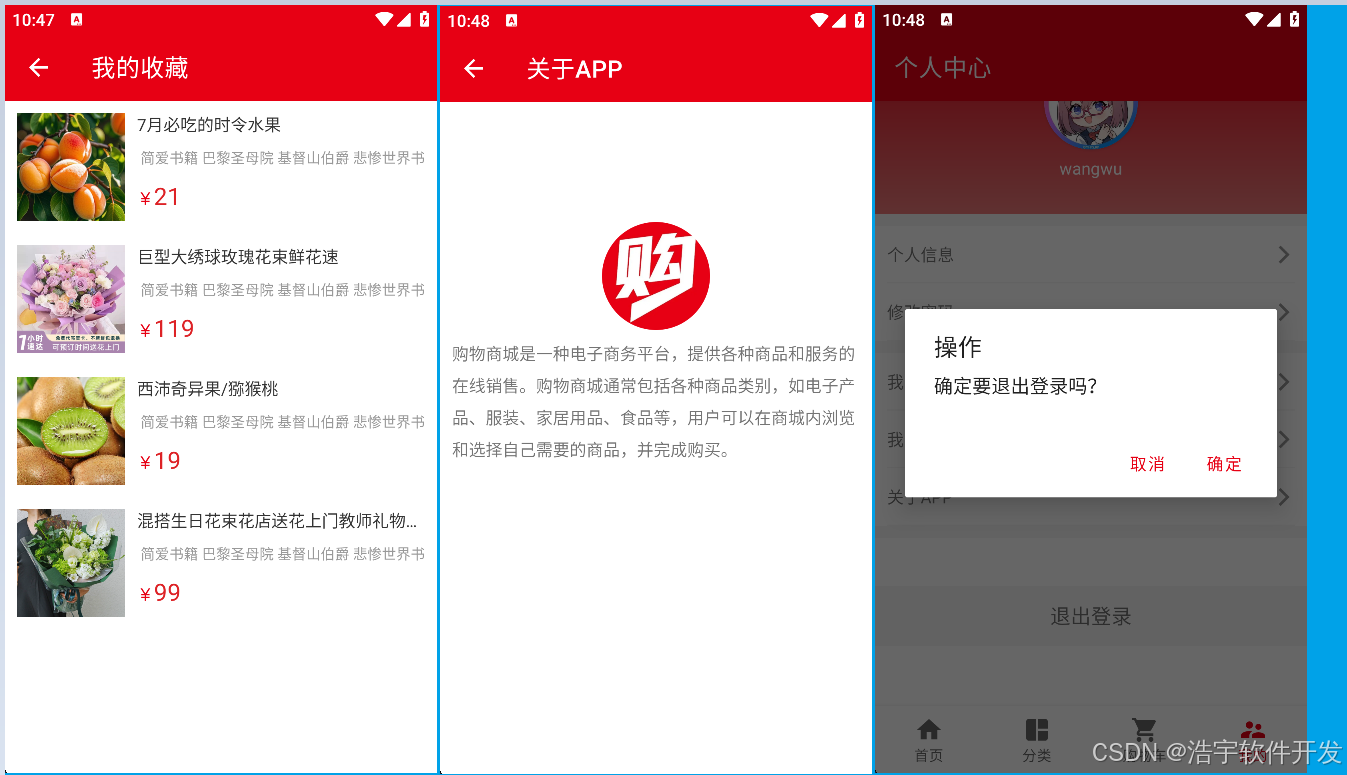
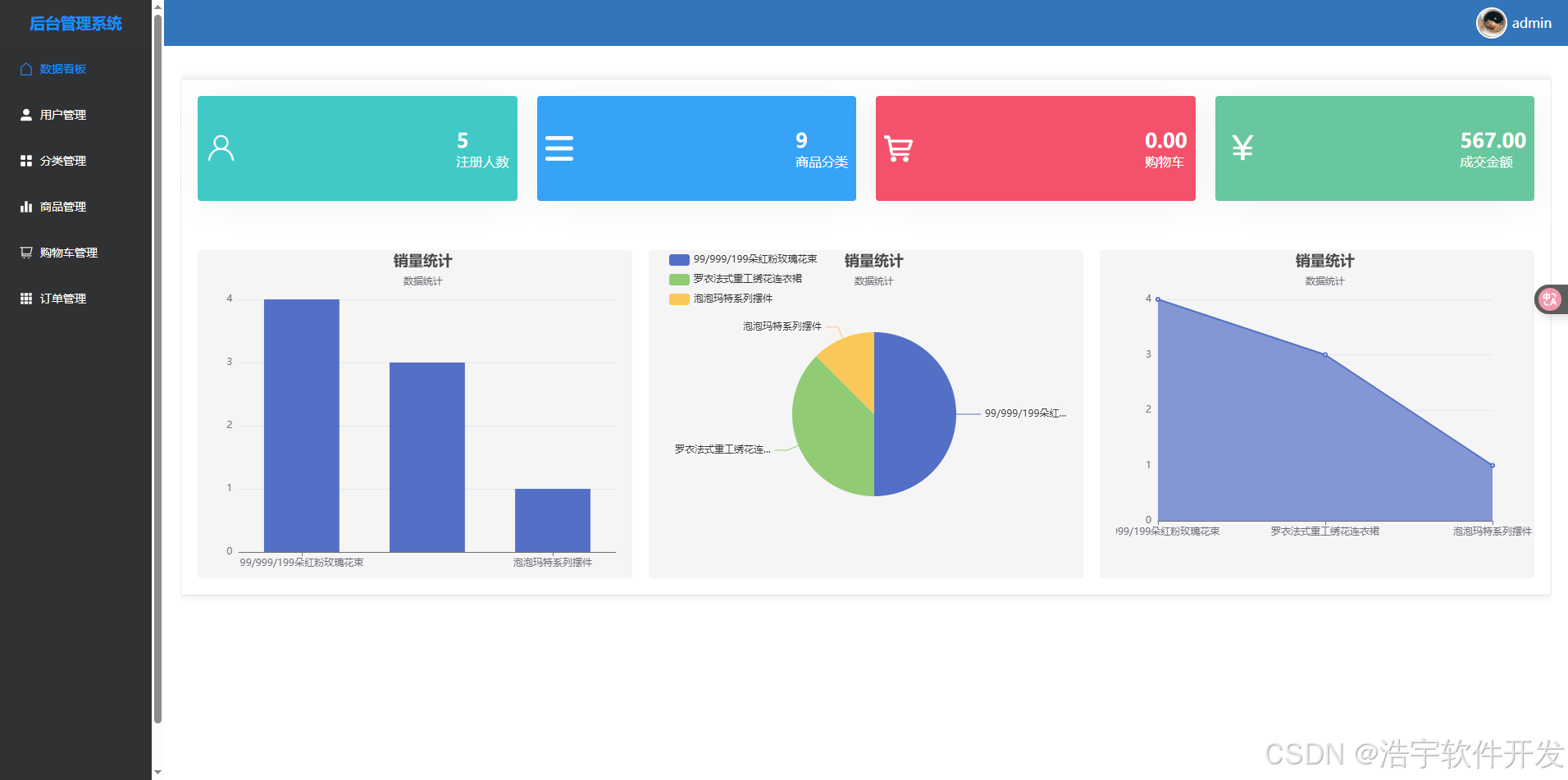
web管理员端运行效果图

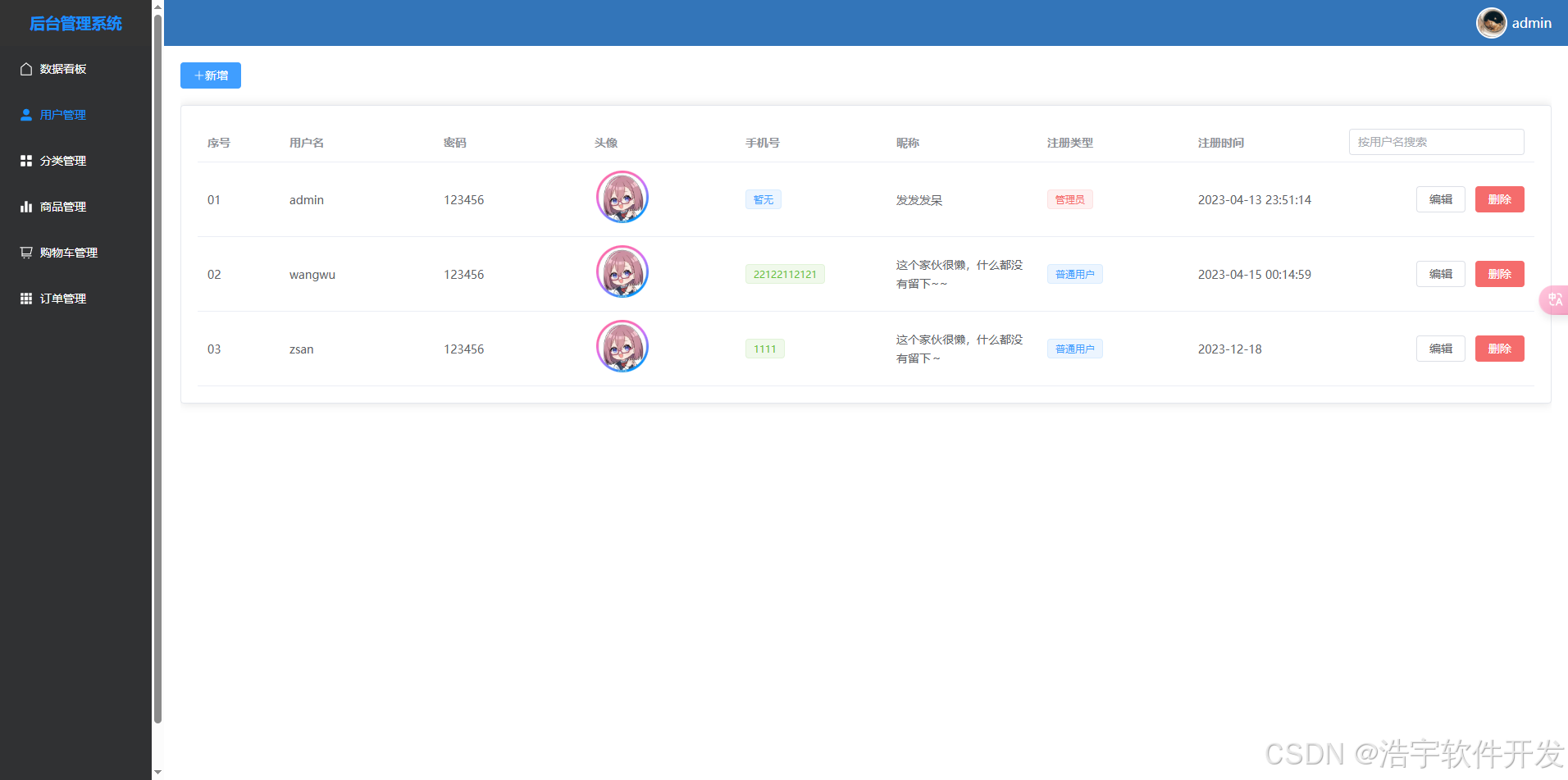
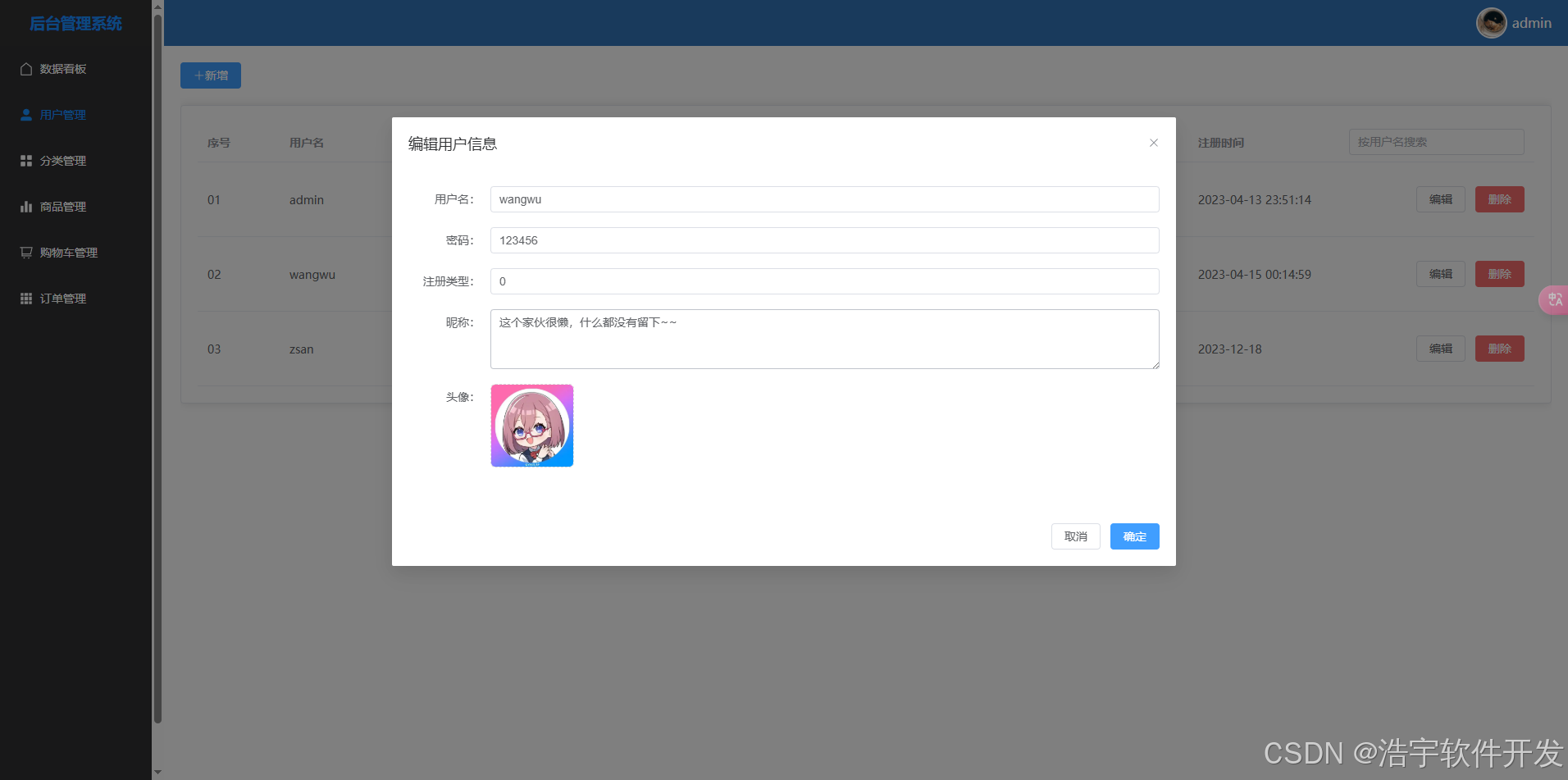
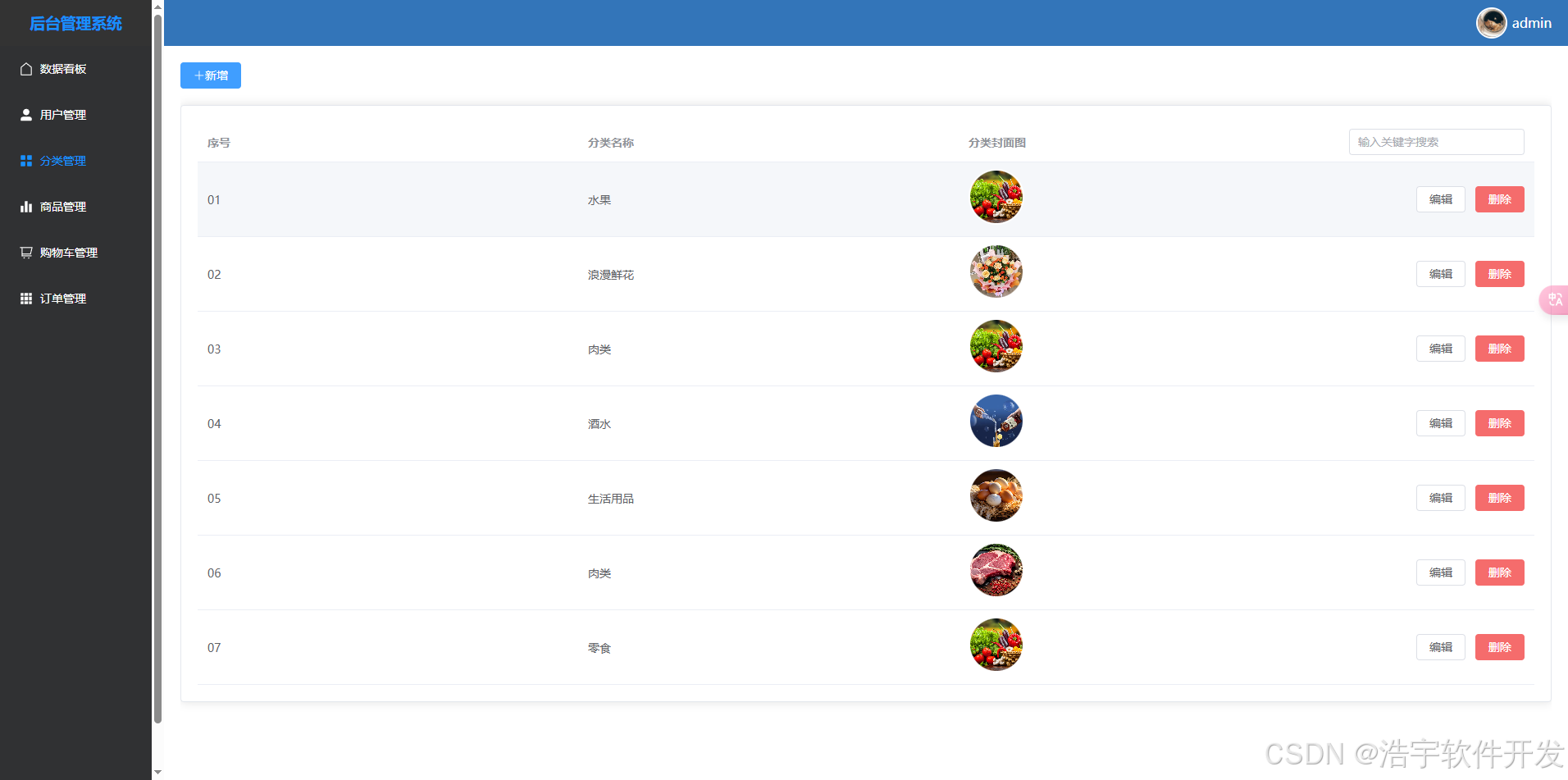
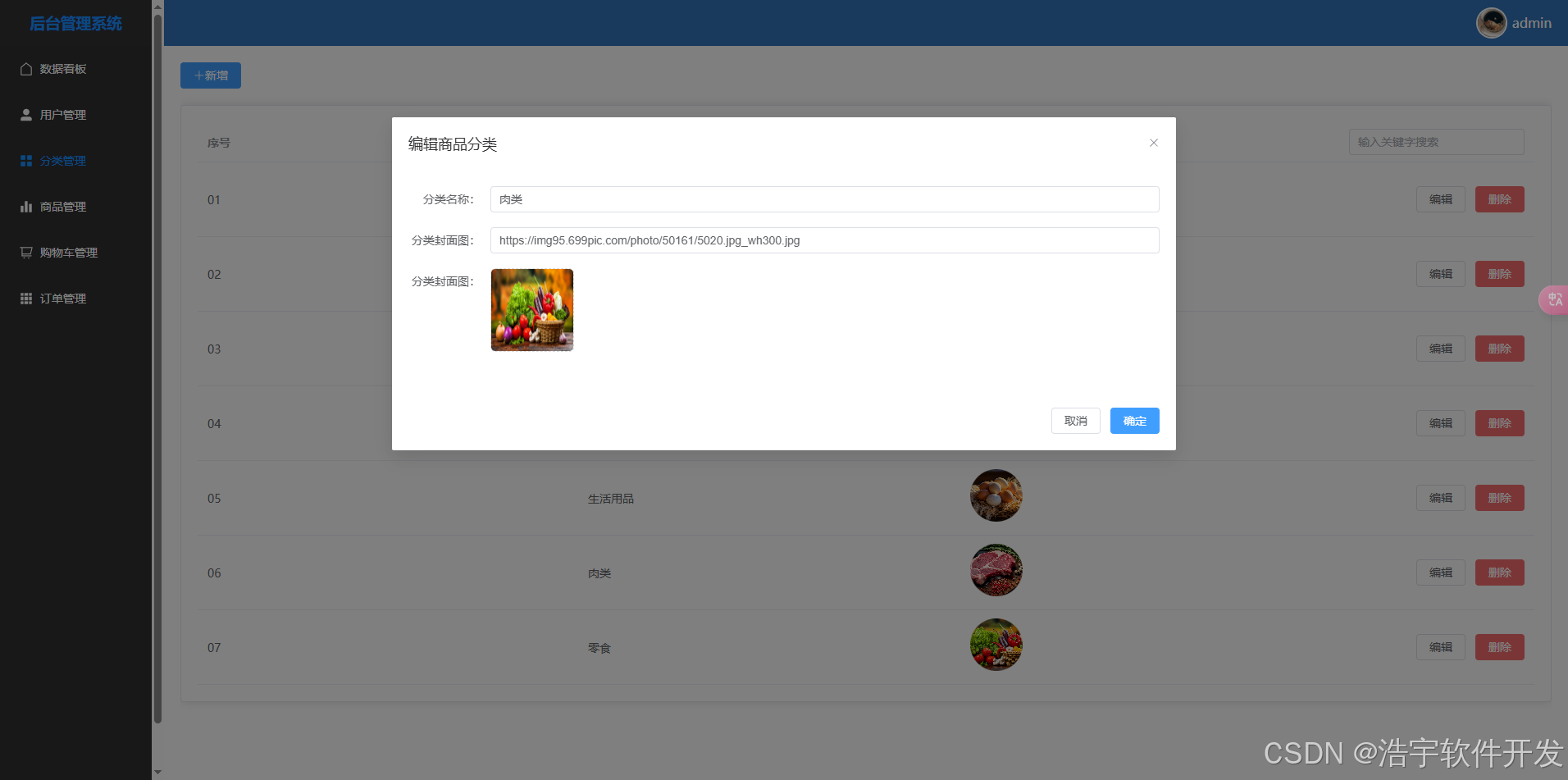
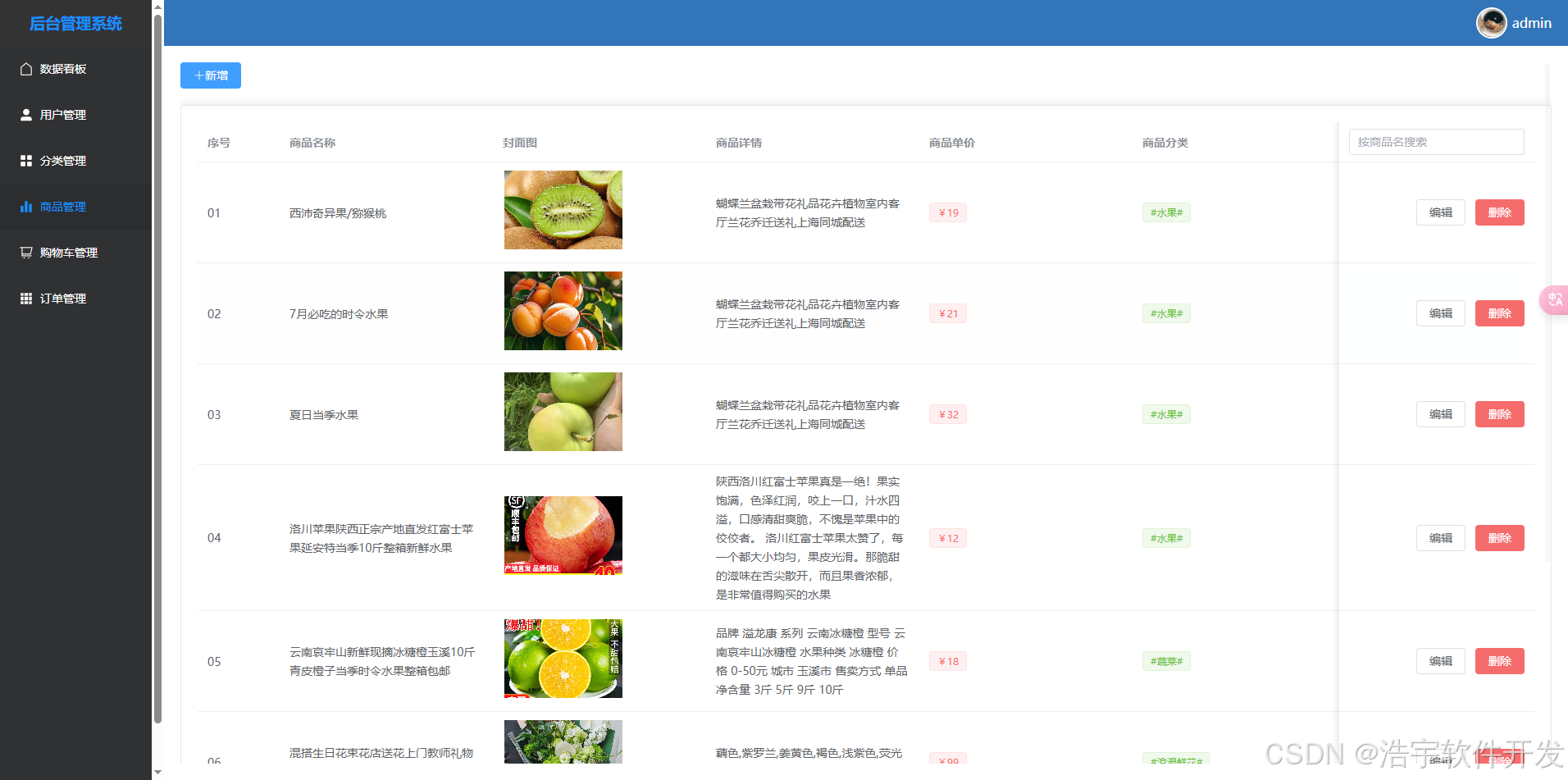
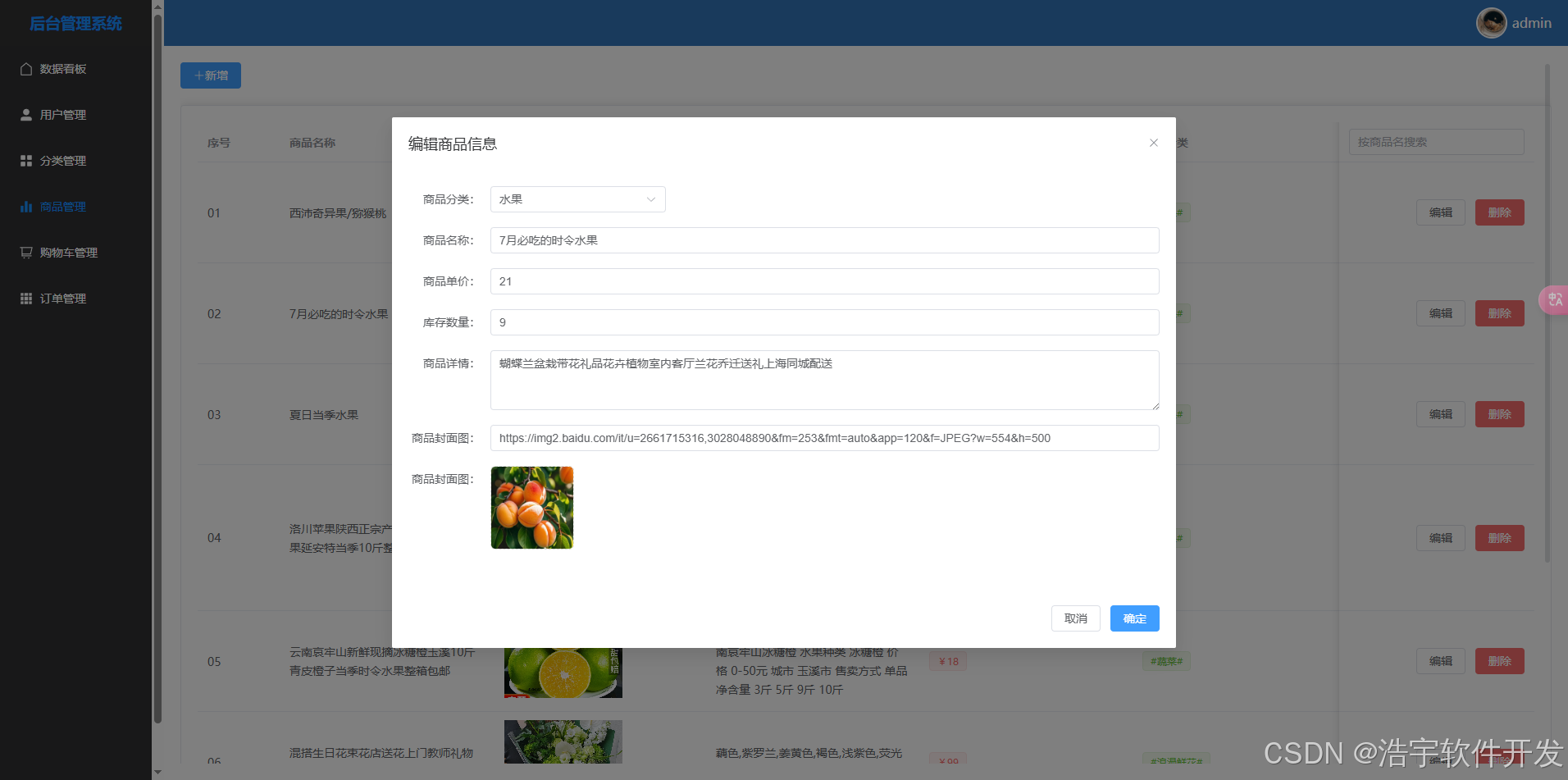
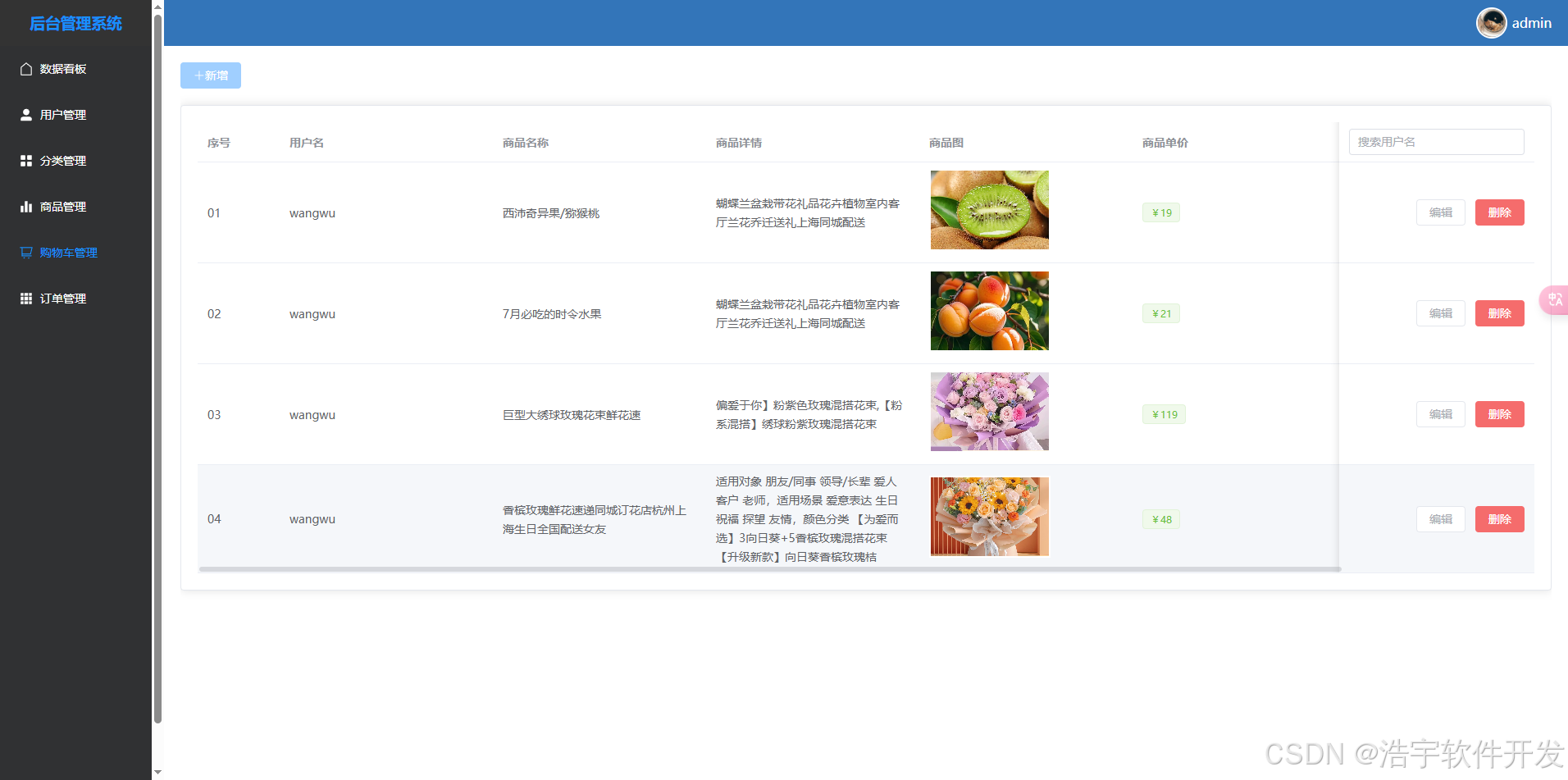
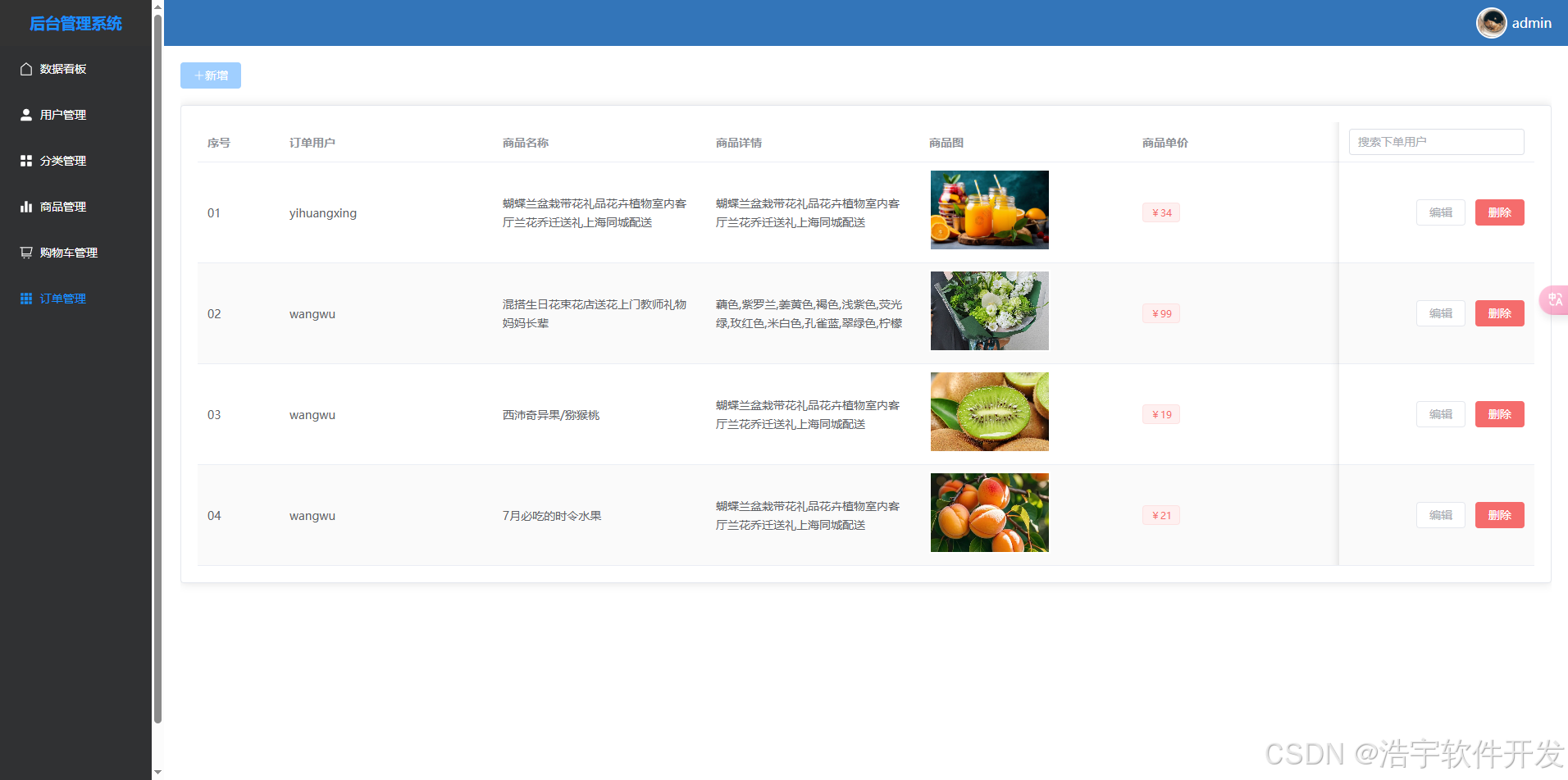
5. 部分功能实现
- app开屏页布局activity_welcome.xml
<?xml version="1.0" encoding="utf-8"?>
<RelativeLayout xmlns:android="http://schemas.android.com/apk/res/android"
    xmlns:app="http://schemas.android.com/apk/res-auto"
    xmlns:tools="http://schemas.android.com/tools"
    android:layout_width="match_parent"
    android:layout_height="match_parent"
    android:background="@color/white">


    <androidx.cardview.widget.CardView
        android:layout_width="wrap_content"
        android:layout_height="wrap_content"
        android:layout_alignParentRight="true"
        android:layout_margin="20dp"
        android:backgroundTint="@color/my_light_primary"
        app:cardCornerRadius="25dp"
        app:cardElevation="0dp">

        <TextView
            android:id="@+id/tv_countdown"
            android:layout_width="88dp"
            android:layout_height="44dp"
            android:gravity="center"
            android:text="3s | 跳过"
            android:textColor="@color/white"
            android:textSize="16sp" />

    </androidx.cardview.widget.CardView>


    <androidx.cardview.widget.CardView
        android:layout_width="110dp"
        android:layout_height="110dp"
        android:layout_centerInParent="true"
        app:cardCornerRadius="55dp"
        app:cardElevation="0dp">

        <ImageView
            android:layout_width="match_parent"
            android:layout_height="match_parent"
            android:src="@mipmap/img_logo" />


    </androidx.cardview.widget.CardView>


</RelativeLayout>
- WelcomeActivity.java倒计时实现
/**
 * 启动页
 */
public class WelcomeActivity extends AppCompatActivity {
    private TextView tvCountdown;

    private CountDownTimer countDownTimer;
    private long timeLeftInMillis = 3000; // 设置倒计时时长,单位为毫秒

    @Override
    protected void onCreate(Bundle savedInstanceState) {
        super.onCreate(savedInstanceState);
        setContentView(R.layout.activity_welcome);
        //初始化控件
        tvCountdown = findViewById(R.id.tv_countdown);

        // 启动倒计时
        startCountdown();
    }

    private void startCountdown() {
        countDownTimer = new CountDownTimer(timeLeftInMillis, 1000) {
            @Override
            public void onTick(long millisUntilFinished) {
                timeLeftInMillis = millisUntilFinished;
                int secondsRemaining = (int) (millisUntilFinished / 1000);
                tvCountdown.setText(secondsRemaining + " s | 跳过");
            }

            @Override
            public void onFinish() {
                //跳转到登录页面(看自己逻辑想跳转哪个页面)
                startActivity(new Intent(WelcomeActivity.this, MainActivity.class));
                // 倒计时结束后的操作,例如跳转到主页面
                finish();

            }
        }.start();
    }

    @Override
    protected void onDestroy() {
        super.onDestroy();
        if (countDownTimer != null) {
            countDownTimer.cancel();
        }
    }
}
6. 视频教程学习
-
Androidstudio底部导航栏实现: https://www.bilibili.com/video/BV1MQ4y1H7wM/?spm_id_from=333.337.search-card.all.click&vd_source=984bb03f768809c7d33f20179343d8c8
-
Androidstudio制作欢迎页倒计时: https://www.bilibili.com/video/BV1zw411676Z/?spm_id_from=333.337.search-card.all.click&vd_source=984bb03f768809c7d33f20179343d8c8
-
Android安卓项目目录介绍,如何正确运行Android项目: https://blog.csdn.net/jky_yihuangxing/article/details/141933510
-
springBoot项目目录介绍,如何启动springBoot项目: https://blog.csdn.net/jky_yihuangxing/article/details/141926182

魔乐社区(Modelers.cn) 是一个中立、公益的人工智能社区,提供人工智能工具、模型、数据的托管、展示与应用协同服务,为人工智能开发及爱好者搭建开放的学习交流平台。社区通过理事会方式运作,由全产业链共同建设、共同运营、共同享有,推动国产AI生态繁荣发展。
更多推荐



 33
33 0
0- 0


 已为社区贡献5条内容

所有评论(0)