网络设备巡检脚本-python_telnetlib模块
·
概要
在日常的生产环境中,网络设备需要定期进行巡检,确认其状态等,确保设备健康与网络的稳定,而通过人工登录到设备上进行巡检命令输入并导出巡检数据的方式较为浪费时间,且在较大的网络架构中会让网络维护人员工作量激增。
而随着自动化运维的兴起,就出现了使用自动化脚本进行巡检的方式,本次介绍的是使用python编写一个脚本完成网络设备巡检的方式,其中使用的模块仅涉及telnetlib与time,适用于可使用telnet登录的网络设备。
测试拓扑与配置
使用ensp模拟器进行本次测试,拓扑如下:
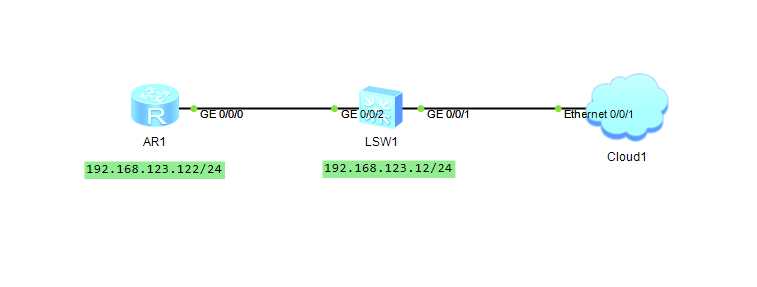
给设备配置telnet服务。
R1
interface GigabitEthernet0/0/0
ip address 192.168.123.122 255.255.255.0
quit

user-interface vty 0 4
authentication-mode aaa

aaa
local-user tay password cipher Huawei@123
local-user tay privilege level 3
local-user tay service-type telnet
LSW1
interface vlan 1
ip address 192.168.123.12 255.255.255.0
quit

user-interface vty 0 4
authentication-mode aaa

aaa
local-user tay password cipher Huawei@123
local-user tay privilege level 3
local-user tay service-type telnet
脚本代码
脚本的代码非常简洁且易于理解,总体思路就是登录到相应的网络设备中进行命令输入,并将巡检数据输出到运行界面。
import telnetlib
import time

def telnet_run(host,username,password,port):
    try:

        tn = telnetlib.Telnet(host,port)

        tn.read_until(b"Username:")
        tn.write(username.encode("ascii") + b"\n")
        tn.read_until(b"Password:")
        tn.write(password.encode("ascii") + b"\n")
		##输入让回显数据一次性完整输出的命令
        tn.write(b"screen-length 0 temporary\n")

        time.sleep(1)
        print(tn.read_very_eager().decode("ascii"))

		##打开记录巡检命令的文件,并按序写入
        with open('command.txt') as f:
            for com in f:
                tn.write(com.encode("ascii"))
                time.sleep(3)

        print(tn.read_very_eager().decode("ascii"))
        tn.close()
        print('patrol completed  over!')

    except KeyboardInterrupt:
        print('stoping now!')

##登录信息
host = "192.168.123.12"
username = "tay"
password = "Huawei@123"
port="23"

if __name__ == "__main__":
    try:
    	##定时自动运行巡检
        while True:
            telnet_run(host, username, password, port)
            print('running over!')
            time.sleep(300)

    except KeyboardInterrupt:
        print("\n running stop now")
最后还需要创建一个记录巡检命令的txt文件。
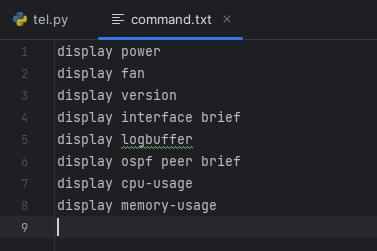
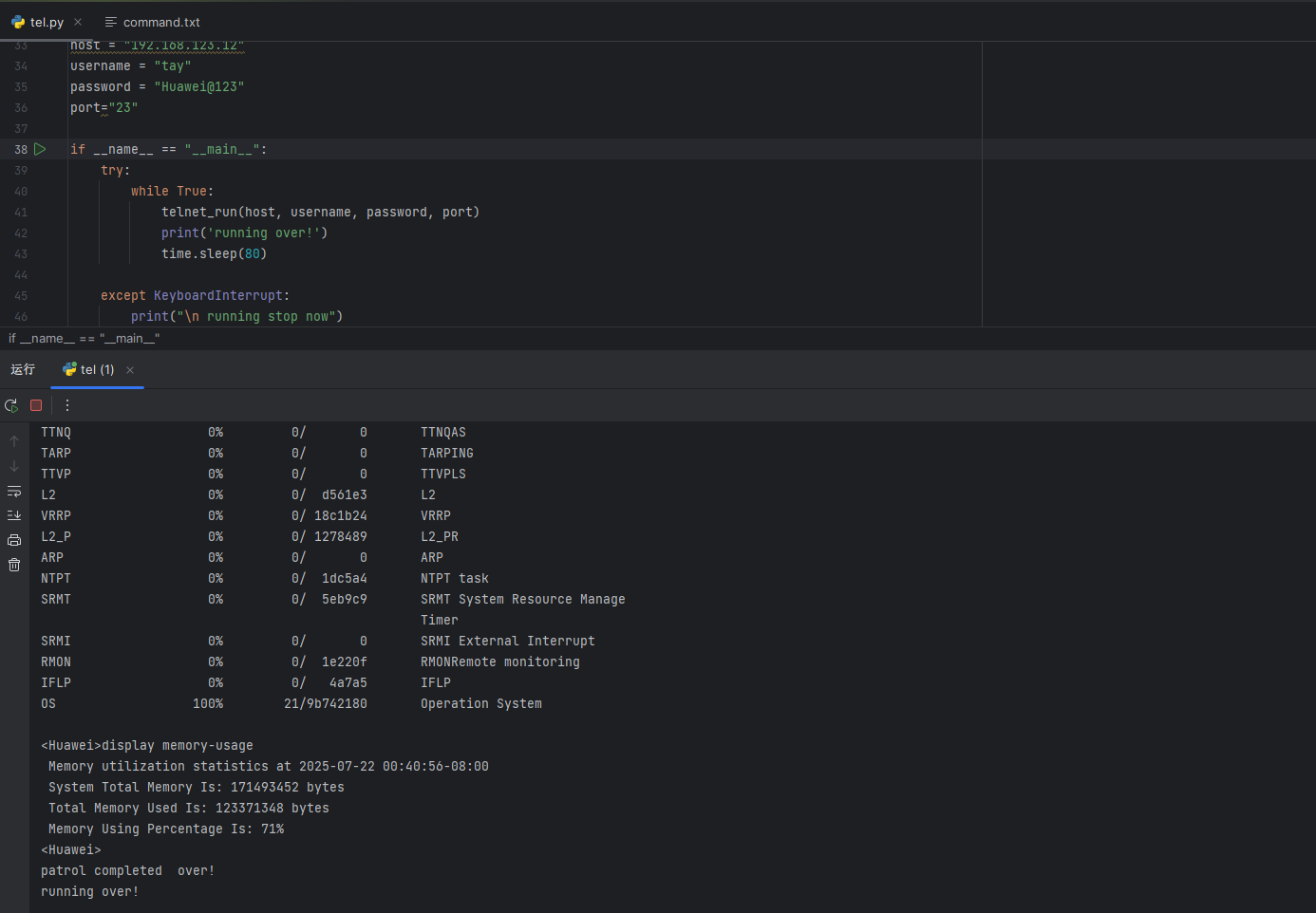
测试:
先尝试下对交换机sw1进行巡检测试,直接运行这个代码就可。
既然是自动化运维的脚本,如果需要每次手动肯定不行,以下就尝试一下修改间隔时间为7秒去巡检路由器R1的效果,用一个较长的gif演示下该效果。
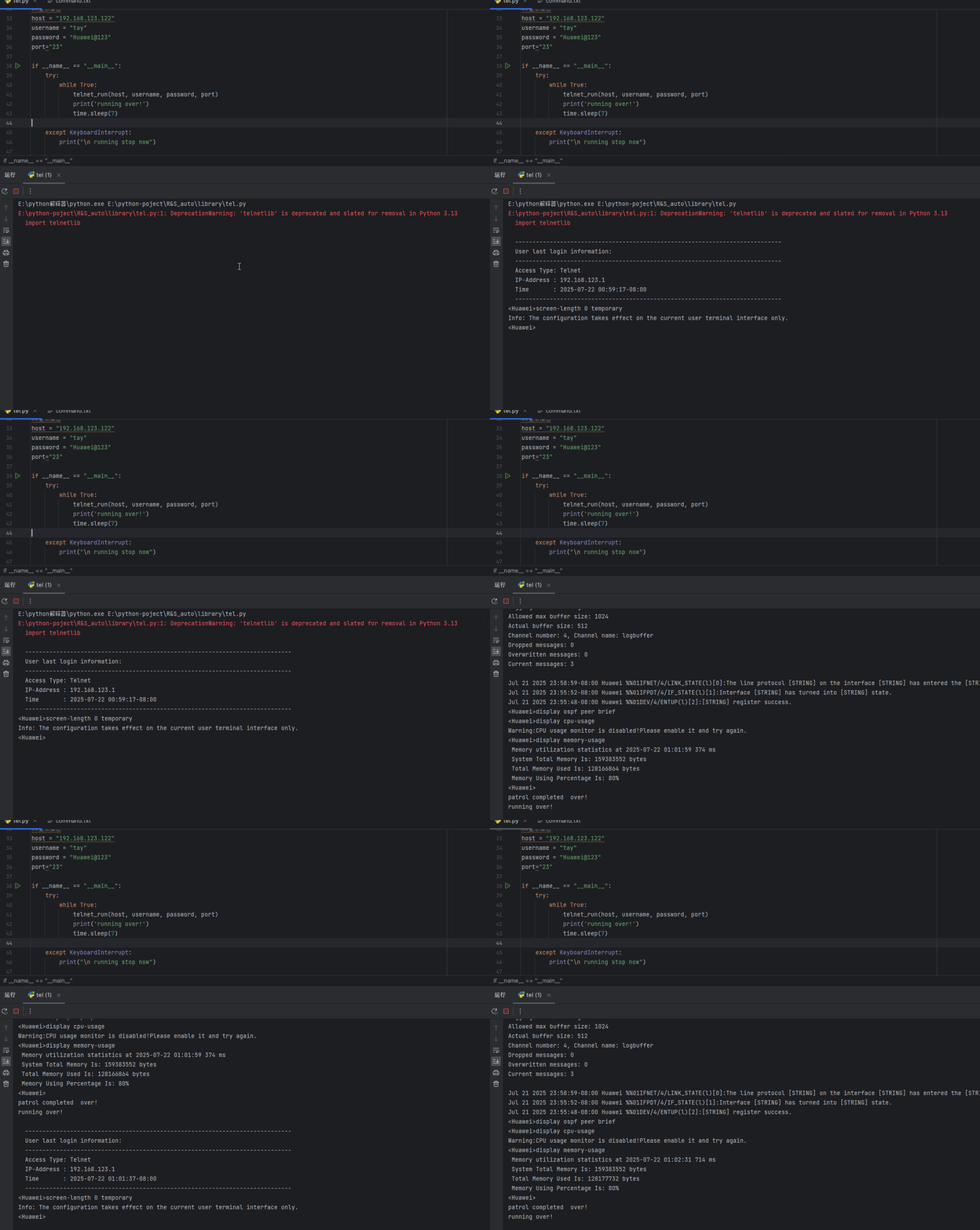
可以看到在结束巡检后等待设定的时间就会再次重复巡检操作,达到自动化巡检的效果。
小结
这只是一个自动化运维脚本的雏形,其中还需要很多的功能性完善,如输出内容的导出与运行方式的优化等等。
以上就是本次巡检脚本的所有内容。
我是成长中的it技术人,感谢各位观看,如有错误地方麻烦各位多多指教。
共同努力,一同进步。希望各位都能拥有美好的每一天!

魔乐社区(Modelers.cn) 是一个中立、公益的人工智能社区,提供人工智能工具、模型、数据的托管、展示与应用协同服务,为人工智能开发及爱好者搭建开放的学习交流平台。社区通过理事会方式运作,由全产业链共同建设、共同运营、共同享有,推动国产AI生态繁荣发展。
更多推荐


 3
3 0
0- 0



 已为社区贡献1条内容

所有评论(0)