ubuntu18.04 安装 ros2 foxy
安装 colcon and vcs
sudo apt update && sudo apt install -y build-essential
sudo apt install -y git cmake python3-pip
pip3 install -U colcon-common-extensions vcstool
添加环境变量,让终端可以直接执行colcon和vcs
vi ~/.bashrc
添加到末尾
export PATH=$PATH:~/.local/bin/
source ~/.bashrc
Get ros2 foxy repo
下载源码
mkdir -p ~/ros2_foxy/src
cd ~/ros2_foxy
wget https://raw.githubusercontent.com/ros2/ros2/foxy/ros2.repos
vcs import src < ros2.repos
Download OGRE
下载rviz依赖
https://github.com/OGRECave/ogre/archive/v1.12.1.zip
unzip to ~/ros2_foxy
On linux you additionally need the following system headers to build the GL & GLES2 RenderSystems (command for Ubuntu):
sudo apt-get install libgles2-mesa-dev
furthermore we recommend installing the following optional packages
sudo apt-get install libsdl2-dev libxt-dev libxaw7-dev doxygen
Build ros2
安装编译依赖
pip3 install lark numpy
sudo apt-get install python3-pyqt5 pyqt5-dev-tools qttools5-dev-tools
sudo apt-get install python3-sip-dev
编译
cd ~/ros2_foxy/
colcon build --symlink-install
环境激活
. ~/ros2_foxy/install/local_setup.bash
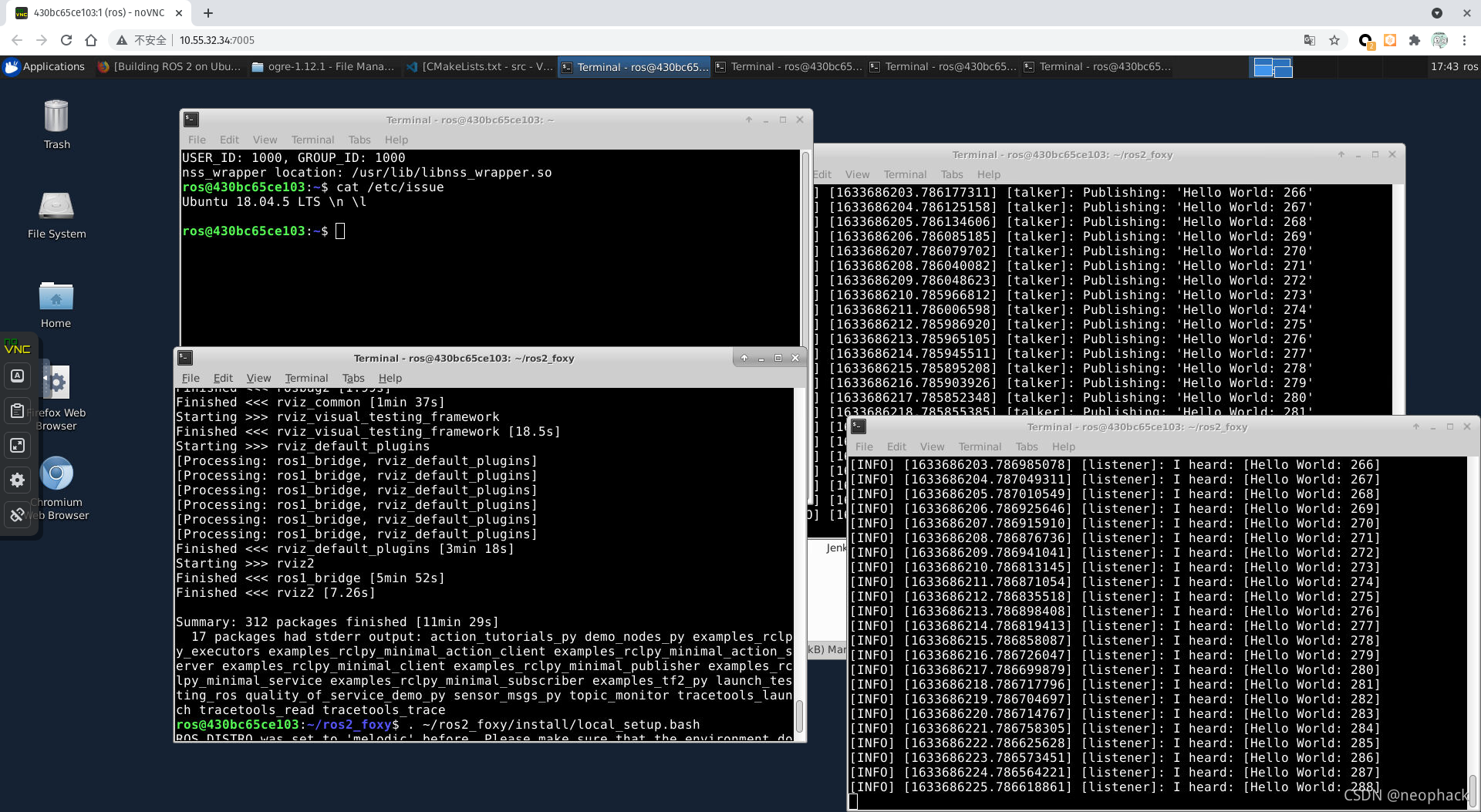
测试
启动 C++ talker:
. ~/ros2_foxy/install/local_setup.bash
ros2 run demo_nodes_cpp talker
启动 Python listener:
. ~/ros2_foxy/install/local_setup.bash
ros2 run demo_nodes_py listener

魔乐社区(Modelers.cn) 是一个中立、公益的人工智能社区,提供人工智能工具、模型、数据的托管、展示与应用协同服务,为人工智能开发及爱好者搭建开放的学习交流平台。社区通过理事会方式运作,由全产业链共同建设、共同运营、共同享有,推动国产AI生态繁荣发展。
更多推荐


 5
5 0
0- 0


 已为社区贡献4条内容

所有评论(0)